---
title: "Lumion View for SketchUp (Mac): System Requirements"
description: Lumion View
---
Solutions
[Architectural design All you need to bring your residential, commercial or institutional designs to life](https://lumion.com/product/architectural-design) [Landscape architecture Beautiful terrains and fine-detailed nature for any climate or season](https://lumion.com/product/landscape-architecture)
[Interior design Realistic light, high-quality textures, and an extensive asset library](https://lumion.com/product/interior-design) [Students and Faculties Lumion is free for students, educators, and faculties around the world](https://lumion.com/product/educational-licenses)
[SketchUp](https://lumion.com/compatibility/sketchup-rendering) [Revit](https://lumion.com/compatibility/revit-rendering) [ArchiCAD](https://lumion.com/compatibility/archicad-rendering) [Rhino](https://lumion.com/compatibility/rhino-rendering) [Autocad](https://lumion.com/compatibility/autocad-rendering) [See more](https://lumion.com/compatibility/)
Product
[Discover Axogram New Live architectural diagramming](https://lumion.com/product/axogram) [Lumion Cloud Where design meets collaboration](https://lumion.com/product/lumion-cloud)
[Lumion Pro Advanced visualization solution](https://lumion.com/product/lumion-pro) [Discover AI tools New AI built for architectural work](https://lumion.com/product/ai)
[Lumion Pro 2026.1 is out now! 🚀](https://lumion.com/product/latest-version-pro) [Compatibility](https://lumion.com/compatibility/) [System Requirements](https://lumion.com/product/system-requirements) [Roadmap](https://lumion.com/product/roadmap)
[Pricing](https://lumion.com/product/buy) Resources
[Made with Lumion Get inspired by the stories behind the designs](https://lumion.com/made-with-lumion)
[Tips & Guides Make the most out of Lumion with helpful guides and tutorials](https://lumion.com/tips-guides)
[Knowledge base](https://support.lumion.com/knowledge-base?hsLang=en-us) [Community](https://community.lumion.com/index.php) [Downloads](https://support.lumion.com/downloads?hsLang=en-us)
About
[Who we are Learn about our story and mission](https://lumion.com/about) [Careers - We're hiring Let's build the future of architectural visualization](https://lumion.com/about/careers)
[News Discover the latest product news and more](https://lumion.com/news)
[Find your local reseller](https://lumion.com/about/find-reseller) [Contact us](https://lumion.com/about/contact)
[](http://lumion.com)
[My Account](https://account.lumion.com)
Solutions
[Architectural design](https://lumion.com/product/architectural-design) [Interior design](https://lumion.com/product/interior-design) [Landscape architecture](https://lumion.com/product/landscape-architecture) [Students and Faculties](https://lumion.com/product/educational-licenses)
---
[SketchUp](https://lumion.com/compatibility/sketchup-rendering) [Revit](https://lumion.com/compatibility/revit-rendering) [ArchiCAD](https://lumion.com/compatibility/archicad-rendering) [Rhino](https://lumion.com/compatibility/rhino-rendering) [Autocad](https://lumion.com/compatibility/autocad-rendering) [See more](https://lumion.com/compatibility/)
Product
[Axogram New](https://lumion.com/product/axogram) [Lumion Cloud](https://lumion.com/product/lumion-cloud) [Lumion Pro](https://lumion.com/product/lumion-pro) [Discover AI tools New](https://lumion.com/product/ai)
---
[Lumion Pro 2026.1 is out now! 🚀](https://lumion.com/product/latest-version-pro) [Compatibility](https://lumion.com/compatibility/) [System Requirements](https://lumion.com/product/system-requirements) [Roadmap](https://lumion.com/product/roadmap)
[Pricing](https://lumion.com/product/buy) Resources
[Made with Lumion](https://lumion.com/made-with-lumion) [Tips & Guides](https://lumion.com/tips-guides)
---
[Knowledge base](https://support.lumion.com/knowledge-base?hsLang=en-us) [Community](https://community.lumion.com/index.php) [Downloads](https://support.lumion.com/downloads?hsLang=en-us)
About
[Who we are](https://lumion.com/about) [Careers - We're hiring](https://lumion.com/about/careers) [News](https://lumion.com/news)
---
[Find your local reseller](https://lumion.com/about/find-reseller) [Contact us](https://lumion.com/about/contact)
[My Account](https://account.lumion.com)
[Submit a request](https://support.lumion.com/hc/en-us/requests/new?hsLang=en-us)
Lumion Knowledge Base: Lumion View
How can we help?
- There are no suggestions because the search field is empty.
[Skip to content](https://support.lumion.com/lumion-view/api/v2/help_center/en-us/articles/21990015590300.json#main-content)
English - United States
Show submenu for translations

Open main navigation
Close main navigation
- English - United States
Show submenu for translations
- Contact us
Contact us
How can we help you?
- There are no suggestions because the search field is empty.
1. [Lumion View](https://support.lumion.com/lumion-view?hsLang=en-us)
2. [Lumion View for SketchUp: Mac edition](https://support.lumion.com/lumion-view/lumion-view-for-sketchup-mac-edition?hsLang=en-us)
# Lumion View for SketchUp (Mac): System Requirements
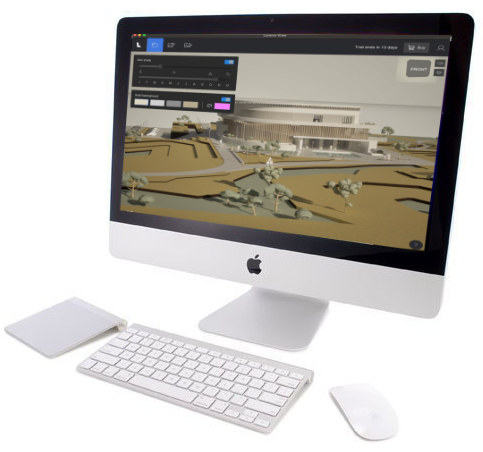
Lumion View for SketchUp only works with the following versions of SketchUp:
- SketchUp 2025 and newer.
**Note:** installation on older versions of SketchUp (to 2020) is possible but unsupported.
### Menu:
[1. What kind of computer does Lumion View need?](https://support.lumion.com/lumion-view/api/v2/help_center/en-us/articles/21990015590300.json#h_01J2J3Q2DVP5JN8YVRQF6S3QXR)
[2. System Requirements](https://support.lumion.com/lumion-view/api/v2/help_center/en-us/articles/21990015590300.json#h_01JQ0PGWMFE6PNH14VKKJHR0GN).
[3. Which graphics do you need for Lumion View?](https://support.lumion.com/lumion-view/api/v2/help_center/en-us/articles/21990015590300.json#01JQ0R413A2QDF0VQZBMEHW20M)
[4. Questions/FAQ on Hardware](https://support.lumion.com/lumion-view/api/v2/help_center/en-us/articles/21990015590300.json#h_01JQ0SAHTE02VN0CX2T978NY6Y).
[5. Contact us](https://support.lumion.com/lumion-view/api/v2/help_center/en-us/articles/21990015590300.json#01JQ0S5GCQ520J14YCC5VN75G5).
## 1. What kind of computer does Lumion View need?
### Essential Requirements:
#### **1.1:** A Mac PC:
A recent Apple(TM) Mac(TM) based PC running a recent version of macOS(TM):
- **External Link:** [Find out which macOS your Mac is using](https://support.apple.com/en-nz/109033)
#### **1.2:** 3D Rendering Requirements:
**1.2.1:** Rasterization rendering.
Lumion View for Mac edition (initial release version 24.4) renders with lower 3D graphics requirements using Rasterization rendering.
**1.2.2:** Hardware that supports Ray Trace rendering.
Plans are for Ray Trace rendering. You are best to have a Mac that fully supports this technology.
For this, the Mac must support *Ray Tracing* and have suitable performance for the 3D data and rendering of models (depending on how complex they are).
## 2. System Requirements - hardware:
### 2.1: Minimum
M2 Pro: for Rasterization rendering.
### 2.2: Recommended
M3 or M4 as editions: Pro, Max or Ultra.
For Rasterization rendering, for Ray Trace rendering (when available).
At least 16 GB of RAM.
Your Mac also needs to have good performance to run the CAD software, such as SketchUp 2025. And do so, in combination with Lumion View.
For better performance, what matters most is the type of chip:
- Higher edition of chip = better performance as it has more GPU threads:
- For M3 for example the order is: M3 \> M3 Pro \> M3 Max \> M3 ultra.
- For M4 there is no ultra released yet.
## 3. Which graphics do you need for Lumion View?
### 3.1: An M2 Pro
The initial release renders using Rasterization rendering. An M2 Pro chip or better is suitable.
### 3.2: An M3 or M4 chip:
Supports the current Rasterization rendering pipeline.
For when your Mac graphics will need to support Ray Tracing.
Ray Tracing (when available, not in release 25.4):
#### Which Apple Chips Support Ray Tracing?
M3 family and newer:
All M3, M3 Pro, M3 Max, M4, M4 Pro, and M4 Max chips feature hardware-accelerated ray tracing capabilities.
Prior generations:
Older Apple Silicon chips, such as the M1 and M2, and Intel-based Macs, do not have this dedicated hardware.
- **External Link:** [Wikipedia: Apple M3](https://en.wikipedia.org/wiki/Apple_M3)
- **External Link:** [Wikipedia: Apple M4](https://en.wikipedia.org/wiki/Apple_M4)
## 4. Questions/FAQ on Hardware:
4.1: How do you Improve your Experience of Lumion View?:
You experience will be that much better if the GPU is high performance in the Recommended or above, as in Section 2. System Requirements - hardware (as above) .
4.2: How do you know if your Mac supports Ray Tracing?
Please check your Mac documentation. Then refer to section 2 and 3 above.
## 5. Contact us:
#### Technical Support for any issues and questions please use this channel:
- **Knowledge Base:** [Contact Lumion Technical Support for Lumion View](https://support.lumion.com/hc/en-us/articles/360041760194?hsLang=en-us)
- [Visit our other Sections](https://support.lumion.com/lumion-view/visit-our-other-sections?hsLang=en-us)
- [All About Lumion View](https://support.lumion.com/lumion-view/all-about-lumion-view?hsLang=en-us)
- [Lumion View News](https://support.lumion.com/lumion-view/lumion-view-news?hsLang=en-us)
- [Lumion View for SketchUp: Windows edition](https://support.lumion.com/lumion-view/lumion-view-for-sketchup-windows-edition?hsLang=en-us)
- [Lumion View for SketchUp: Mac edition](https://support.lumion.com/lumion-view/lumion-view-for-sketchup-mac-edition?hsLang=en-us)
- [Lumion View for Revit](https://support.lumion.com/lumion-view/lumion-view-for-revit?hsLang=en-us)
- [Lumion View for ArchiCAD: Windows Edition](https://support.lumion.com/lumion-view/lumion-view-for-archicad-windows-edition?hsLang=en-us)
- [Video Tutorials for Lumion View](https://support.lumion.com/lumion-view/video-tutorials-for-lumion-view?hsLang=en-us)
[](https://lumion.com/)
[mailto:email@email.com](mailto:email@email.com)
Copyright © 2026, Lumion - Act3D B.V.
#### Product
[Plans and pricing](https://lumion.com/product/buy)
[Discover Lumion](https://lumion.com/product/discover-lumion)
[Compatibility](https://lumion.com/compatibility/)
[System Requirements](https://lumion.com/product/system-requirements)
[Find a reseller](https://lumion.com/about/find-reseller)
[Free trial](https://lumion.com/product/free-trial)
#### Solutions
[Architectural design](https://lumion.com/product/architectural-design)
[Interior design](https://lumion.com/product/interior-design)
[Landscape architecture](https://lumion.com/product/landscape-architecture)
[Urban planning](https://lumion.com/product/urban-planning)
[3D rendering](https://lumion.com/product/3d-rendering-software)
[Education](https://lumion.com/product/educational-licenses)
#### Compatibility
[Trimble SketchUp](https://lumion.com/compatibility/sketchup-rendering)
[Autodesk Revit](https://lumion.com/compatibility/revit-rendering)
[Graphisoft ArchiCAD](https://lumion.com/compatibility/archicad-rendering)
[Rhinoceros](https://lumion.com/compatibility/rhino-rendering)
[Autodesk Autocad](https://lumion.com/compatibility/autocad-rendering)
[Autodesk FormIt Pro](https://lumion.com/compatibility/lumion-for-autodesk-formit-pro)
[Nemetschek Allplan](https://lumion.com/compatibility/allplan-rendering)
[Nemetschek Vectorworks](https://lumion.com/compatibility/vectorworks-rendering)
[BricsCAD](https://lumion.com/compatibility/bricscad-rendering)
[3D Studio Max](https://lumion.com/compatibility/3ds-max-rendering)
#### Resources
[Made with Lumion](https://lumion.com/made-with-lumion)
[Tutorials](https://support.lumion.com/video-tutorials?hsLang=en-us)
[Support and learning](https://support.lumion.com/knowledge-base/api/v2/help_center/en-us/articles/360044608053.json?hsLang=en-us)
[Downloads](https://support.lumion.com/downloads?hsLang=en-us)
[Community](https://community.lumion.com/index.php)
#### About
[Our Story](https://lumion.com/about)
[We're hiring!](https://lumion.com/about/careers)
[News](https://lumion.com/news)
[Contact us](https://lumion.com/about/contact)
[Terms & conditions](https://lumion.com/legal/terms-of-service) [EULA](https://lumion.com/legal/eula) [Privacy statement](https://lumion.com/legal/privacy-statement) [CEIP](https://lumion.com/legal/ceip) [Disclaimer](https://lumion.com/legal/disclaimer) © 2026 Lumion