

⚠️ Important Information for Lumion 12 and older version users:
To keep Lumion connectivity seamless, improve security, and support new services such as Lumion Cloud, we’ve been upgrading our license authentication system. These backend improvements require all licenses to be tied to a Lumion Account, including older Perpetual License Keys.
For this reason, we've advised all users using Lumion 12 Pro and older to create a Lumion Account and register the License Key before the end of November 2025.
In case you did not create an account and are now getting an error message when starting Lumion, here's how to restore access:
1. Please create a Lumion Account via the following webpage::
- Web Site: Restore Access to Lumion
2. Then follow the steps in the email you'll receive.
3. In case the issue persists, please verify that the License Key has been Registered in the Account and then restart Lumion.
- Knowledge Base: How do you register a License Key on your Lumion Account?
Still not working?
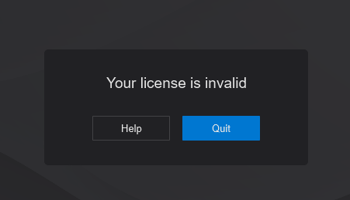
1. For message: 'Your license is invalid':
Lumion 2023 and newer, 'Your license is invalid':
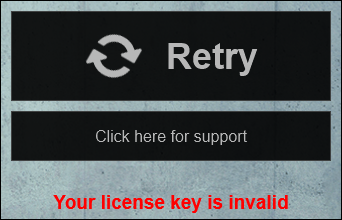
Lumion 12.5 and earlier, 'Your license key is invalid':
If you have been issued a valid License Key from Act-3D, or via one of its authorized Partners/Resellers, for Lumion and you believe it is or should be valid.
Then it is possible that something on the PC is blocking activation/authorization of the License Key when you open Lumion.
Please follow the instructions in this article:
- Knowledge Base: How do you resolve anti-virus and firewall problems?
2. 'Your license has expired':
For the message in Lumion, 'Your license has expired':

Or, in your Lumion Account, it says 'Disabled':


Please follow the instructions in this article:
- Knowledge Base: What does the message 'Your License Key has expired' mean?