


You will need a Lumion Account with a registered, valid, current License Key for the following:
- To download and install Lumion.
- Get access to Lumion Cloud.
- Get access to all pages of the Lumion Community (forum).
- Get access to full support services.
Also:
Lumion 12 and older:
Your License Key needs to be registered on your Lumion Account in order to use Lumion. See this article for more details on that change:
- Knowledge Base: Why do I need a Lumion Account?
Lumion 2025.1 and newer:
A Lumion Account sign in is required on startup, covered in this article:
- Knowledge Base: Why does Lumion require sign in to start?
If you do not yet have a Lumion Account, first click here to create one.
- Knowledge Base: What is a Lumion Account?
If you do not have a valid License Key then the first step is to apply for or purchase one:
- Knowledge Base: How do you apply for a valid License Key
Then once you have a Lumion Account:
1. Check if the License Key has been automatically registered for you for these situations:
- The email used to create the Lumion Account is the same one on an application (for Students and Pro Trials) or order/purchase (commercial customers).
- If you have purchased Lumion as an Upgrade to a Lumion Pro Trial in an existing Lumion Account.
If you are using a different email address to create the Lumion Account, you will need to register the License Key manually. It is easy to do and usually only takes a few seconds to complete.
2. Go to your Lumion Account page:
3. Click on License Keys:
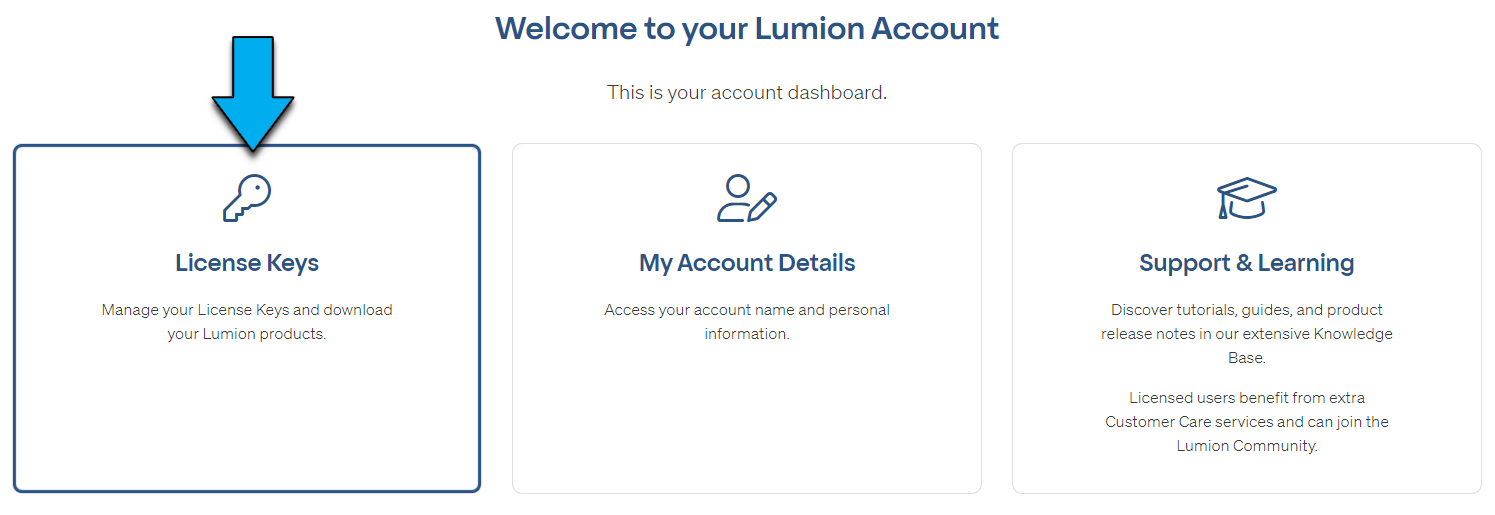
4. Click on the button 'Register a License Key':

5. Enter the license number:
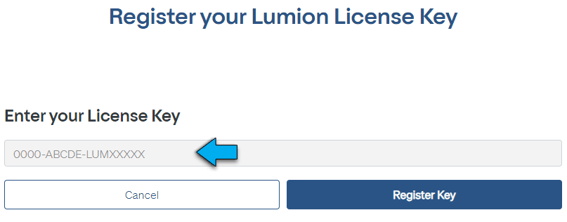
Here's where you can find your license:
- Knowledge Base: Where can you find your License Key?
⚠️Important:
Only Floating License Keys can be registered this way.
For Named-User License Keys, please ask your Administrator to assign you a Seat :
- Knowledge Base: Named-user access for Lumion
6. That's it! Your License Key is stored in your Lumion Account and you can download Lumion onto your computer:
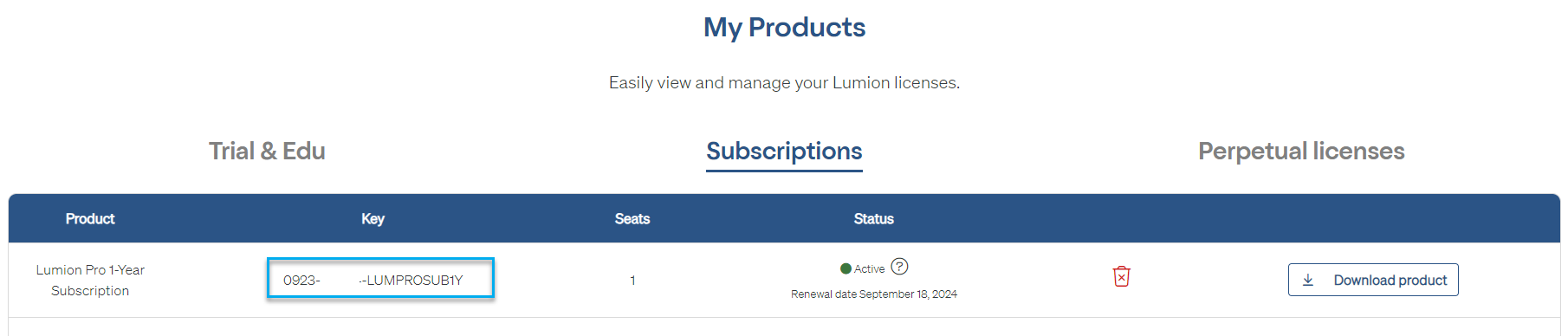
- Knowledge Base: Download Lumion or Lumion Pro
See also:
- Knowledge Base: Contact Customer Care
- Knowledge Base: What is a Lumion Account?
- Knowledge Base: How does Customer Care work?
- Knowledge Base: Where can you find your Lumion License Key?