

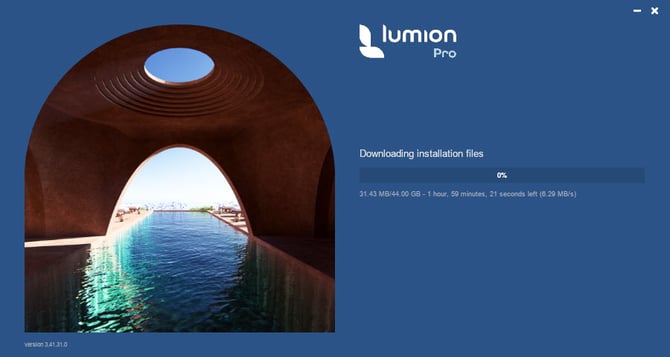
1. Problem:
As a corporate or large origination user of Lumion Pro you provide updates to the user base by software deployment tools such as InTune.
The Lumion Pro file size requirements are shown in this article:
- Knowledge Base: What file space do I need to download, install and use Lumion?
Currently they exceed the 30GB limit that InTune can support.
Note: a full install of all files for a version is now rare as our Updater system will manage and update Lumion Pro (minor version Updates and (in most cases) major version Upgrade). this means file size issue are only if you need to do a full/all files install.
2. Background:
Microsoft increased the limit from 8GB to 30GB in December 2023.
There are a number of users on web who have the same problem with it for large file installs. It also limits download timeouts as well.
There's some possible other user workarounds.
You may need to consider sending feedback to Microsoft to increase the limit (again). That's where the limitation arises from.
As part of our Roadmap, Lumion Pro content it being reviewed for file size and delivery options.
3. Possible Workarounds for you?
It seems there are some possible workarounds. We found the following (6 January 2026)
Please enquire with Microsoft or an internet search/AI to locate your own responses.
Here's a Google Gemini response to: "can you install files greater than 30GB with Microsoft InTune?"
Yes, you can install files larger than 30GB with Microsoft Intune, but you cannot do so via standard direct upload as a single Win32 app package. As of 2026, the maximum file size for a Win32 app in Microsoft Intune is capped at 30 GB per app. For Line-of-Business (LOB) apps, the limit is lower at 8 GB. To deploy files exceeding 30 GB, you must use one of the following workarounds: Azure Blob Storage & PowerShell: Upload the large installer to an Azure Blob Storage container. You can then deploy a lightweight PowerShell script through Intune that downloads the file to the local device and executes the installation.Split the Package: Use the Microsoft Win32 Content Prep Tool to split the application into multiple smaller packages (e.g., Core, Assets, and Extras) that are each under 30 GB. You can then use App Dependencies in Intune to ensure they install in the correct sequence.Private CDN: Host the large files on a private Content Delivery Network (CDN) or internal file share and use a script to pull and install the content.Request a Limit Increase: In some cases, administrators have successfully requested temporary or permanent limit increases for their specific tenant by opening a support case with Microsoft, although the standard documented limit remains 30 GB.
Key Considerations for Large FilesUpload Timeouts: Uploading files near or over the limit via the Intune admin portal can often time out if the connection is not extremely stable.Delivery Optimization: For massive files, ensure Delivery Optimization is configured to allow peer-to-peer sharing of the content on your local network to save bandwidth.
And from Microsoft Copilot:
Here’s the straight, up‑to‑date answer based on the latest available information.
📦 Can Intune install apps larger than 30GB?
Short answer: No — not by default. But… it can be increased.
Microsoft Intune’s default maximum size for a Win32 app (.intunewin) used to be 8GB, but this was increased to 30GB in February 2024.
However:
30GB is currently the upper limit Microsoft documents.Larger limits can only be enabled by Microsoft Support, and even then, real‑world performance becomes unreliable.
A deployment research test confirms that:
You can request an increase beyond the default limit (up to 30GB),But Intune struggles with very large apps, even in the 5–20GB range, depending on bandwidth and Delivery Optimization settings.
🧩 So can you go beyond 30GB?
Officially:
No public documentation states support for >30GB packages.
Unofficially (via support request):
Some tenants have been granted increases up to 30GB after opening a support case. There is no evidence that Microsoft allows anything beyond 30GB today.
Practically:
Even if Microsoft allowed >30GB, Intune’s architecture (upload timeouts, DO behavior, client reliability) makes extremely large packages unstable.
🛠️ Recommended alternatives for >30GB deployments
If you need to deploy something like Autodesk suites, Unreal Engine, or massive datasets, these approaches work far better:
1. Use a local installer cache
Host the installer on an internal file share or CDN.Deploy a small Intune script or Win32 stub that downloads/installs locally.
2. Use a packaging tool with streaming
Tools like PDQ Deploy, Chocolatey, or Winget can handle large payloads more gracefully.
3. Pre‑stage content via imaging or provisioning packages
Autopilot + provisioning package (PPKG)WIM‑based imaging for very large baseline apps
4. Use Delivery Optimization + WinGet
WinGet can pull large apps from Microsoft Store or custom repositories.
🧭 If you want, I can help you:
Design a deployment strategy for your specific >30GB appBuild a stub installer scriptCompare Intune vs alternative distribution methodsOptimize DO settings for large content
Just tell me what app or package size you’re dealing with and your environment constraints.
See also:
- External Link: Deploying Large Applications using Microsoft Intune
- External Link: Micorosft: InTune: Prepare Win32 App Content for Upload
4. See Also:
- Knowledge Base: How do you install or uninstall Lumion silently?
- Knowledge Base: How does the Updater for Lumion work?
- Knowledge Base: Download Lumion Pro
- Knowledge Base: Why is the Download Manager not working?
- Knowledge Base: How do you resolve installation problems?