

This article provides guidance on how to obtain earlier versions of Lumion, such as Lumion 12.5 or earlier.
1.1: Why an Earlier Version
Important:
Lumion versions are not backward compatible. That is, an older version will not read the data and formats, especially for the change made with Lumion 2025.0 in optimizing files and file space for the LSF Project file.
Current versions of Lumion can read older versions. Simply use SaveAs to make sure the file is not overwritten with the new data formats.
There are scenarios where you may need to use an older version. For example:
1.1.1: You Collaborate with a Lumion user who is on an older version
If the person you collaborate with is unable to Upgrade to match your most recent current version. For example, you use Lumion 2025, they use Lumion 12.5.
Any work done in Lumion 2025 will not open correctly in Lumion 12.5. Avoid overwriting or saving in an incompatible format. For versions from Lumion 2023.2 there is a safety check and warning provided if an older version tries to open a newer Project file version.
Workflow:
- Your collaborator prepares the content for the Project file in their version.
- They send you their file.
- You open and update the Project file in either:
- The same version as they are using. This allows them to make other subsequent changes/revisions.
- Your newer version. They are not able to open your newer version changes and make subsequent changes. If they need to do changes then, the most likely option is for them to update the Project files they worked on previously. You then Merge their file into your most recent.
- Once either workflow of the LSF Project file has been fully completed, then use the most current version you have. This lets you use recent features, improvements and fixes, and not be hindered by older version feature sets.
1.2: What is Available
Commercial users have access of up to three (3) versions prior to the most current released version you are able to have.
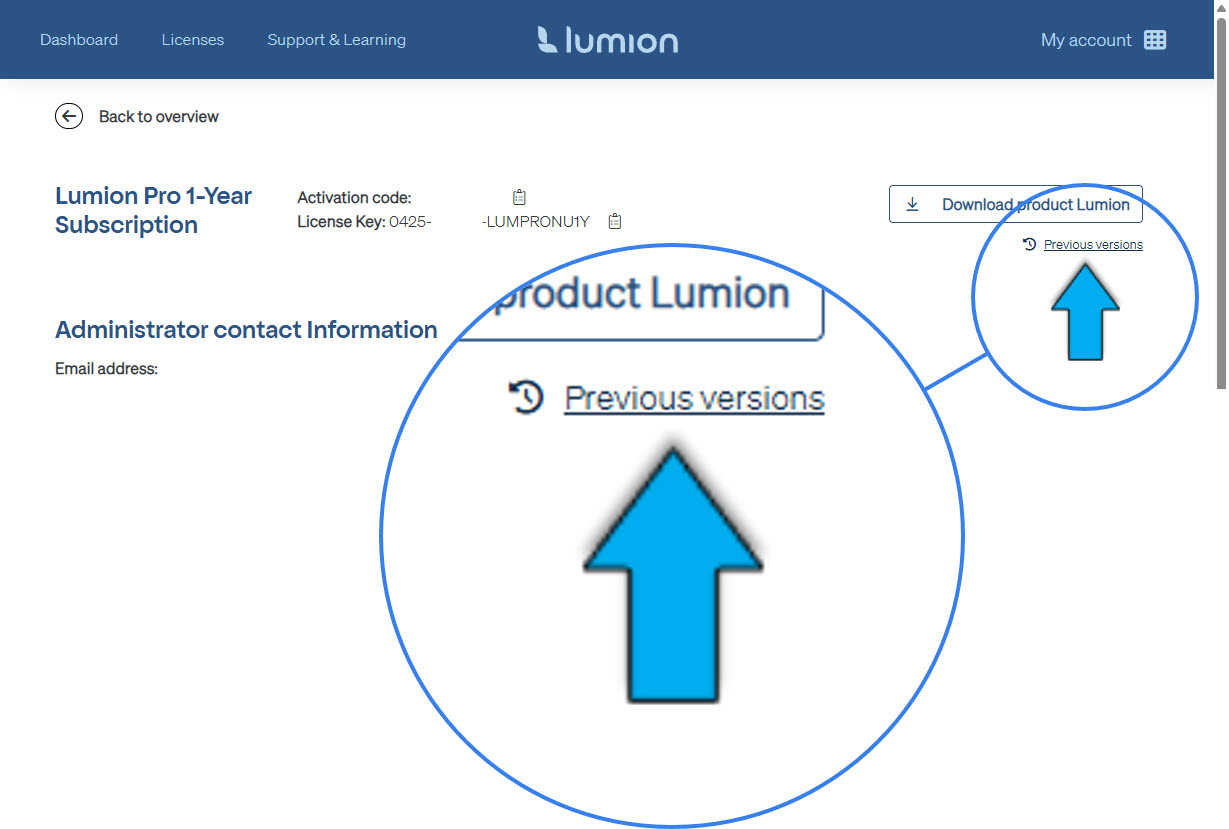
Those versions are available directly from your Lumion Account. See the next section and Download article.
Student and Faculty users have access to the latest and prior version only.
You can follow these steps:
2.1: Identify Your Version
Determine which earlier version you need, such as Lumion 12.5, and ensure you have the necessary license to use that version.
2.2: Visit the Knowledge Base
Access the Lumion Knowledge Base for detailed instructions on downloading previous versions. Specifically, refer to Section 5 of the article titled "Download Lumion Pro."
- Knowledge Base: Download Lumion Pro
2.3: Follow the Instructions
Follow the instructions in the Knowledge Base article (above in 2.2)to complete the download process.
Summary:
Obtaining an earlier version of Lumion is straightforward by following the instructions available in the Lumion Knowledge Base.
If you encounter any issues, the version you need is not available from your Lumion Account, or you have other specific questions, consider reaching out to Lumion Technical Support for further assistance.
- Knowledge Base: Contact Lumion Technical Support