

If you have loaded your Project in Lumion 2023.0.0 (release 13 March 2023) from an earlier version of Lumion and the water does not look like it was previously.
If you are starting a new Project in Lumion 2023 then there are some changes that help improve the reflections for Water. See Section 7.
Summary of changes needed:
Water Material:
You might need to do some tweaks to the Water Material (after a reset) to get as close to the prior way you wanted the water to look in terms of coloring. How exact those needs are depends on the Project and what you want from it. You might simply want to go with what is there.
Effects Stack - use those made for Lumion 2023 as a base for your Effects:
If you try using your old Effects Stack you will need to spend a lot more time adjusting the settings. We suggest replacing all of them with the Effect Stack from an Example Project (SaveAs to an LME file) or using a Style for similar lighting and for the environment.
Those have been revised by the Lumion Team to work for Lumion 2023 for Rasterization and Ray Tracing. Then add in your other Effects that are unique then adjust those only.
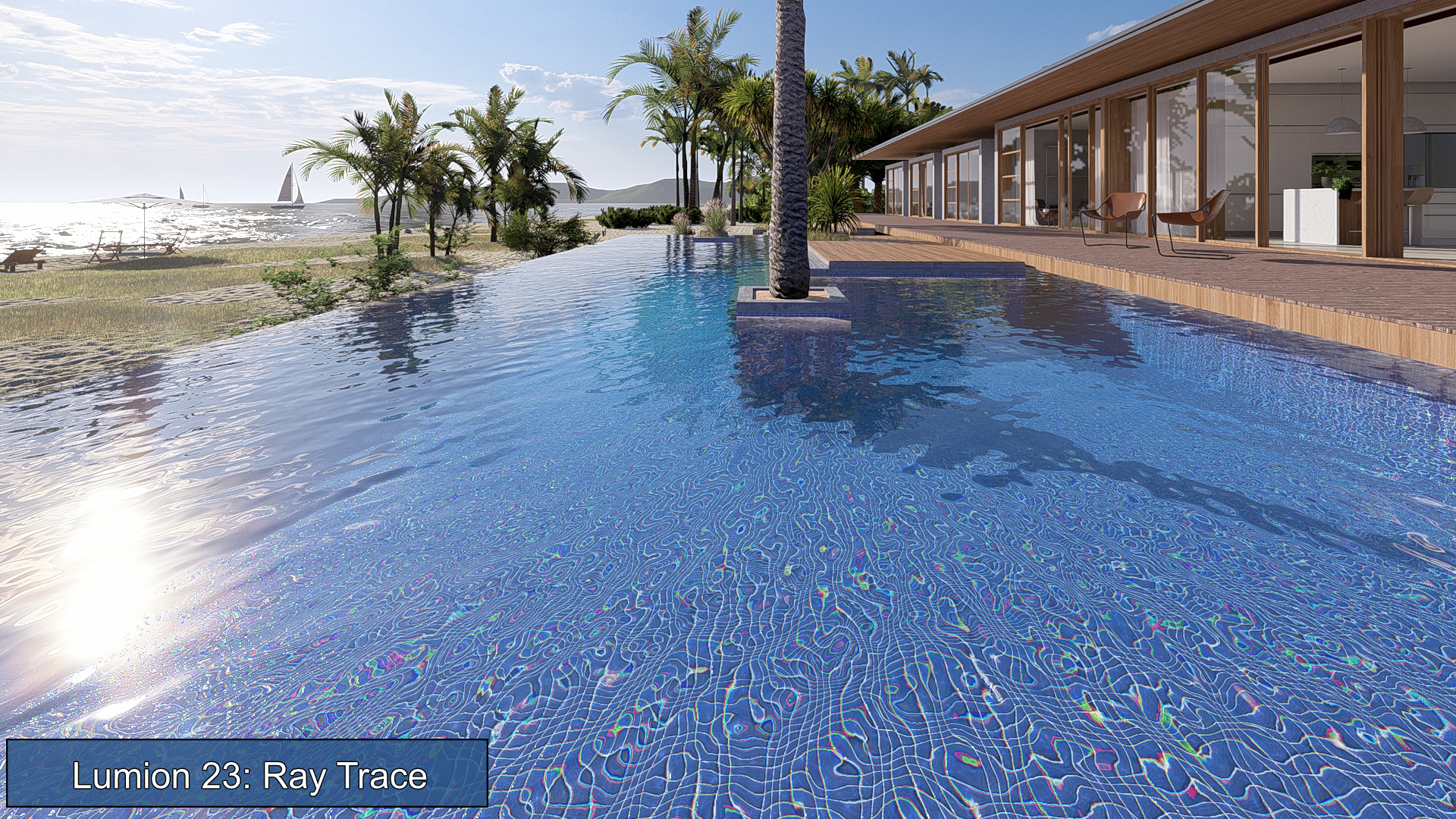
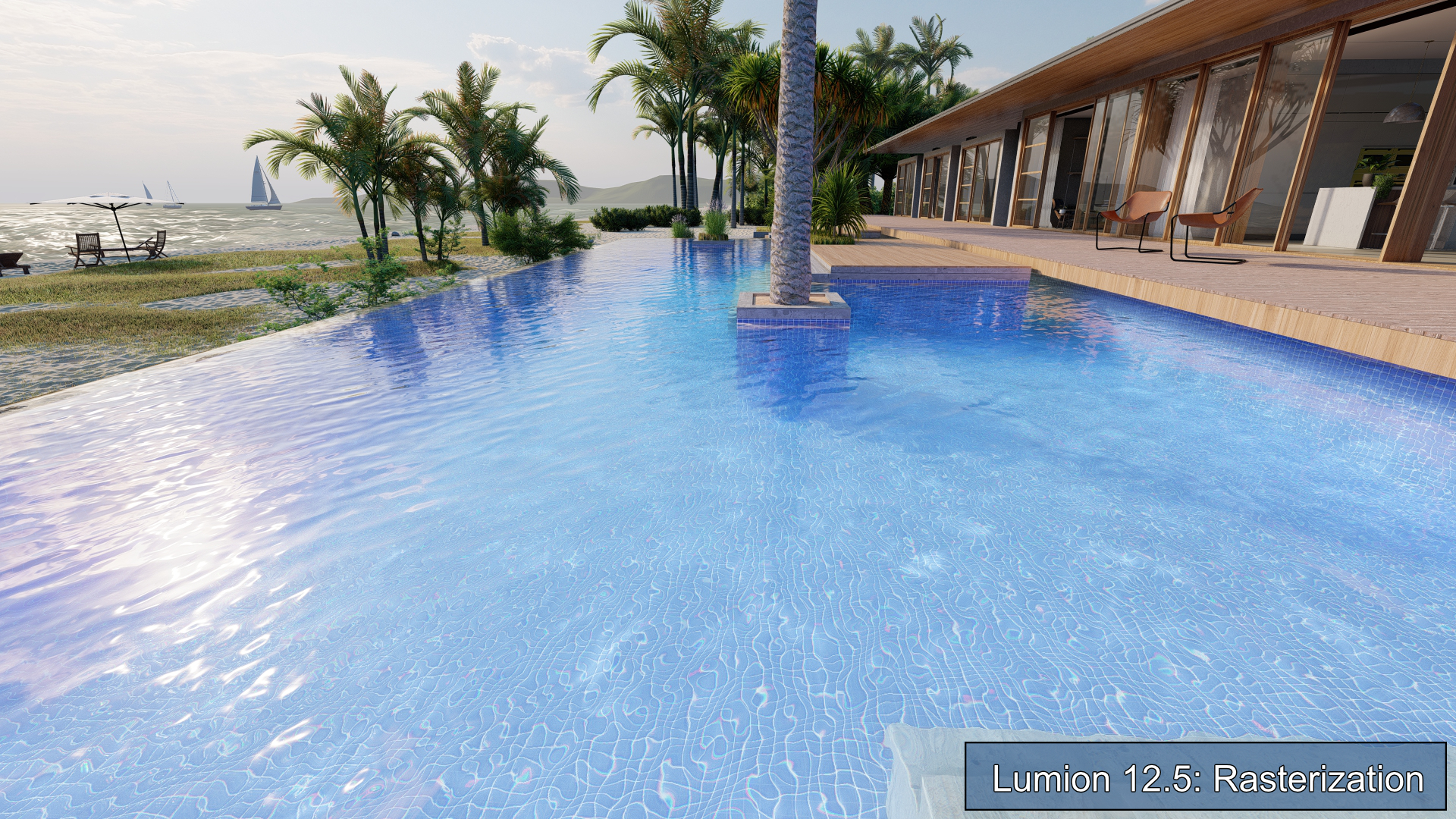
In this article, we do not cover using other pre-made materials for Water from the Materials Library.
Let's look at things in more detail.
1. Changes in the look of the Water:
What can you do to make it look the best, especially for Ray Tracing?
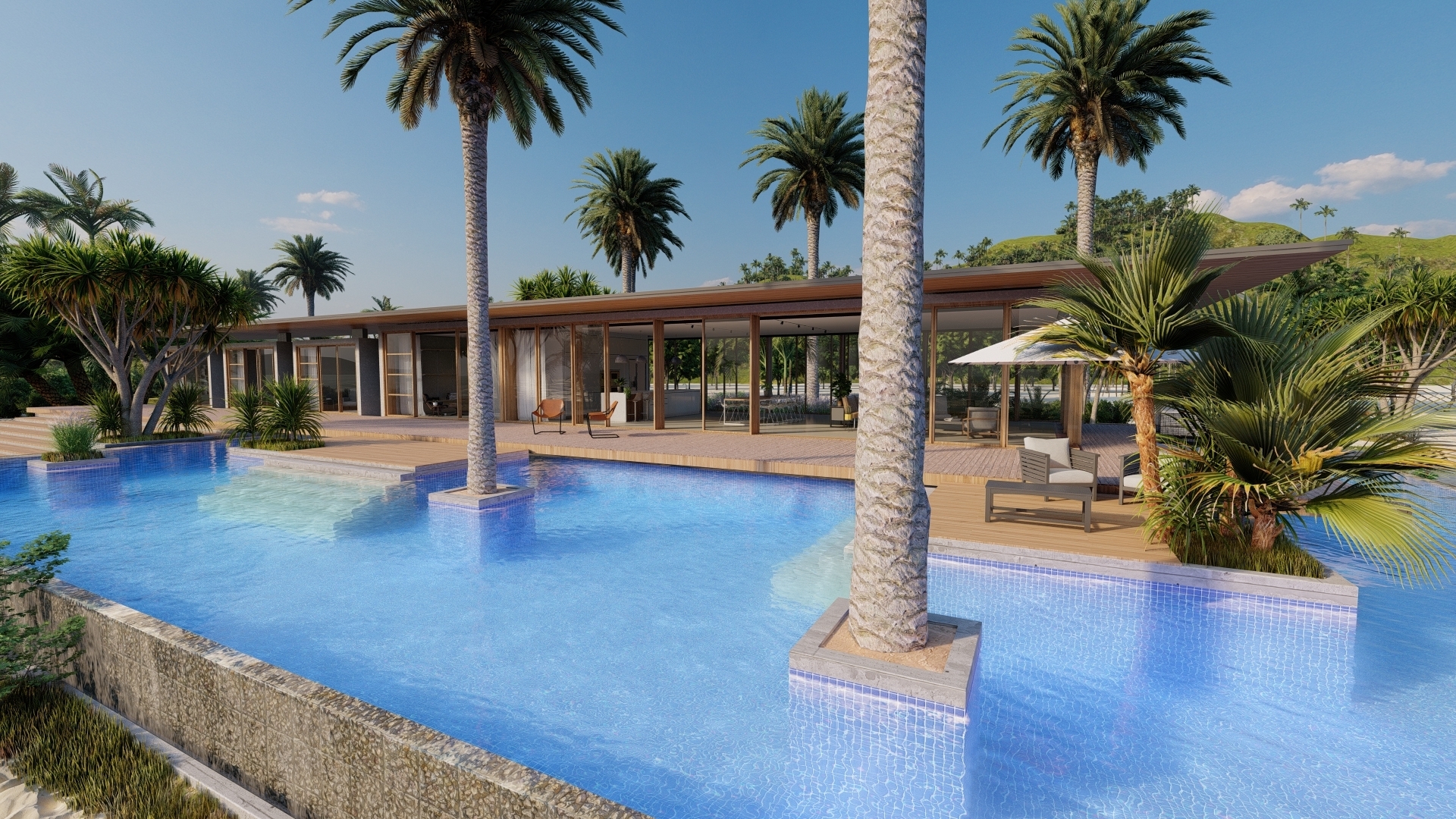
For example, this Lumion 12.5 Example Project - Beach House has this great looking swimming pool using the Water Material:
In Lumion 12.5:
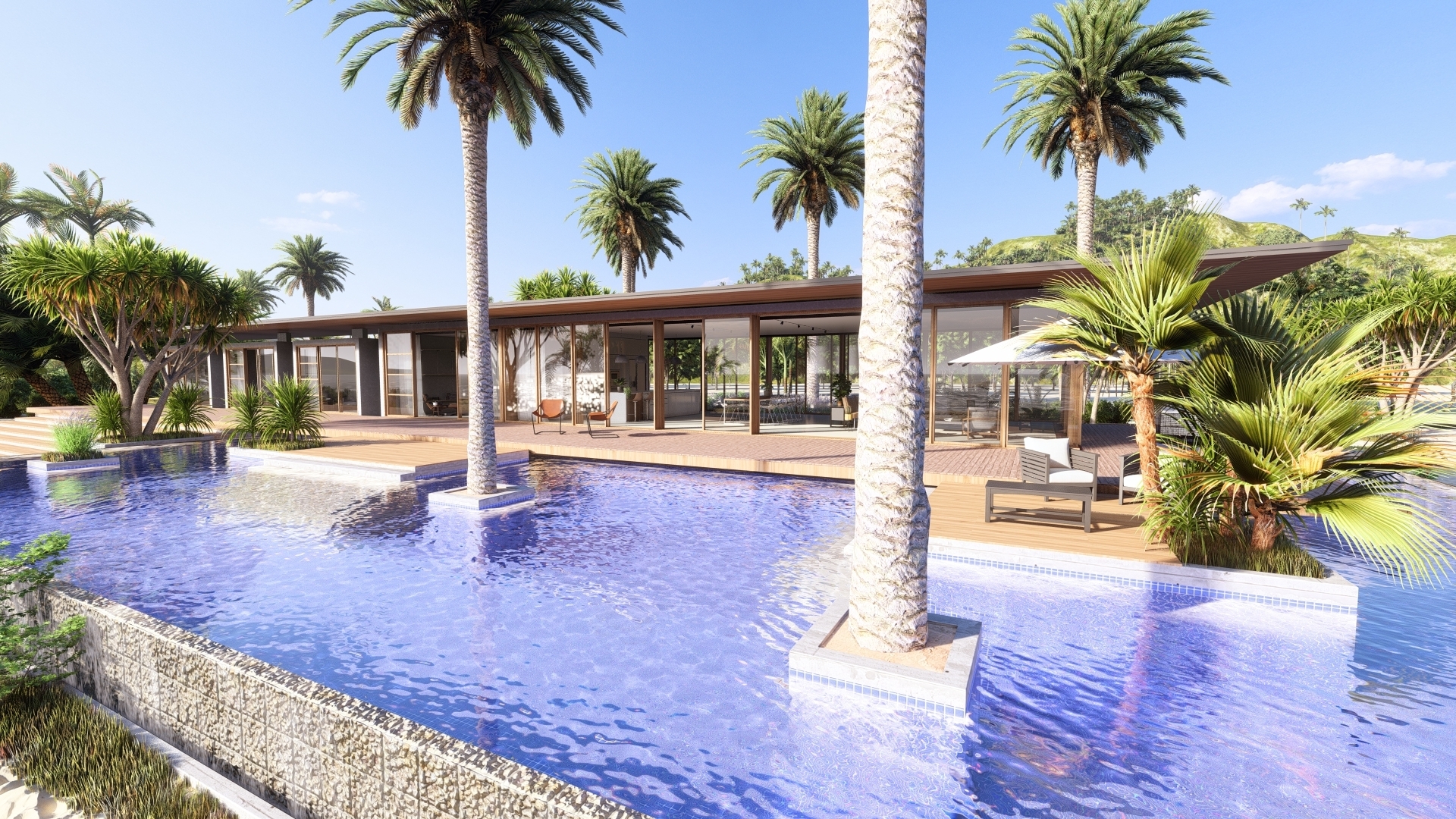
In Lumion 2023:
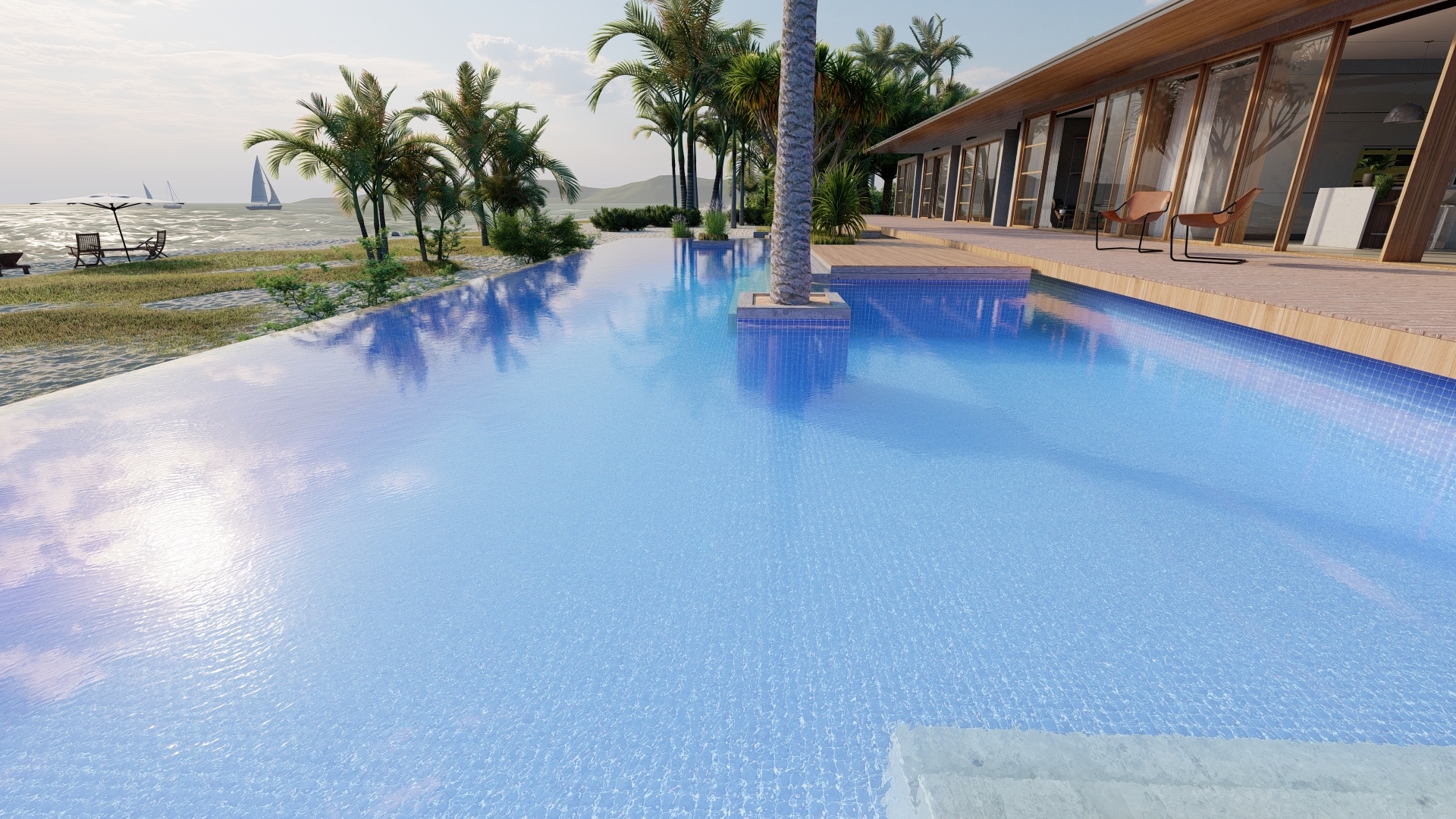
And another Photo with flatter water for a calmer day.
Lumion 12.5:
Lumion 2023:
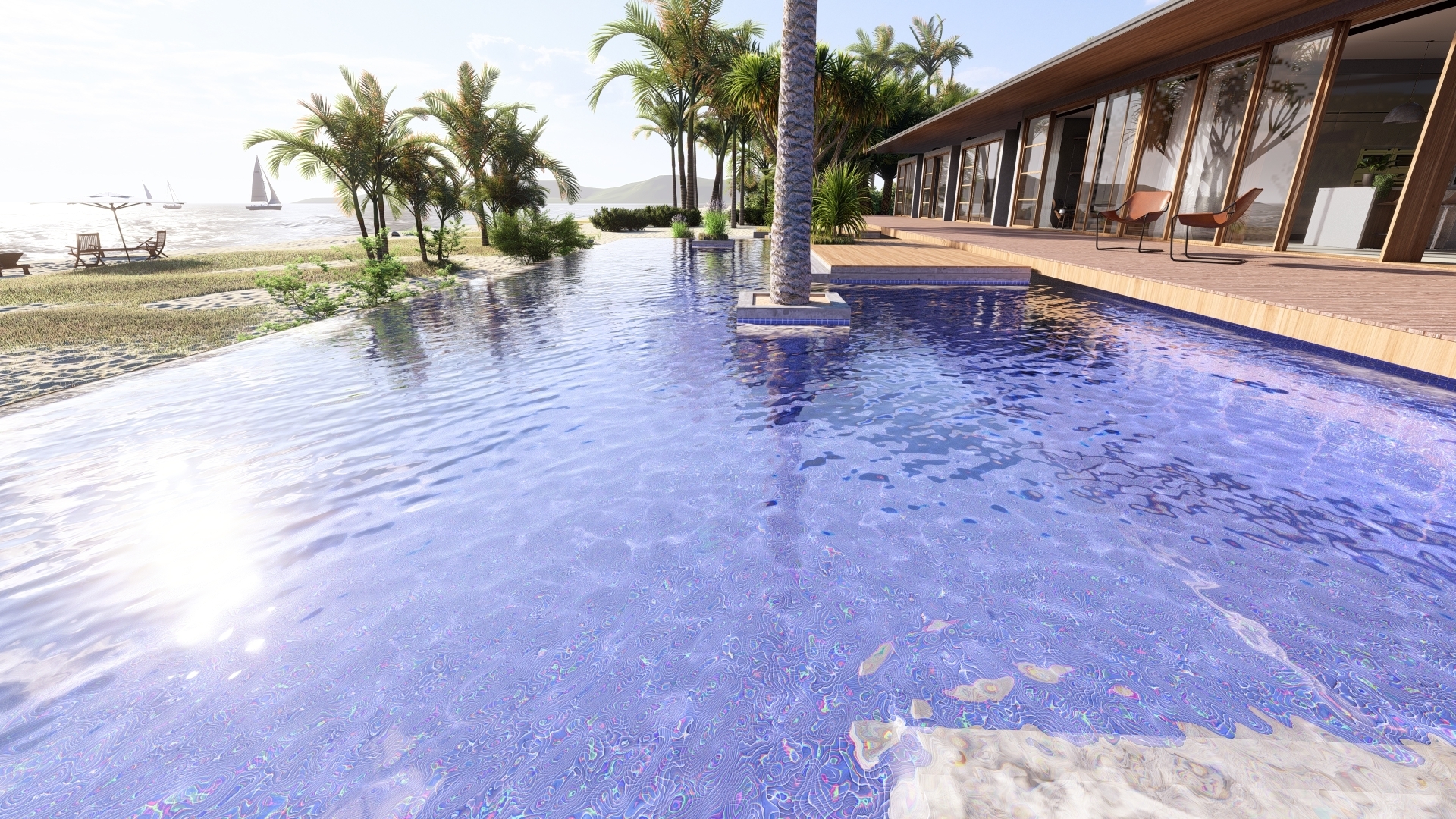
The colors are different. And you are not sure how to get the reflections to look the best. And what Effects will work best for Ray Tracing.
2. The Water Material in Lumion 2023:
Here's the key detail on the changes:
- Knowledge Base: Lumion 2023.0: Release Notes
- Knowledge Base: Transitions: From prior versions to working with the new Lumion 2023
4.3.15: Water Material
The Water Material has been improved, using more physically accurate calculations for
refraction, Reflection, and Subsurface Scattering.
The Ocean and the Water Plane (both in Landscape Mode) use the same Material and
also see this improvement.


Loading prior version Projects that have any of the Water types applied might look
different/wrong because of this change.

You should reset the Water Material to the default settings.
The default Water Material settings are those found by clicking on the Materials tab ->New Water:
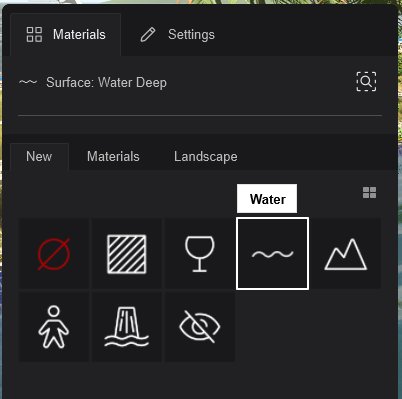
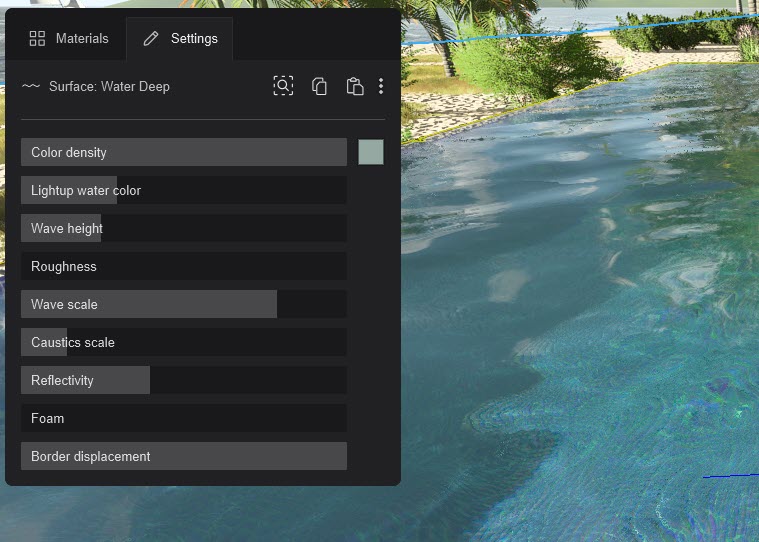
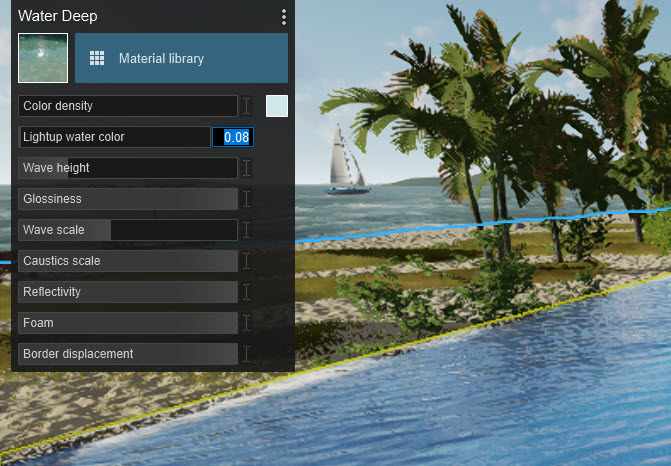
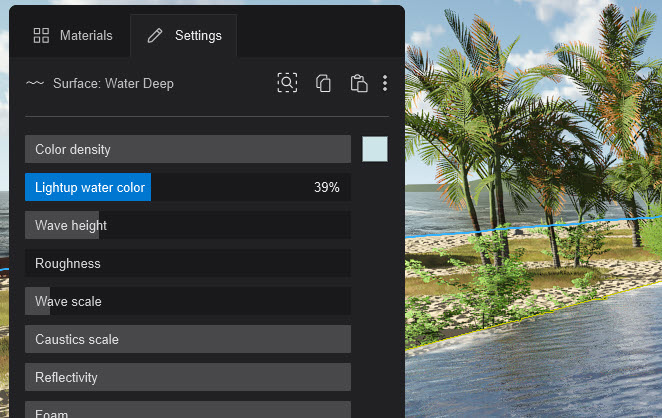
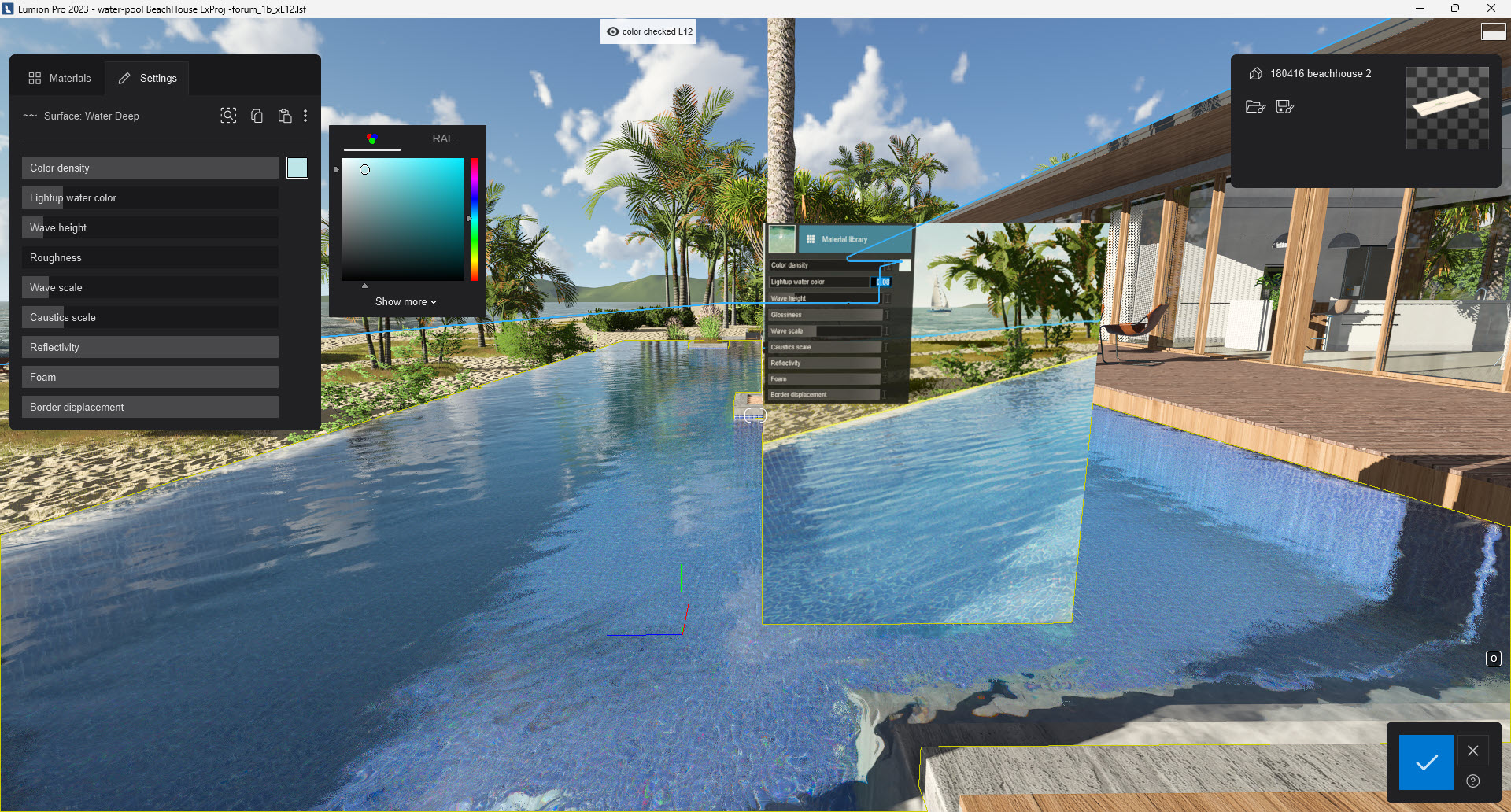
Then adjust the sliders to get the Color, Color Density and LightUp Water Color to where you want them.
Let's check and change a few settings to get things working:
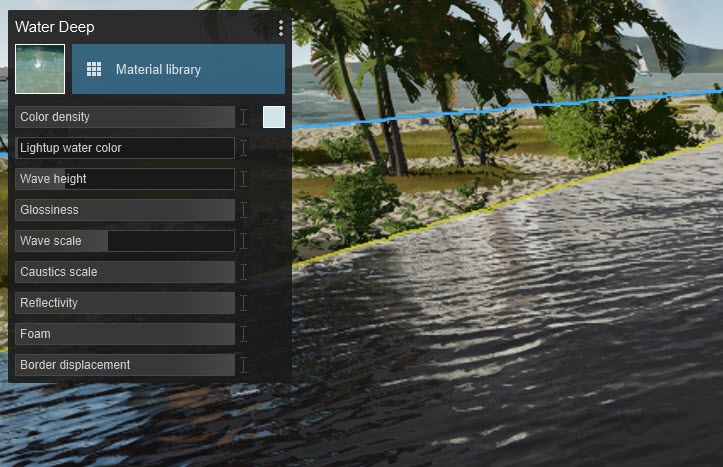
3.1: Color Density
The values are reversed. A value of 1 in Lumion 12 is (approximately) the same as a value of 0 in Lumion 2023.
You can see that by comparing sliders for the Water Material in the Beach House pool water.
Note: this will be changed in an update to 2023.0.0 so that it works the same way as prior versions.

2.2: Lightup Water Color
For Color you should:
- Verify that the Color value in the Color Pricker is the same as in the prior version. It may need to be adjusted because of the changes in lighting of a Project and also how the sliders for Color Density and LightUp Water Color now work.
- You could try something like this to get as close. A screenshot in Build Mode from the prior version placed on a pane in Lumion 2023 :
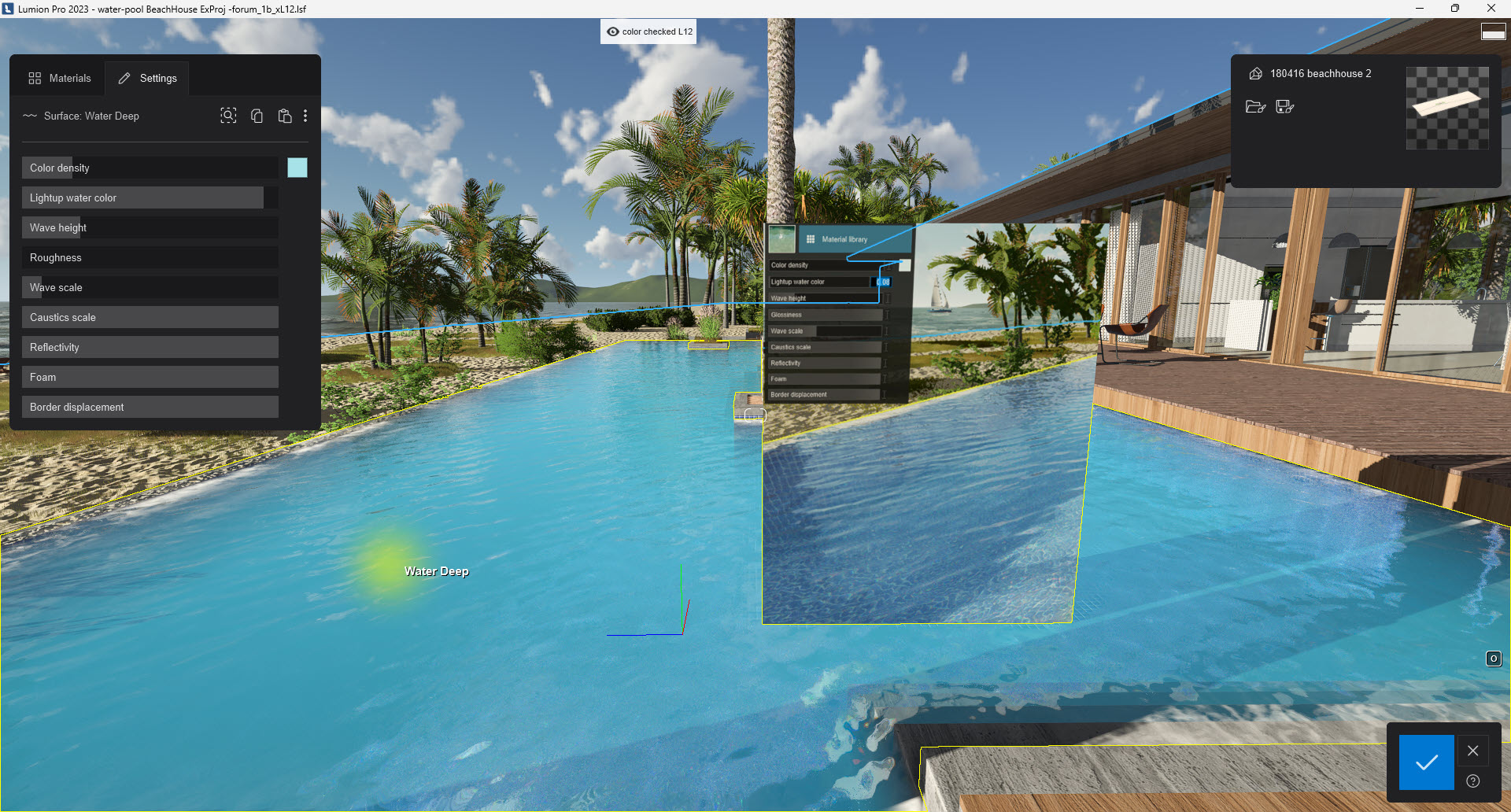
At the end of the day, it is not going to be exactly the same. The changes throughout Lumion, especially in this case from now having real-world lighting, are such that the Rrasterization render (as a way of comparing the results from a prior version) will also not be exactly the same. How close you need it depends on a number of criteria for the Project.
Getting there. Note the color of the pool tiling shows better in Lumion 2023 so affects the final colors rendered:
2.3: Reflections
Recall that, at this time, the limitation is that Water is not yet fully integrated into the Ray Trace pipeline. That's being worked on.
The consequence is that the Water Effect uses the Rasterization pipeline when rendered. As such for those who usually go for the very exact mirror-like reflections on water and add a Planar Reflection in the Reflection Effect - well for rendering when you add a Ray Trace Effect the Reflection Effect has to be turned off, so no Planar Reflections (it was not possible).
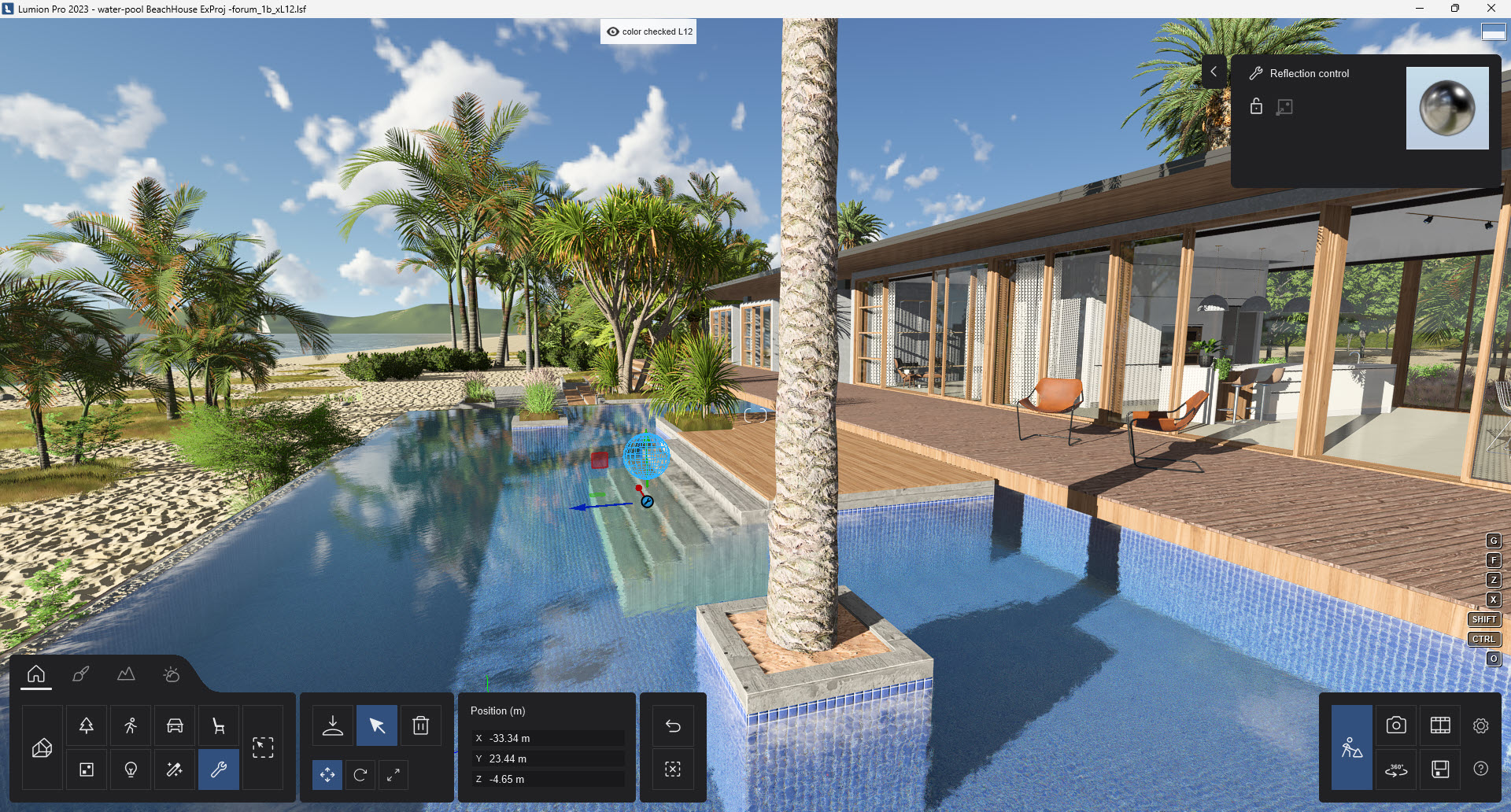
So Lumion uses a fallback to Projected/Global Reflections and the Reflections Control.
- Knowledge Base: How do Projected Reflections work?
Your choice is to have the Reflection Control position set automatically based on the camera position.
Or place and set the position yourself.
In this example, I have done that to get better reflections from the nearby Palm trees.
Alternative - include a plane with a Standard Material for the reflections:
Add a plane or shape for the pool. Set the material to be a Standard Material with high reflection settings.
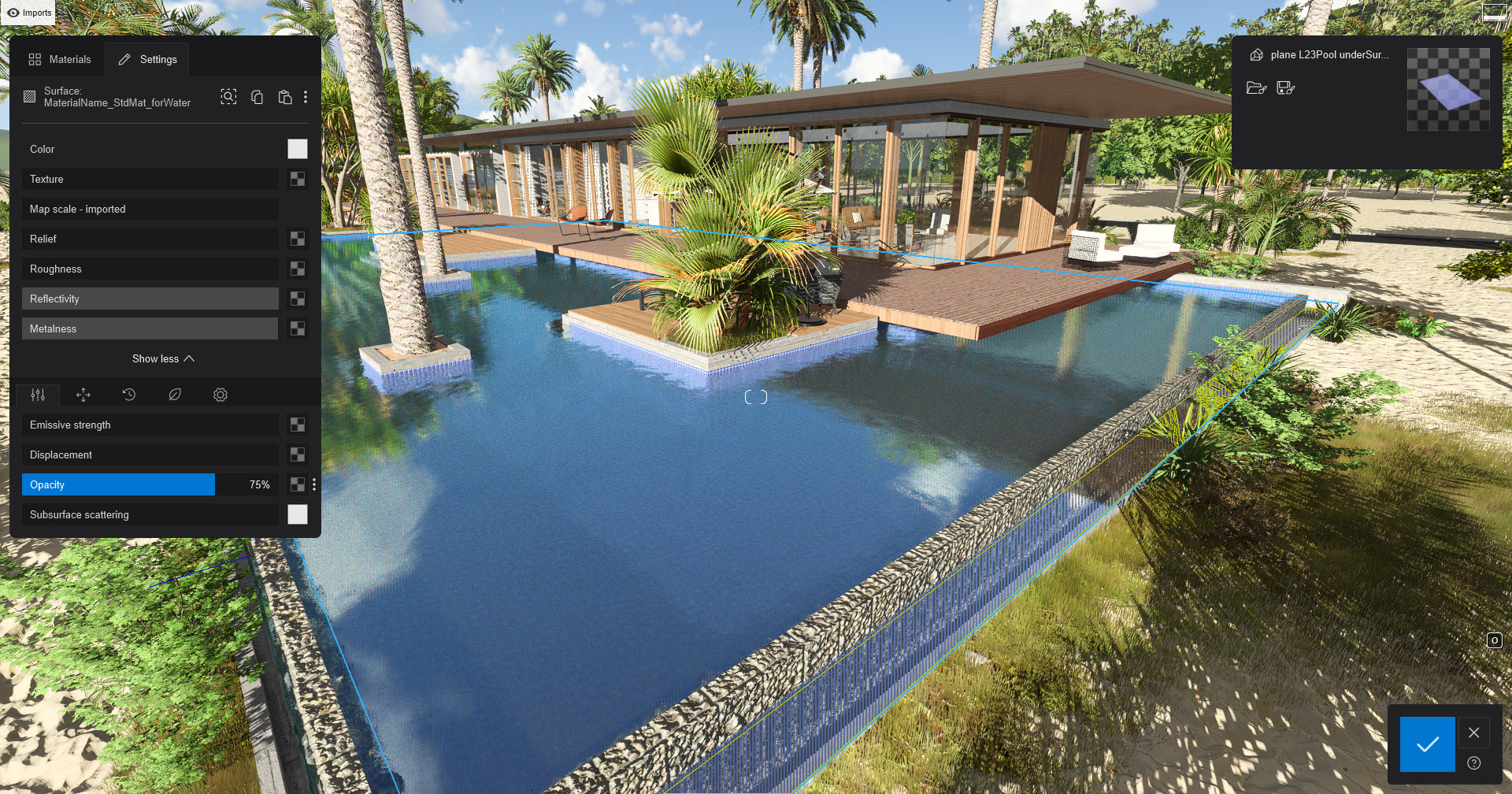
Position it just under the surface of the Water Material.
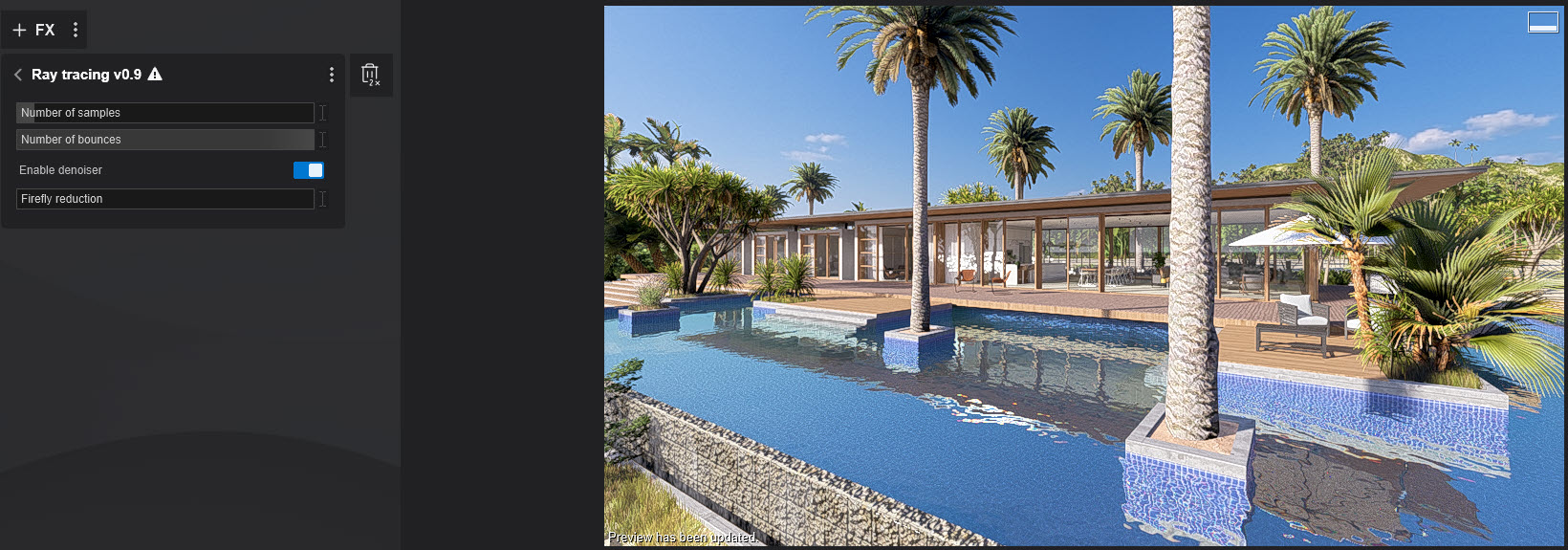
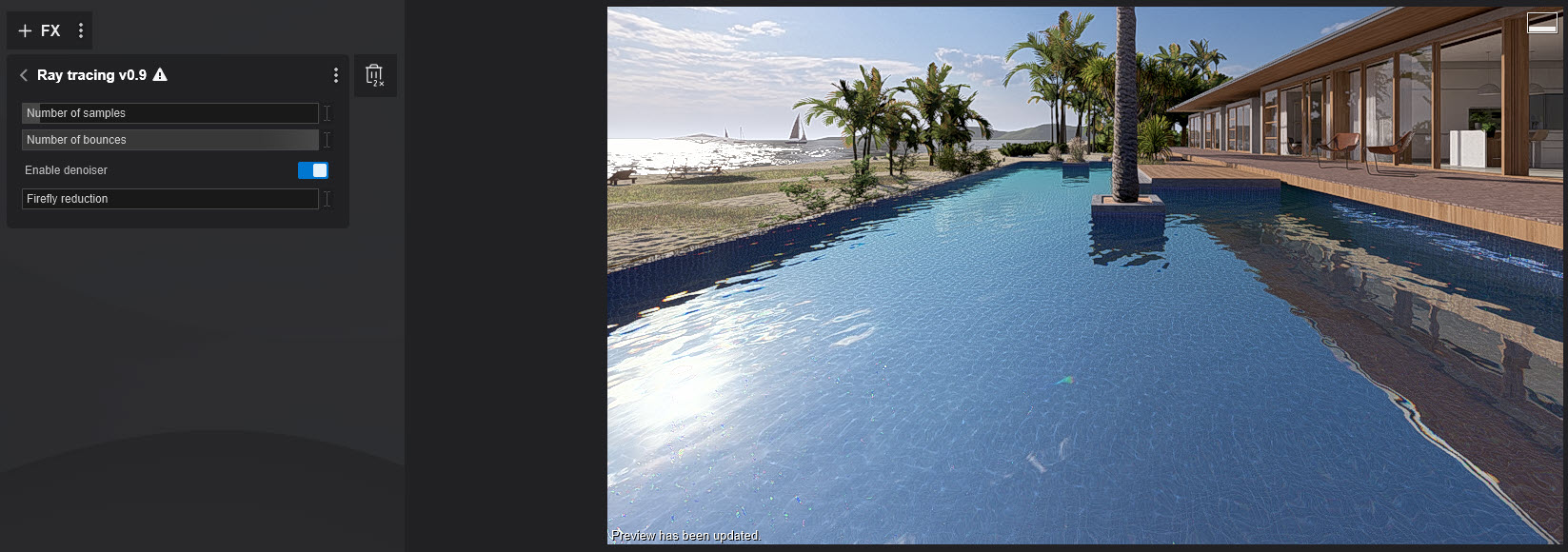
The reflections are now very strong using Ray Tracing with 128 Samples:
3. Rendering some Photos with both rendering methods:
3.1: Lumion 12 - Rasterization
3.1.1: Photo 1
3.1.2: Photo 2
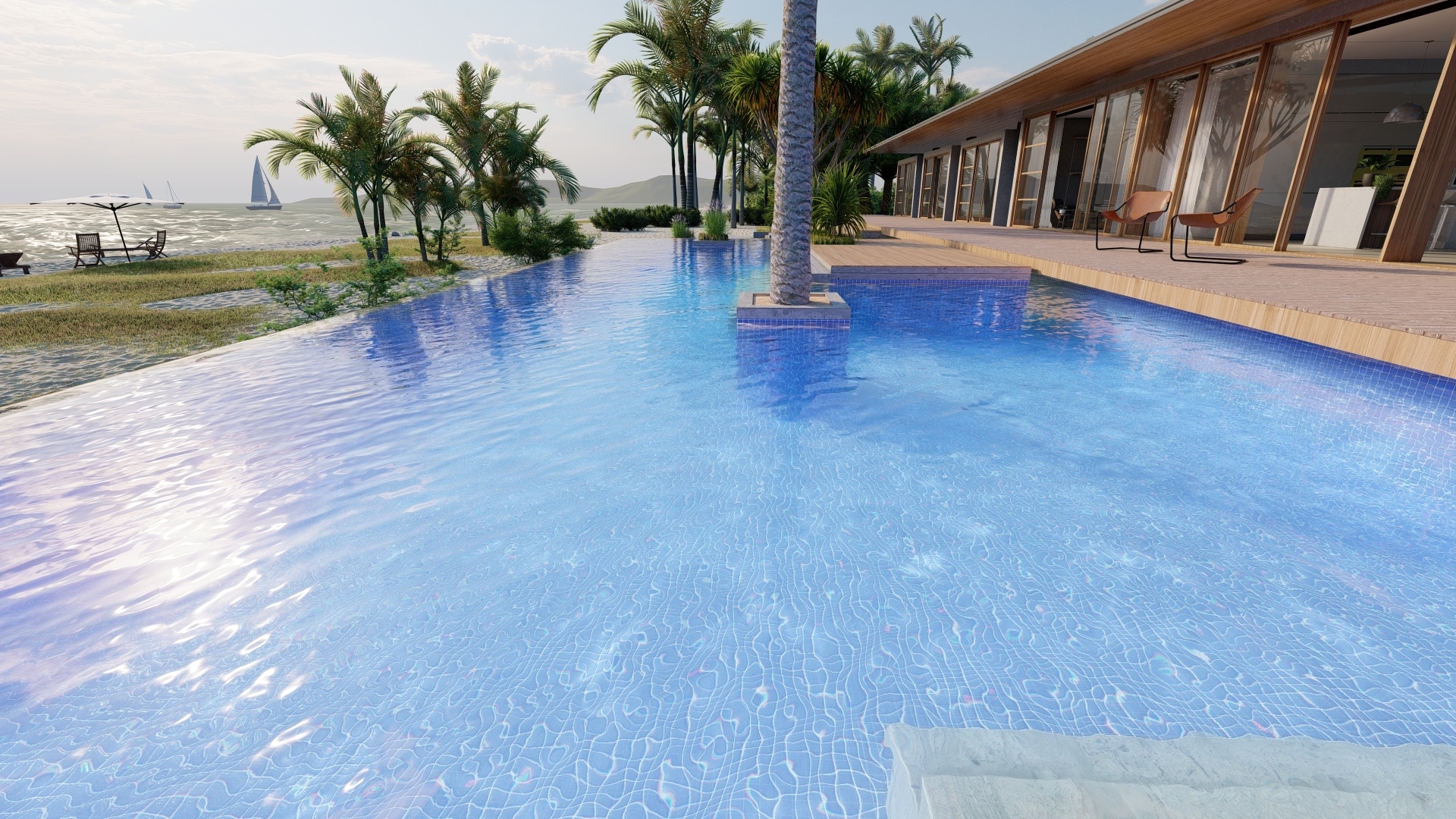
3.1.3: Photo 3 using a flatter calmer water
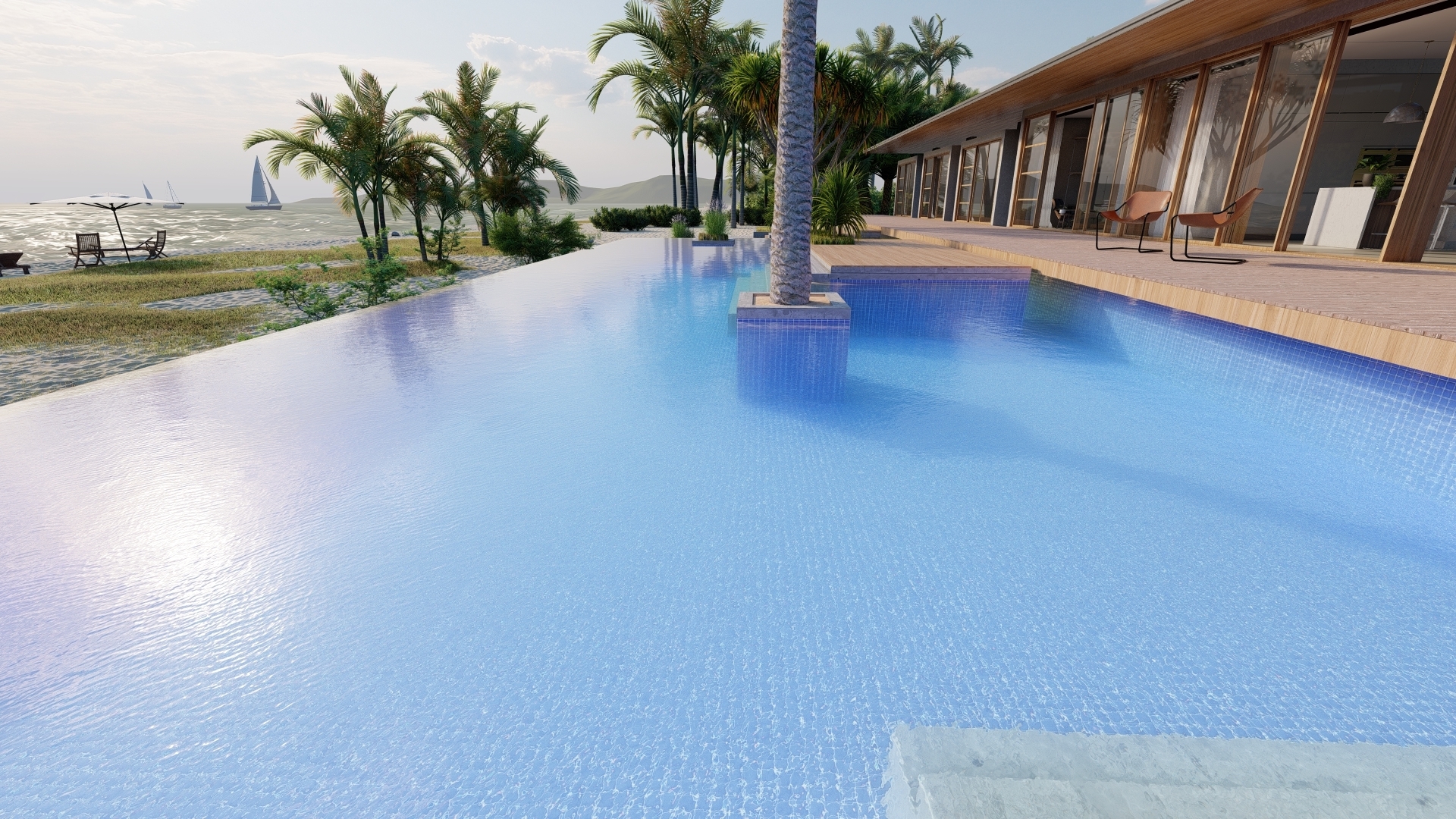
3.1.4: Photo 3 using flatter calmer water with Planar Reflection
includes a Planar Reflection on the water, except that is not possible for Ray Tracing so we need to compare to 1.5
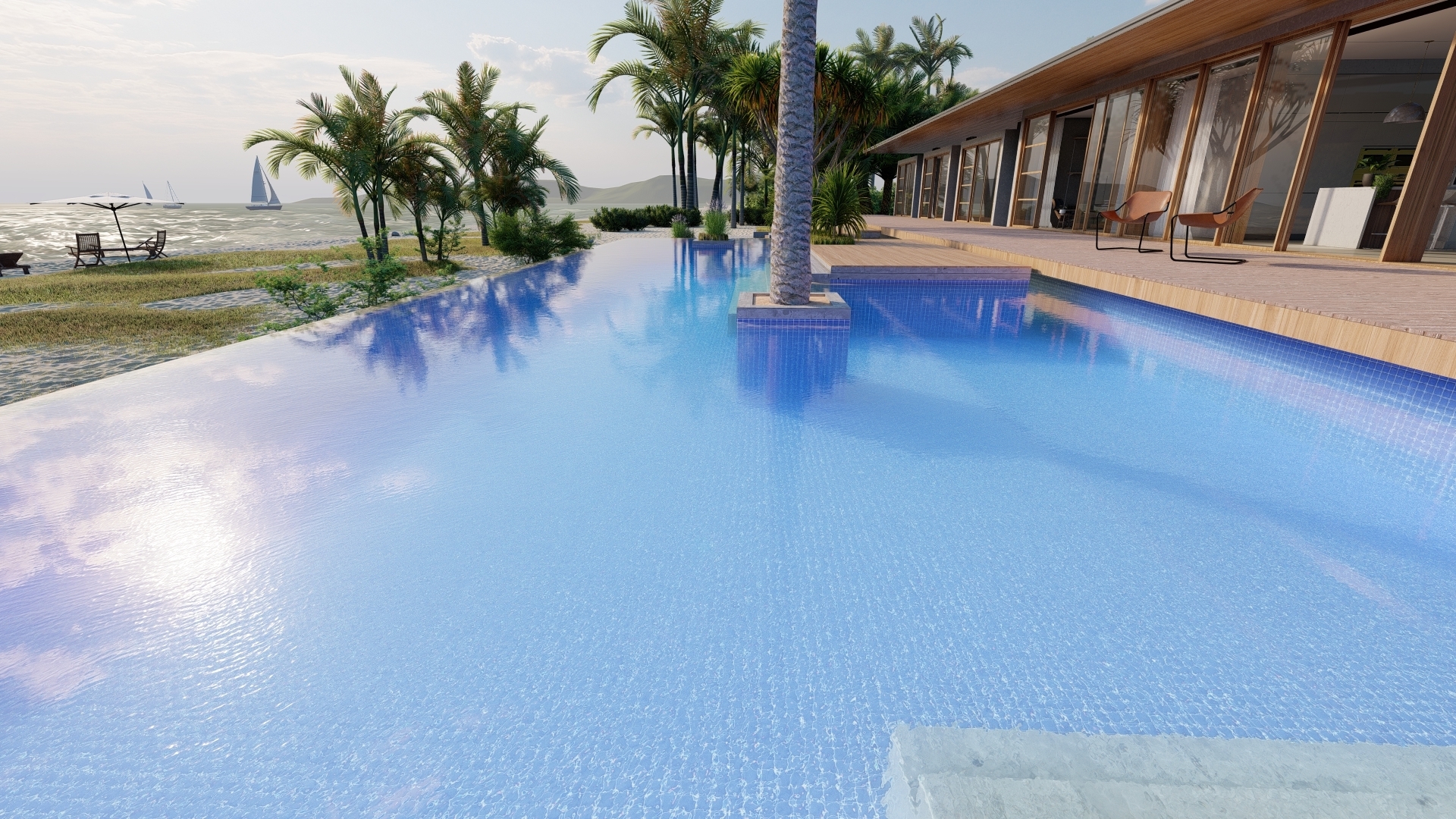
No doubt this is where you would like to be for water - at least for the reflections, but to be able to compare water to water and see if we have now got something similar for the Water Material itself we need to use the 1.3 render.
So, lets have a look at some results in Lumion 2023:
3.2: Renders in Lumion 2023 - Rasterization
3.2.1: Photo 1
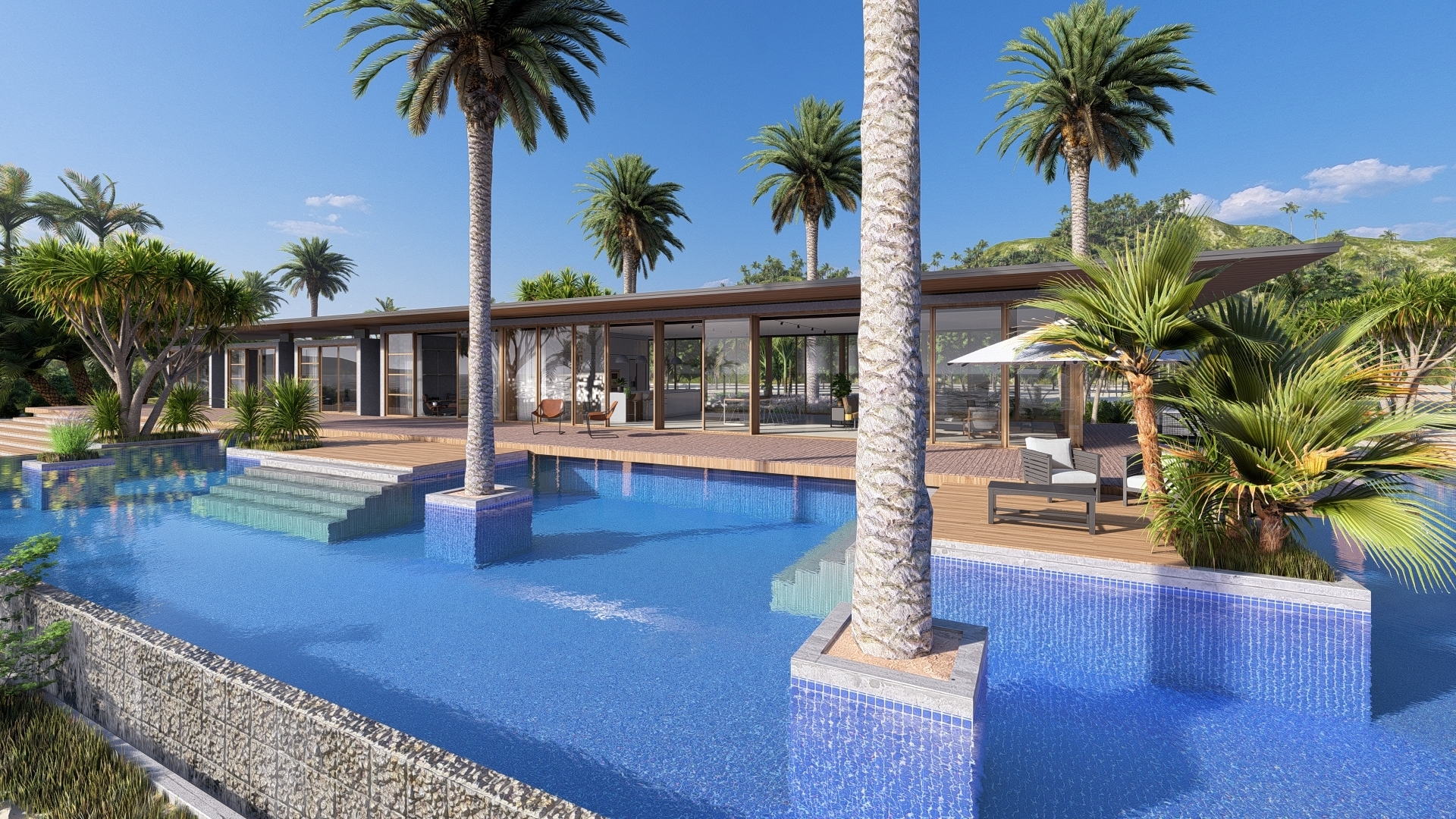
3.2.2: Photo 2:
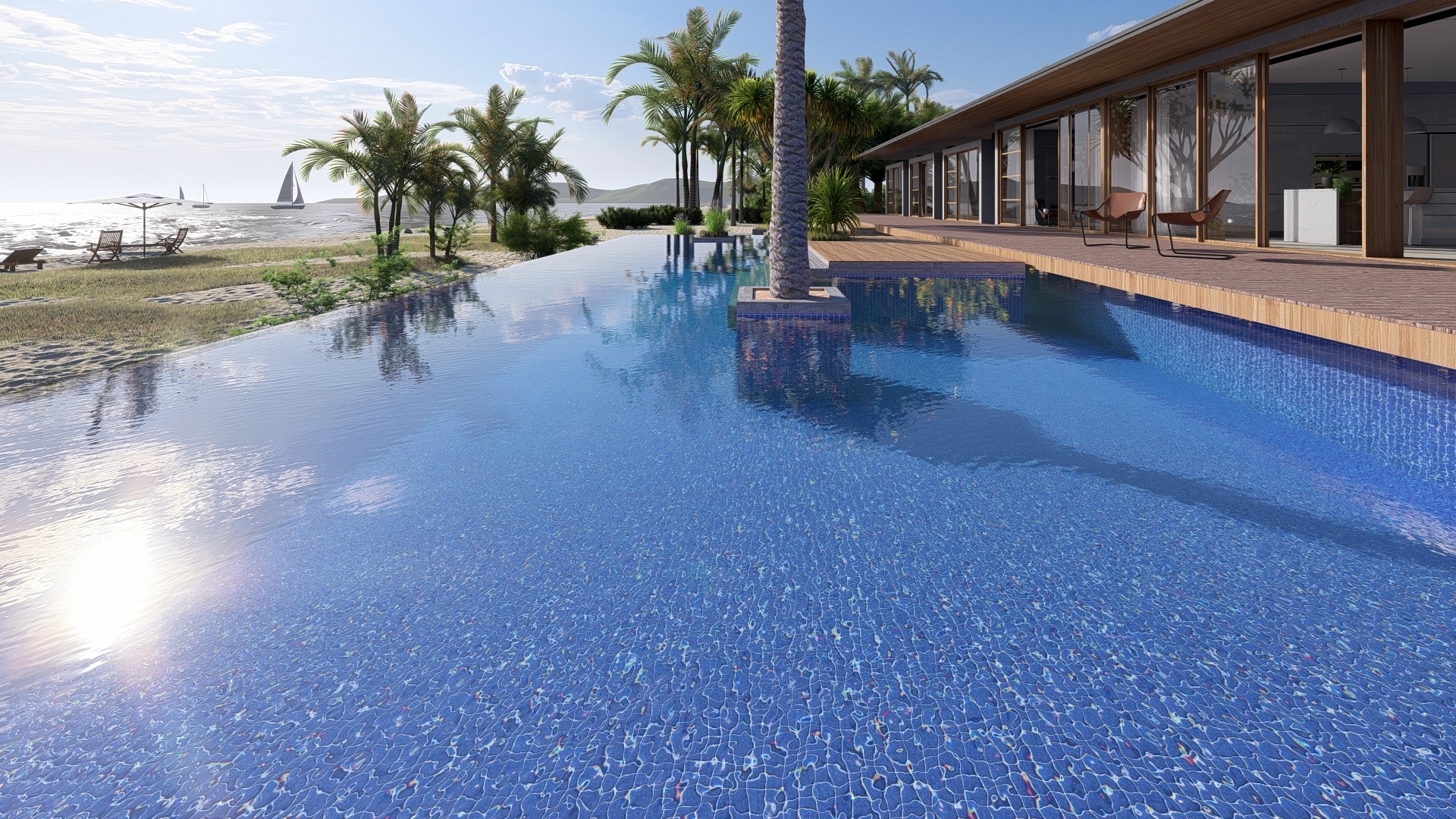
3.2.3: Photo 3:
A flat water to see more of the reflections.
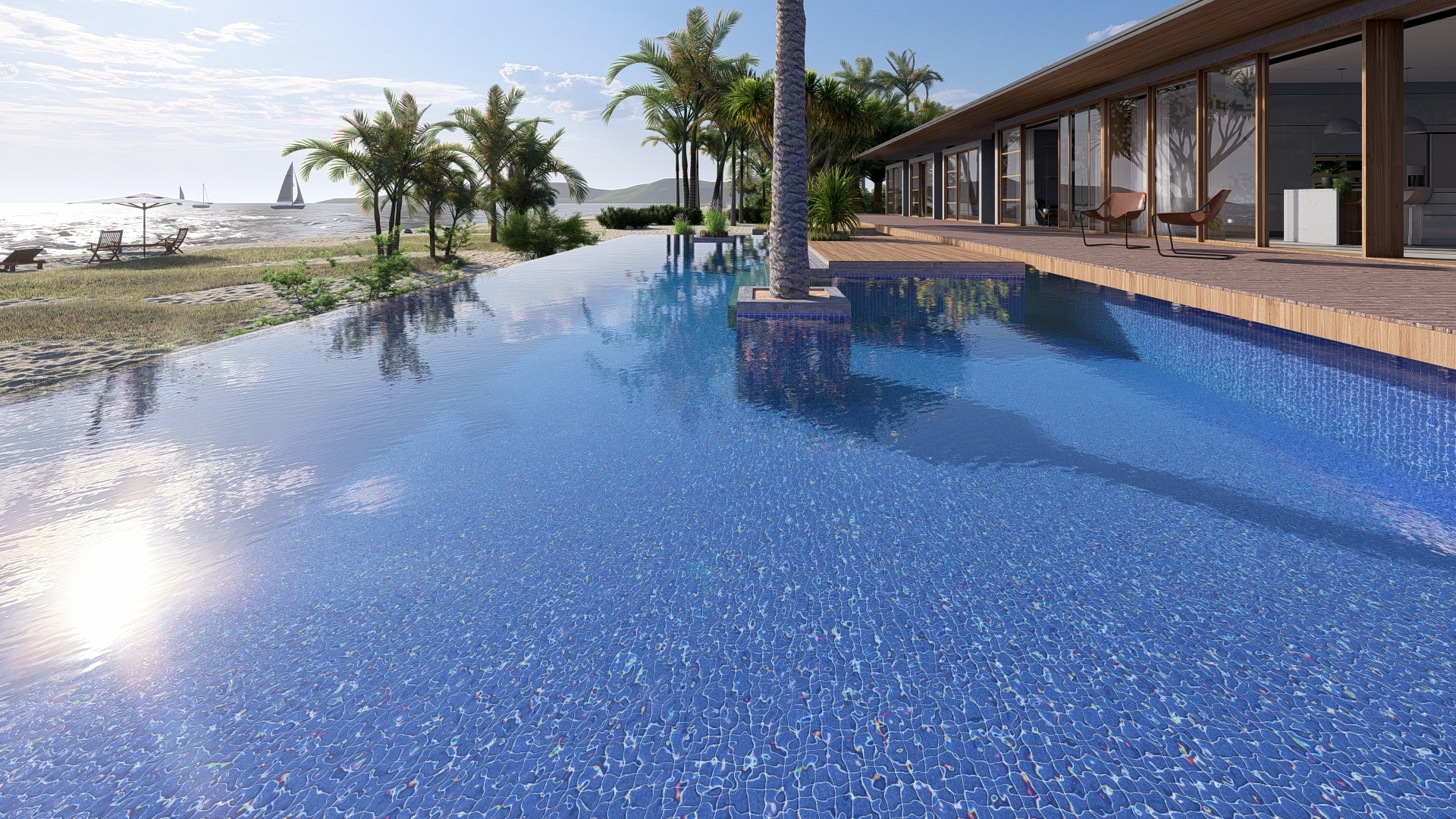
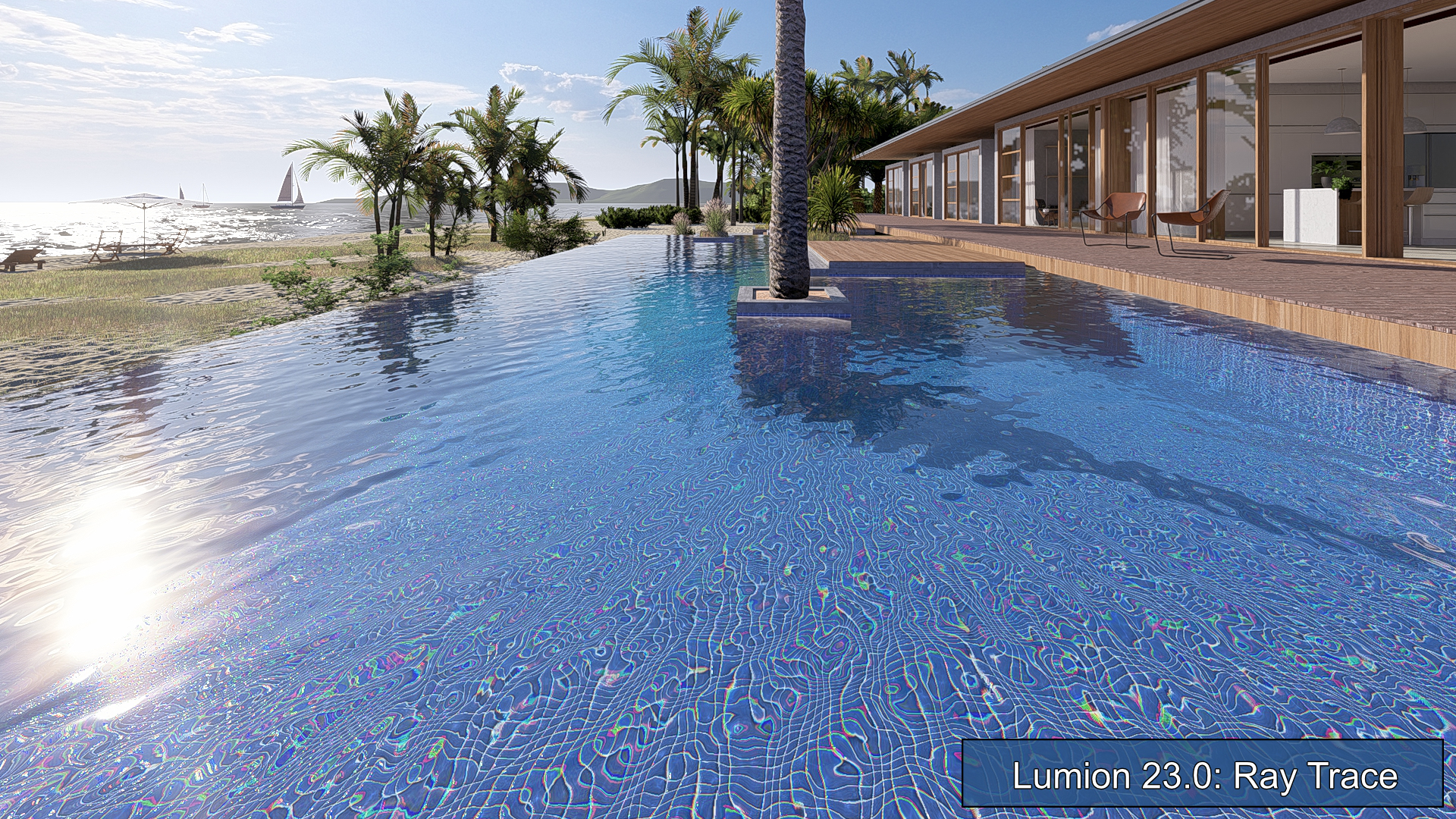
3.3: Ray Trace in Lumion 2023
3.3.1: Photo 1
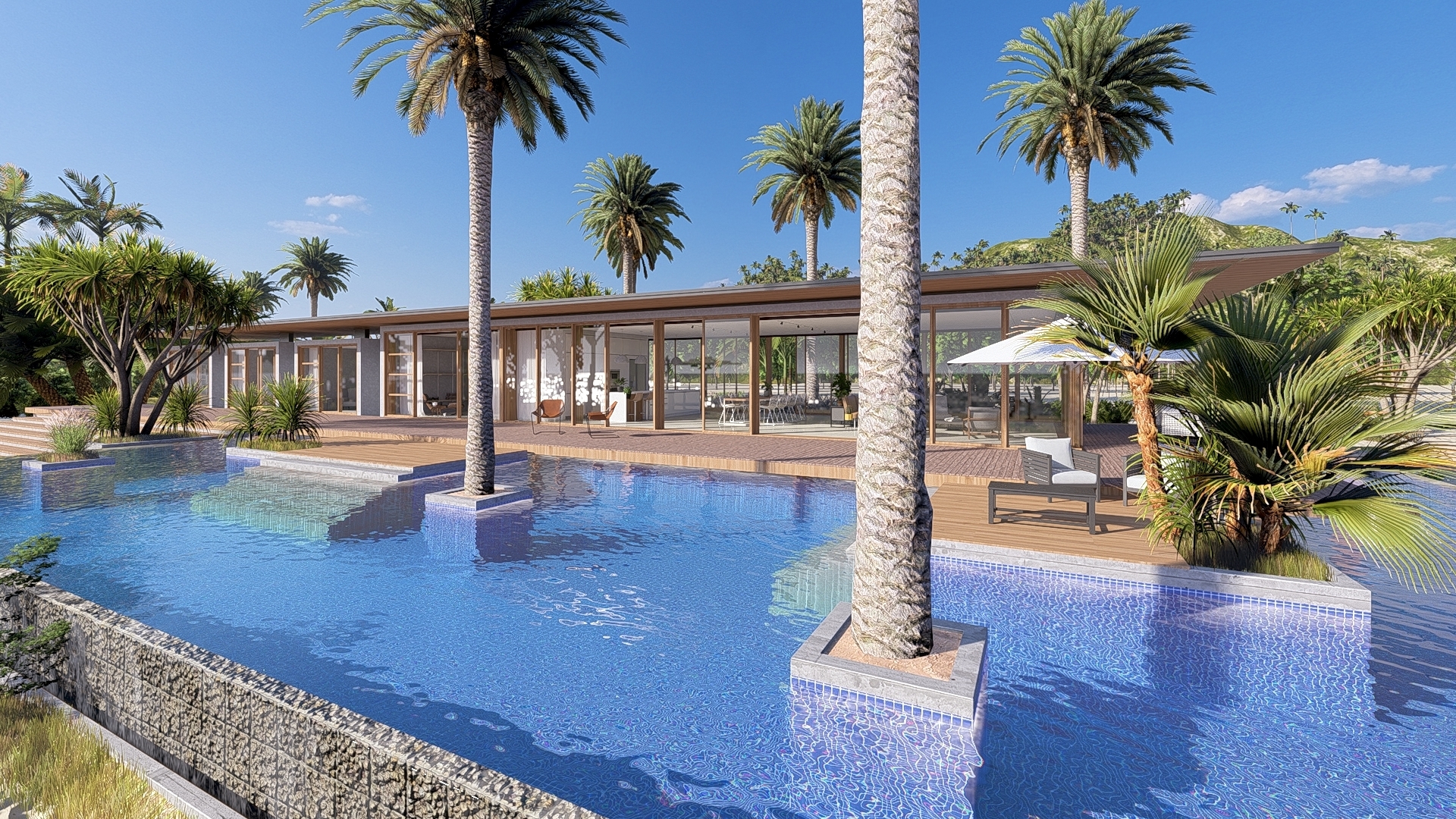
3.3.2: Photo 2
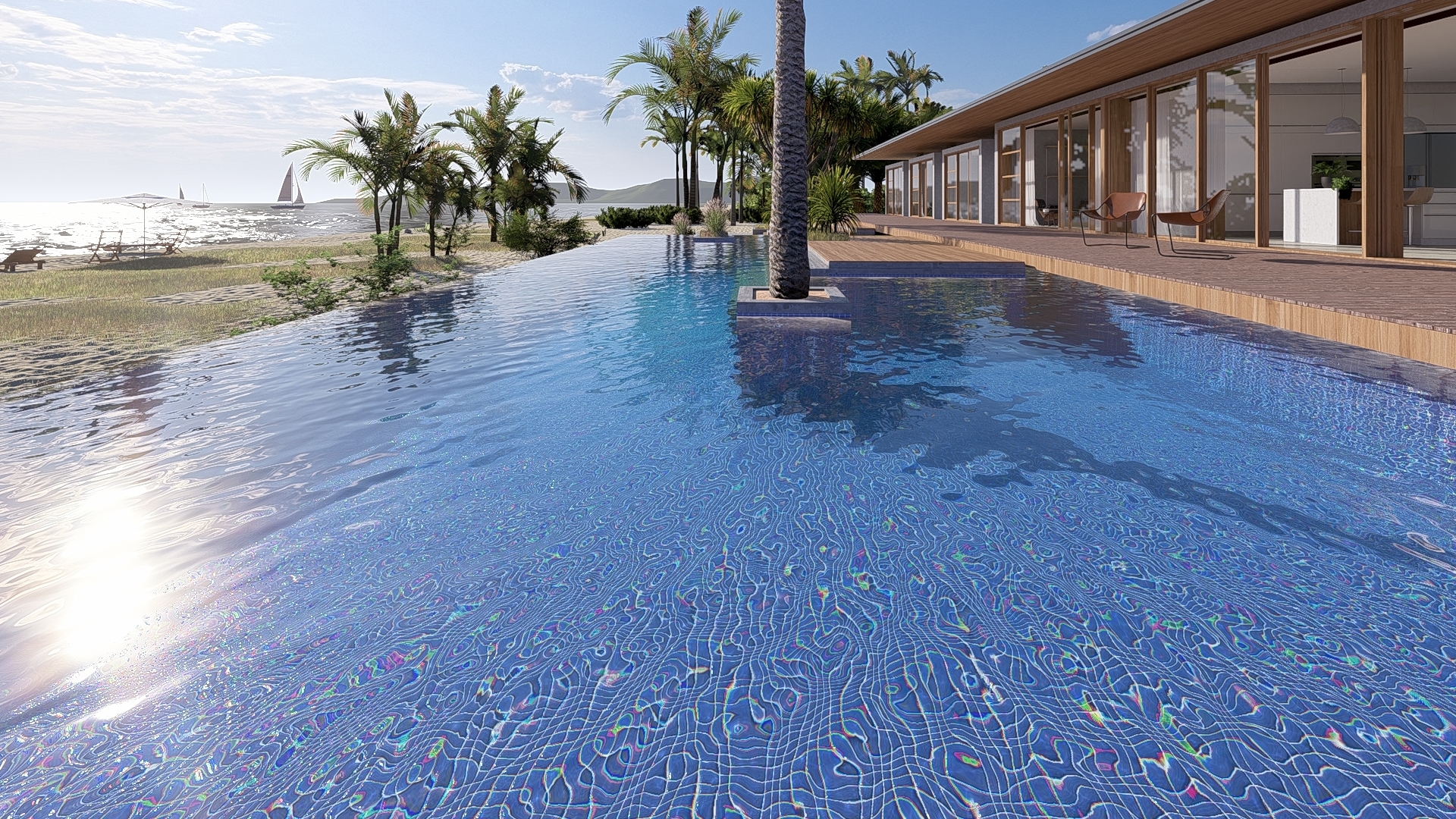
3.3.3: Photo3
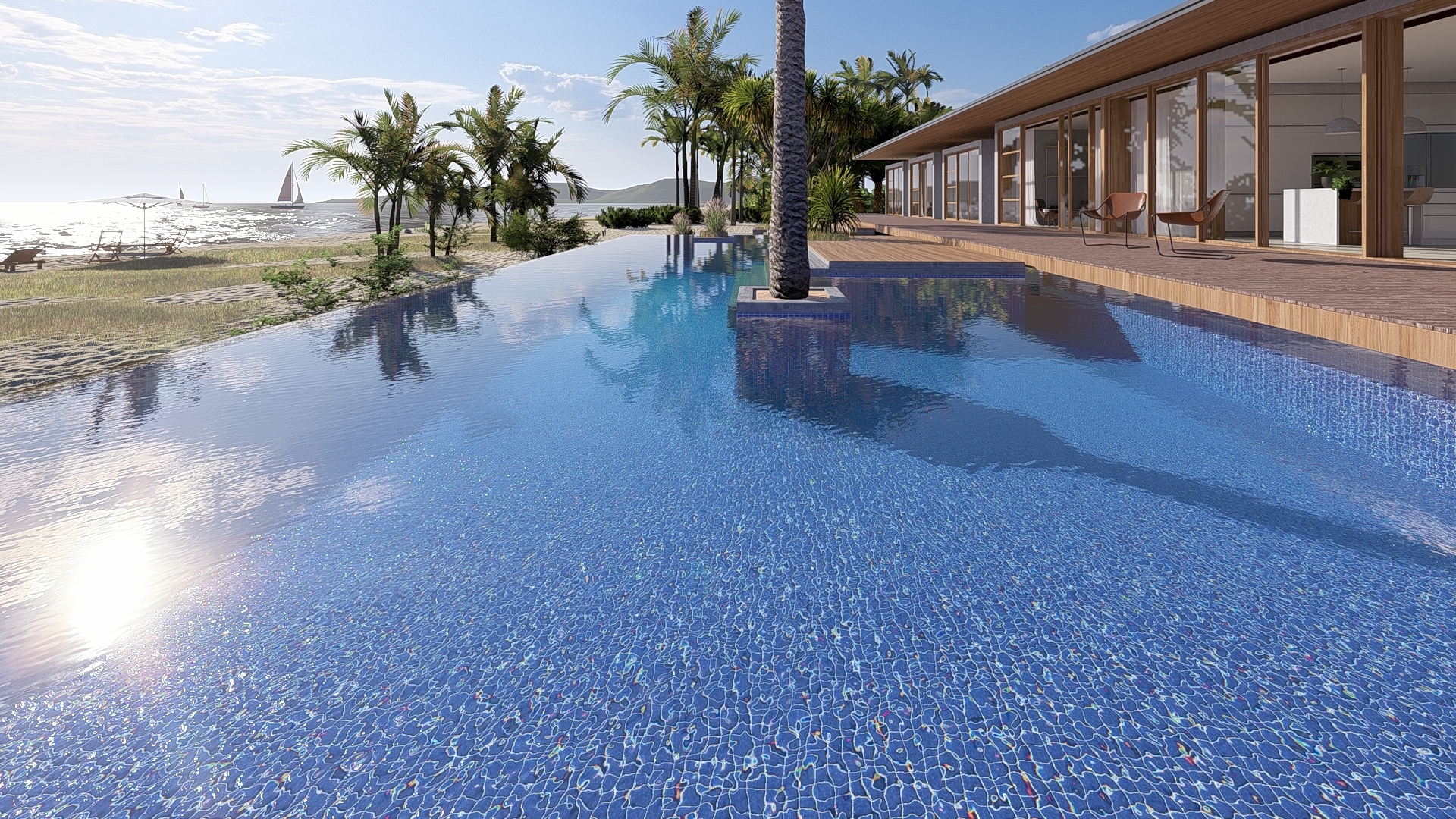
4. Results so far:
Photo 3 for Ray Tracing is very similar to Rasterization, but reflections and shadows are different if they fall over the water. Reflections are a little sharper in Rasterization.
Blues are bluer. Perhaps that could be tone-mapped down a little in the Color Correction Effect. But we are also getting more accurate lighting and color. And the blue tiles of the pool show better,
Perhaps the Lumion 12.5 water is a little more transparent.
But you can see the improvements in refraction in the Ray Trace render (even though water is still rendered using the Rasterization pipeline).
5. What else needs an adjustment?
5.1: Real Skies - important to review
The Real Skies Effect in Lumion 2023 for this Project was using a different Real Sky (Cloudy - Cloudy 4) than in Lumion 12.5 (Clear - Clear 4). So a small change, once realized, was needed to get the same sky and sun lighting to do a better comparison.
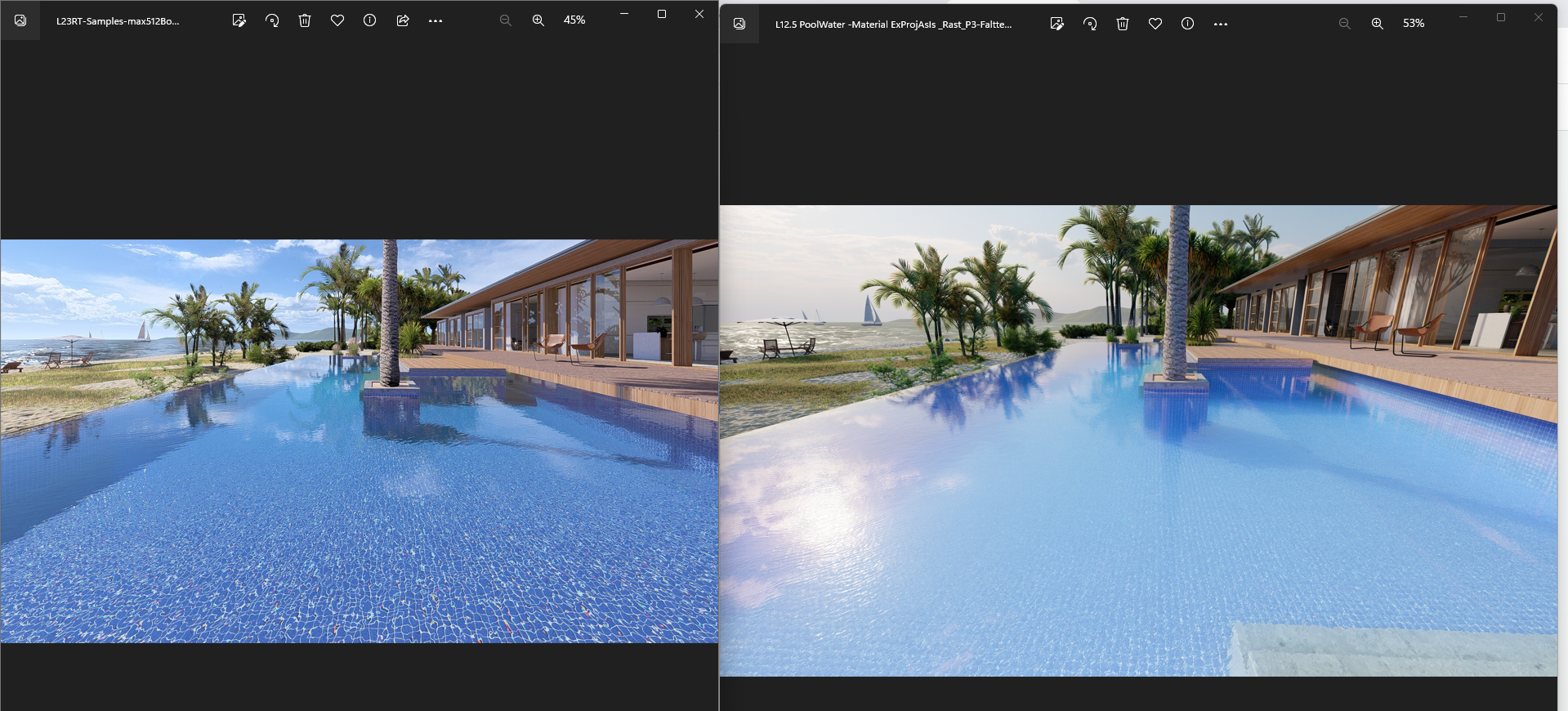
5.2: What Effects were used?
Lumion 2023 L23 Effects stack
We need to use the Effects Stacks from Lumion 2023 as these have been adjusted for best use.
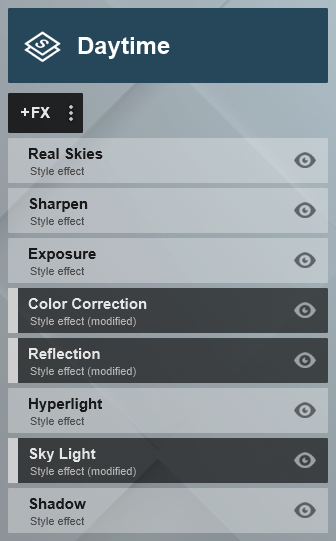
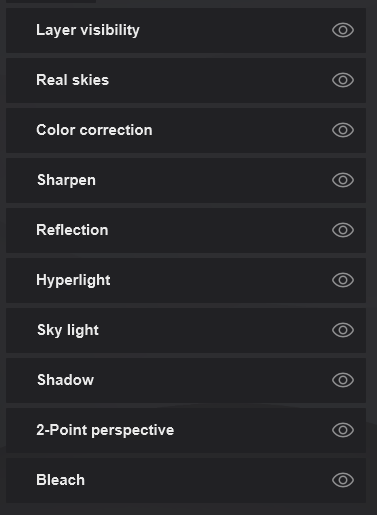
plus for Ray Tracing:

For this Example Project (and the others), the Effects Stack was updated to work best with the new pipelines and rendering systems. And that is what I have ultimately used rather than try adjusting those from Lumion 12, plus some tweaks.
Doing so avoids unneeded time on adjusting all the Effects and can rely much more on the work gone into balancing the important Effects that impact on lighting and render quality. And for Ray Tracing, especially the Real Skies Effect and Color Correction Effect.
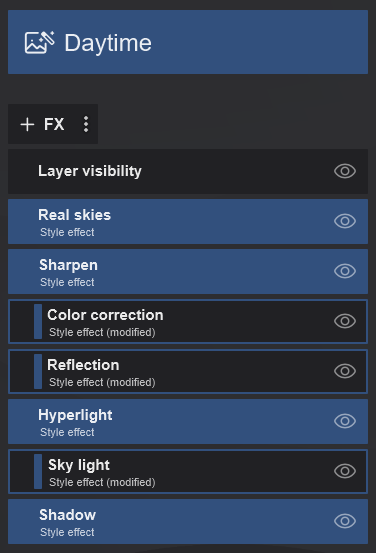
Most of the Effects are the same type. The values when using your old Effects might not match those now needed in Lumion 2023 for the rendering and materials pipelines.
5.3: Tweak the overall result using the Color Correction Effect for tonemapping and especially Exposure.
6. Nearly there, lets compare renders:
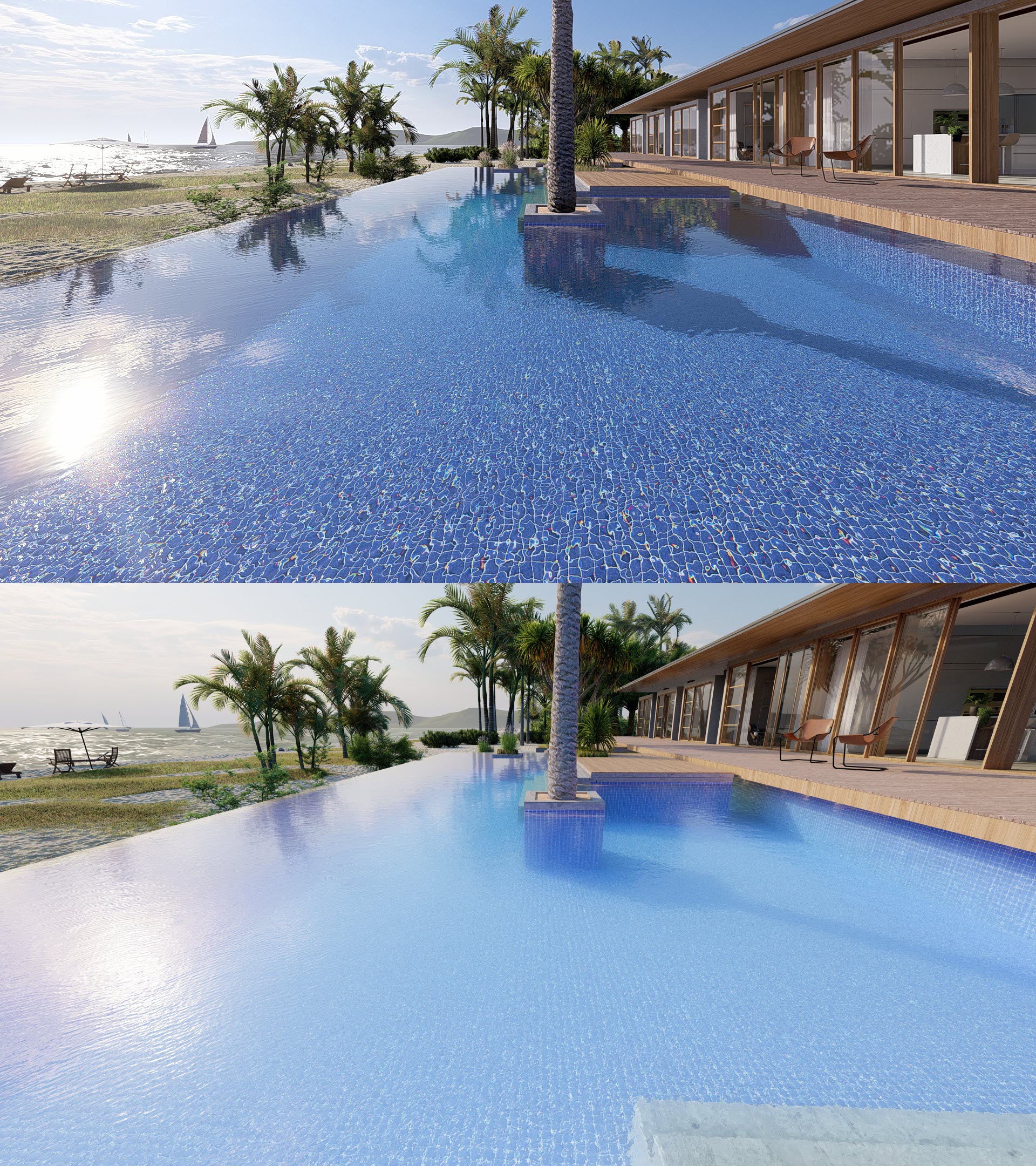
6.1: Comparison 1
Compare the flatter water P3 Ray Trace (top) Rasterization (bottom):
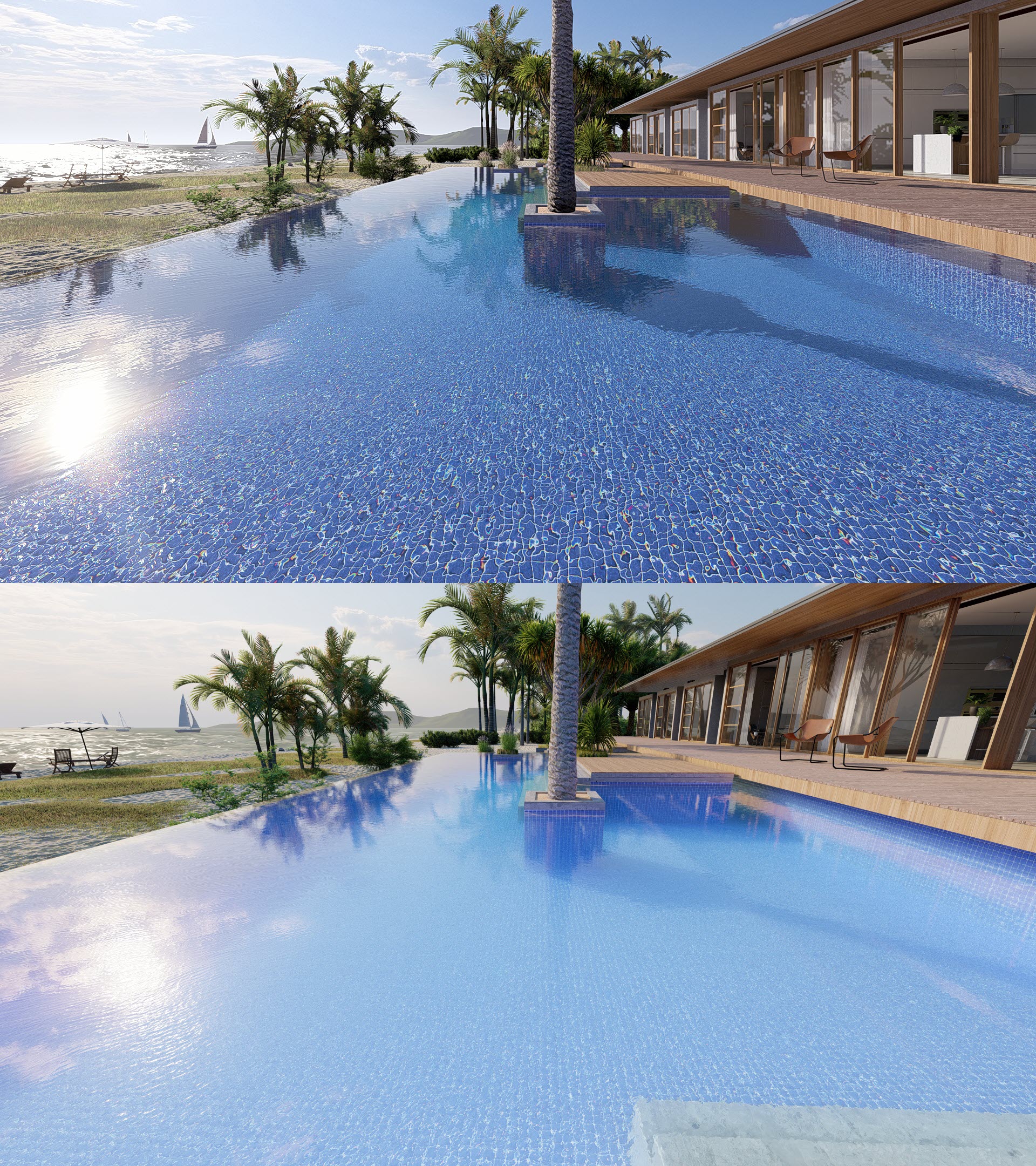
6.2: Comparison 2
Compare the flatter water P3 Ray Trace (top) Rasterization (bottom) using a Planar Reflection:
6.3: Comparison 3
Interactive slider: Compare the flatter water P3 Ray Trace (left) Rasterization (right) using a Planar Reflection:
7. Improved Reflections for Water in Update 2023.1.0:
The quality of ray-traced images sees an upgrade in that the reflections on water are now Ray Traced. That is, the Water Material now receives Ray Traced Reflections are part of its render result.
- Knowledge Base: Lumion 2023: Update to 23.1.0 - Release Notes
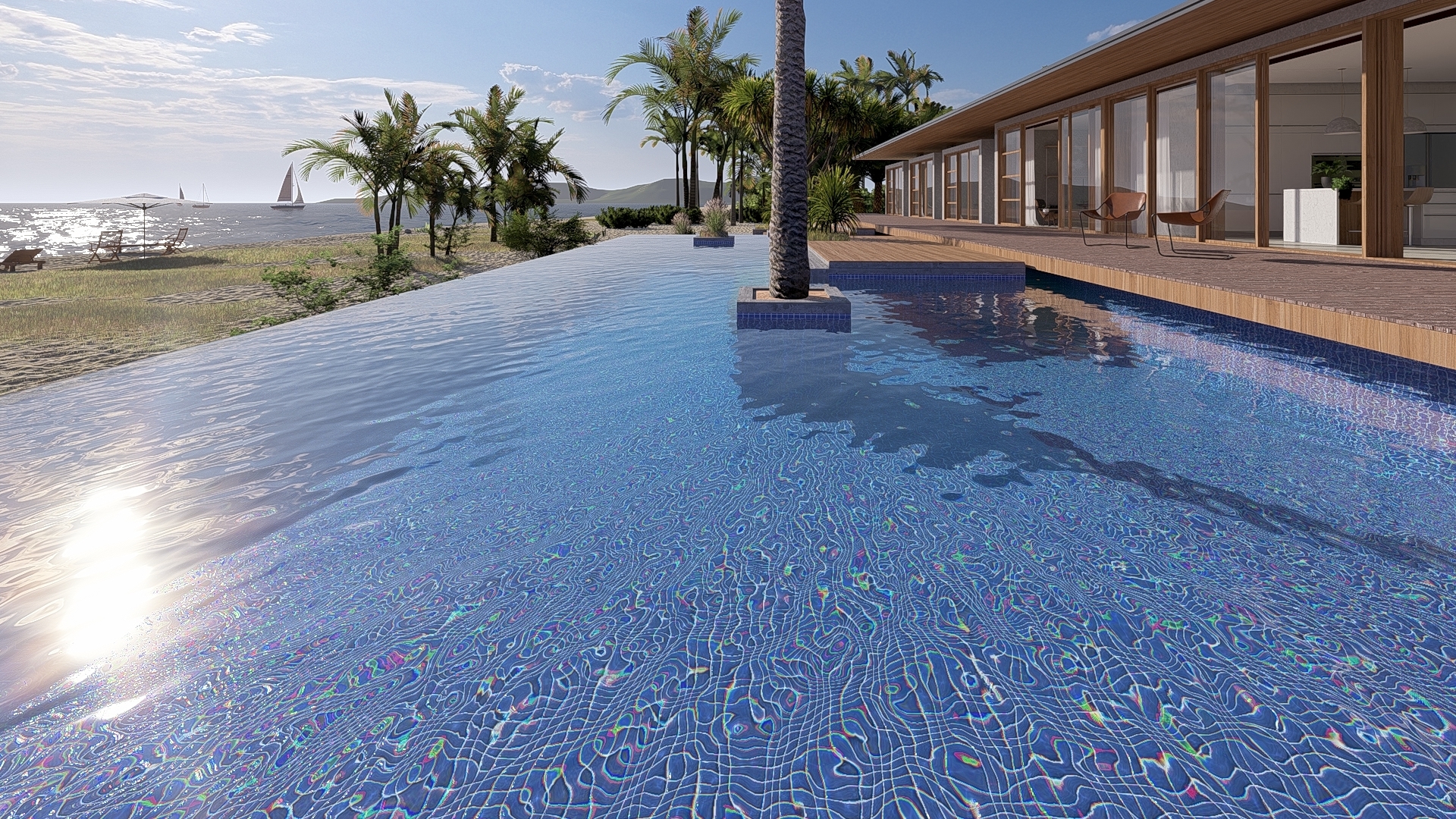
Note that the Ray Traced Reflections on the water have the same limitation as in the earlier version 23.0 where certain Objects (Nature, animated 3D Characters, and Decals) are not yet fully in the Ray Trace render pipeline. Projected Reflections (global) for Nature Objects (only) that were included up to 23.0.3 in the Water Material are removed for the interim as they are often too low a quality.
7.1: To work around this in the meantime, please use a 2-pass render process where the Nature reflections are critical.
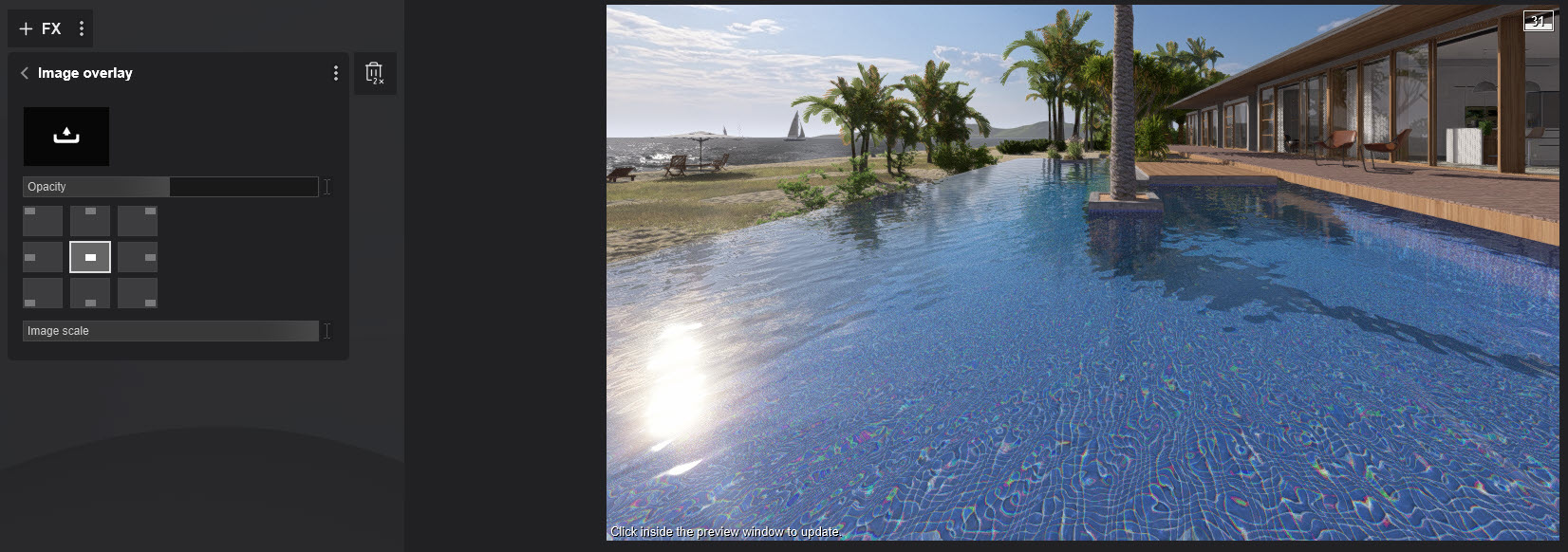
Render the same camera view for Ray Tracing and Rasterization. It's easiest to use two Photo slots. You do not need to include the Standard Material extra plane as earlier. Use the Reflection Effect > Planar Reflection and select the water surface to add a Planar Reflection.
You can use the Image Overlay (50% Opacity) to include the Rasterization render.
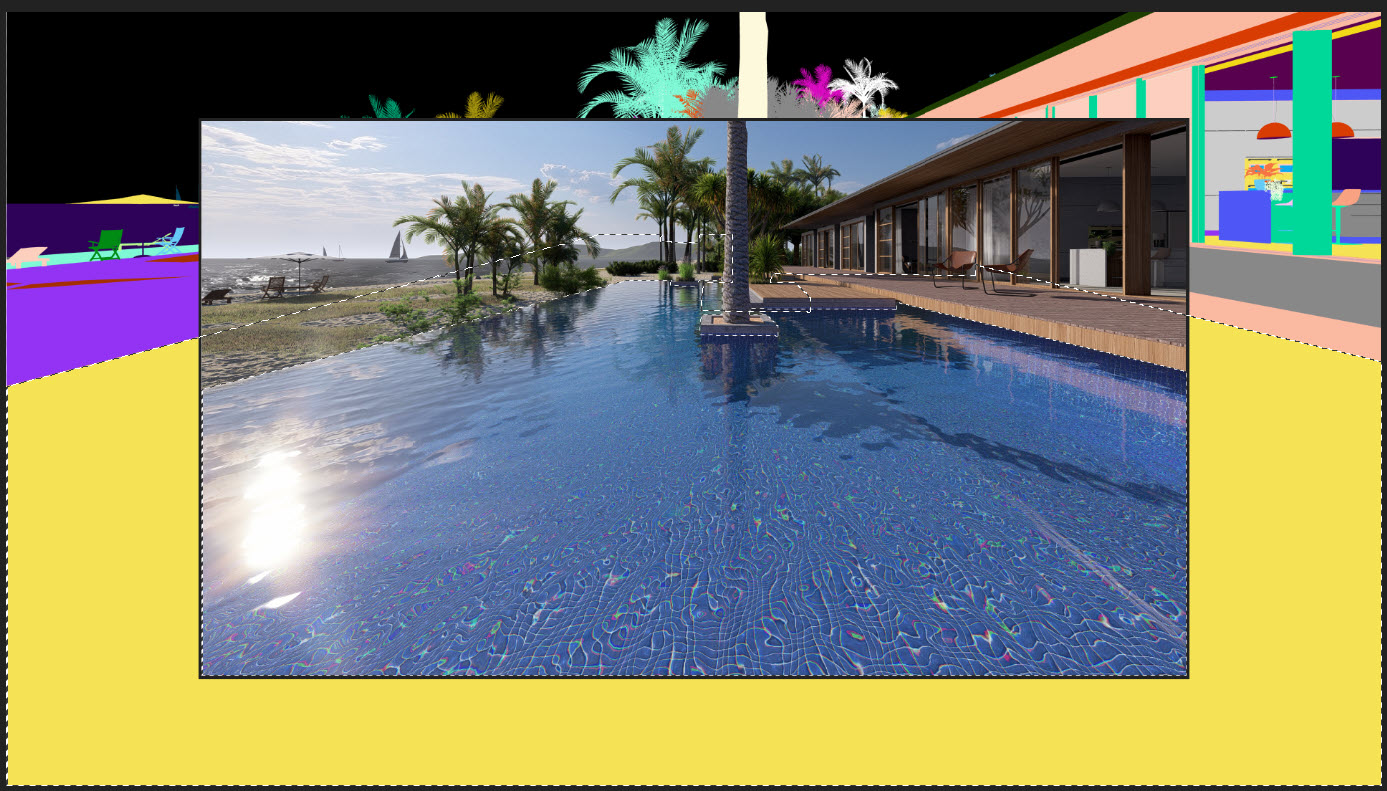
Or export a MaterialID Map for the Rasterization render and use an image editor to select the pool surface and copy/paste that selection of the Rasterization render into the Ray Traced render.
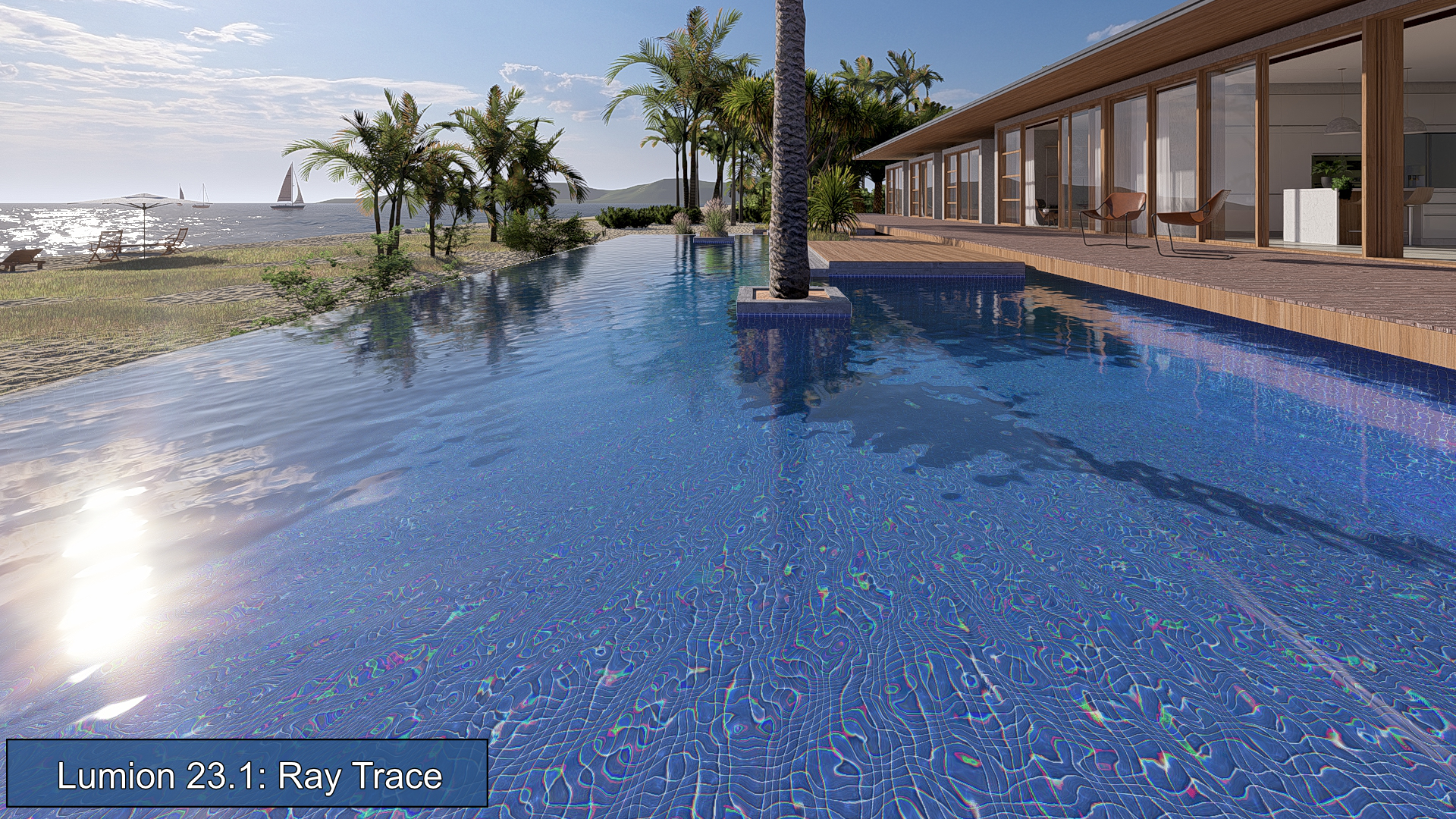
7.2: Comparison 2023.1 to 2023.0
Interactive slider: Compare the reflections Ray Trace 2023.1 improved Reflections (left) Ray Trace 2023.0 limited Reflections (right)
See Also:
- Knowledge Base: Transitions: From prior versions to working with the new Lumion 2023
- Video Tutorial: Lumion 2023: Welcome to Lumion 2023
- Video Tutorial: Lumion 2023: The Raytracing Effect
- Video Tutorial: Lumion 2023: Full PBR Material Workflow