

1. Changes for Lumion 2024 and newer:
1.1: Background
In Lumion 2024, the Ray Tracing Effect was disabled for rendering 360 Panoramas using Ray Tracing whilst changes and improvements are to be further developed:
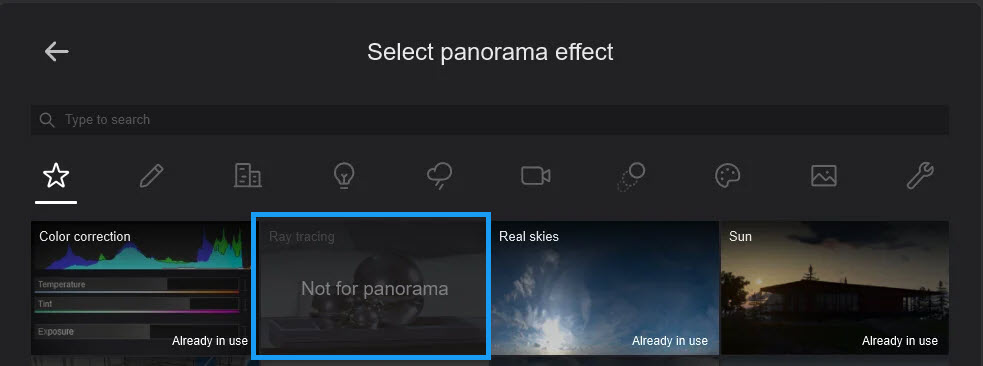
1.2: Development
Our development team are aware of the issues and limitations and have planned improvements for the Raytracing Denoiser and Ray Tracing working with 360 Panorama renders at more than 1 Star. Unfortunately, we can't give you an exact date for when improvements will be available.
- Lumion website: Product Road Maps
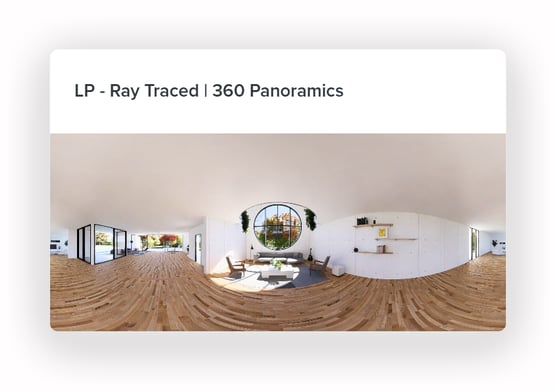
2. Rendering Options:
2.1: Rasterization:
In the meantime, you can still create great renders using the previously used Rasterization rendering pipeline (no Ray Tracing Effect). This has been used successfully by Lumion users in the past.
For Rasterization rendering you would usually want to set the Output Quality to either 3 or 4 for the highest (AA) antialiasing quality and render times. That Output Quality is still available for Rasterization.

However, because of the current limitation for the Denoiser, only 1 Star is available if you want to include the denoising on the render. No antialiasing occurs. Depending on the Scene, your render may still be quite suitable.
2.2: Ray Tracing for Lumion 2025 or 2026
- You have already been using Lumion 2025 or 2026 for a Project that necessitates Ray Trace 360 Panorama renders. or
- You have a critical Project you are considering using Lumion 2025 or 2026 for. It has an essential requirement for using Ray Tracing for the 360 Panoramas.
Please contact us so we can assist with suggestions that have helped some other users, where Ray Tracing for this Mode is required:
- Knowledge Base: Contact Lumion Technical Support
2.3: Still using Lumion 2023 or 2024 and need Ray Tracing?
Note: if you are using either of these versions, then please contact us to discuss the Upgrade path for your version to Lumion 2026 and options to using the Ray Tracing Effect.
3. Other Workaround:
There is a possible workaround provided by one of our members using more Area Lights. It may or may not work for your Scene.
- Lumion Community: RT with 3D Panoramics blotchy