
Task:
The Marketing - Content Team create Guides and Tips published to the web site.
We add those in to our EKB - Resources and do a forum News post to get additional readership
Routine:
Check web Site Tips and Guides once every say 2 weeks for anything new.
Priority:
Low
Steps:
Its efficient to do both posts at roughly same time as there are common elements in each.
See posts in News Section for content included:
Example: How to collect feedback on renders without losing context
Create News Post:
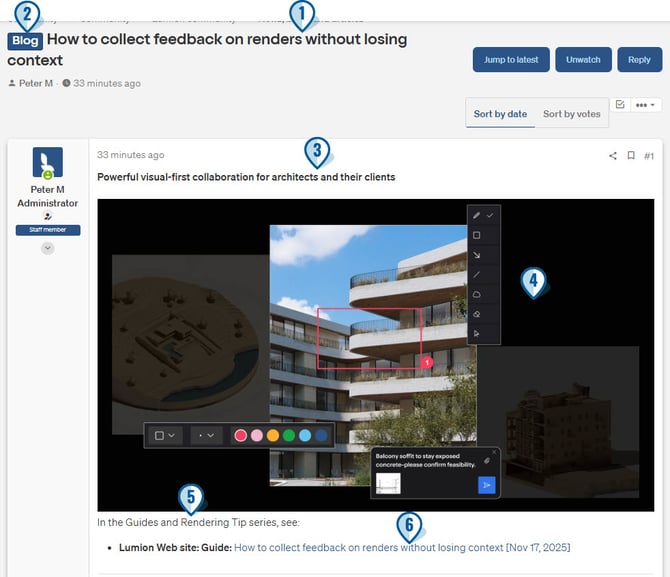
1. Add Title
2. Set as Blog tag:
(note: strictly the Guides are not Blog Posts but use that Tag for forum so don't conflict with any articles (EKB) we publish)
Add post content for:
3. Summary (get from Blog post)
4. Header image
5. Standard statement with Link to Blog post
6. Blogs Ref - title and URL link
Resources EKB article:
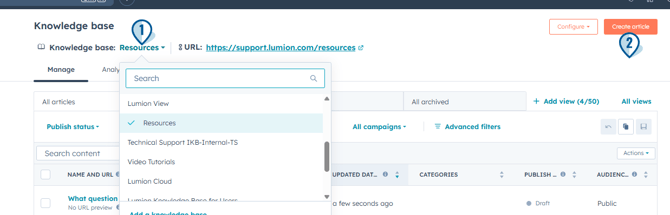
1. Open the Resources EKB:
2. Create a New Article:
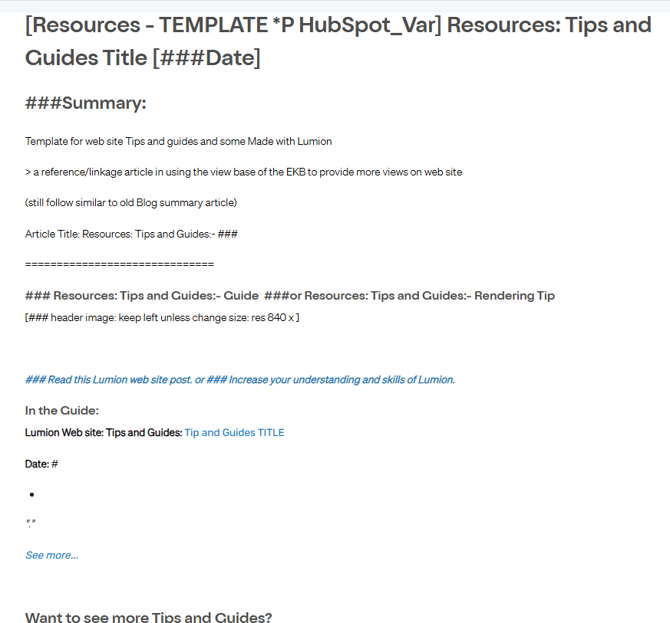
3, Use this Template:

[Resources - TEMPLATE *P HubSpot_Var] Resources: Tips and Guides Title [###Date]
4. Copy this to a New Article (Create Article):
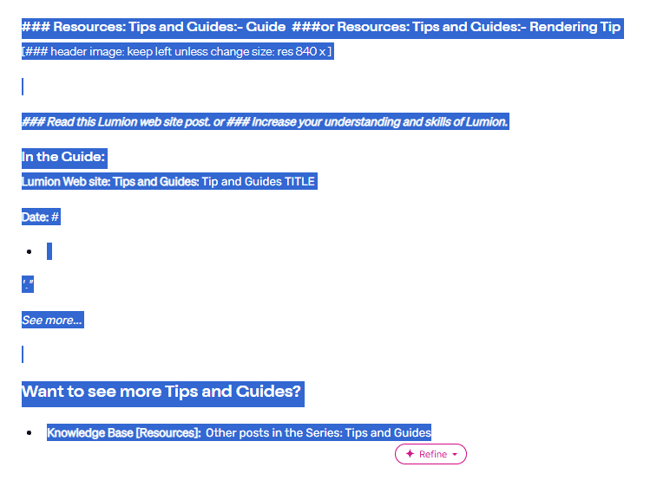
Change the templated content into the content for the article on the Blog post:
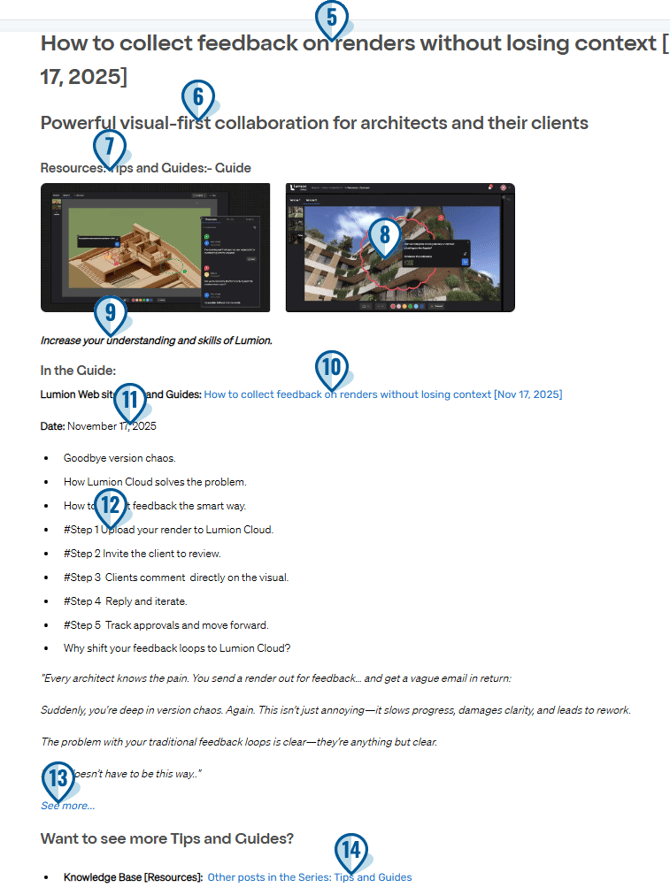
5. Title (from Blog)
6. Sub-title/Summary of blog post (form Blog)
7. Edit the type of blog - see the blog usually has 1 or 2 tags such as Guide or Rendering Tips or both

8. Save and resize to 840 width a pic from the blog. Often that will be the header pic but can be whatever you think best fits
9. Edit the text for the CAT.
10. Edit the Ref for Title and URL.
11. Add in the date
12. Add in bullet points - from Blog - usually the subsection titles.
13. Edit the link fore the Blogs URL.
14. Update the list of other articles (-> see next)
15: Update Article Settings:
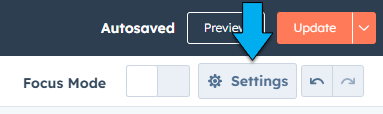
15.1: Settings:
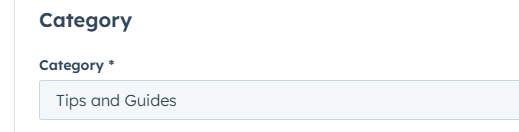
15.2 Set Category:
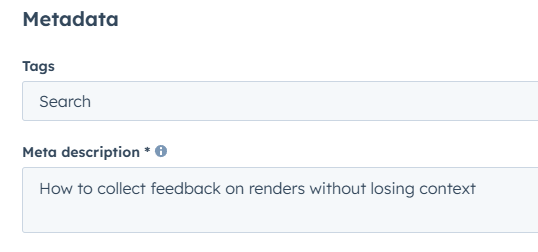
15.3: Copy and paste (without date) the Title for Metadata description (add Tags if you are using)
16: Update to Publish:

14. Update the list of other articles

In Zendesk we could use a Block to hold all articles for a list and that would update on all articles it was used in.
HubSpot does not have that features in its KB. So new articles are now in one article that does similar but instead of showing all the article links with the article it now just has the link to the list article (if any of that makes sense)
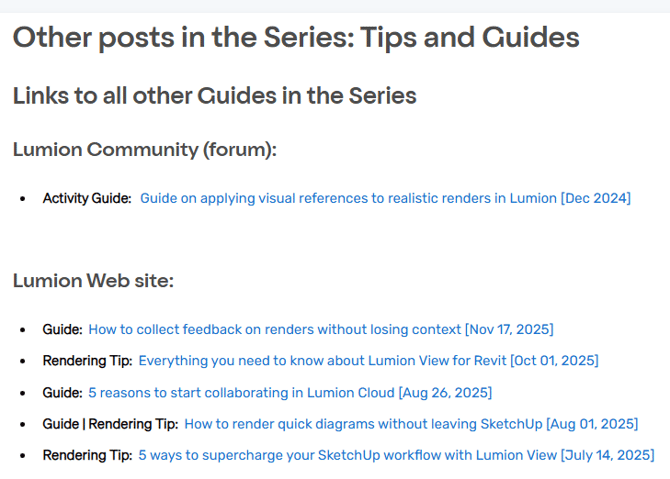
14.1: Edit the article:
Other posts in the Series: Tips and Guides
14.2: Copy and paste the most recent ref.
14.3: Edit for Title, URL and Open this link in a new window to On.
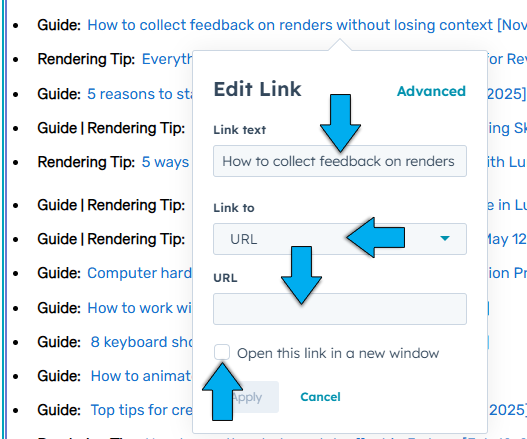
When open the Dialogue, select Link to: > URL - its easier than trying to first publish the new article then find using 'One of your pages'.
14.4: Click on Update to make sure it is Published with current Save state.
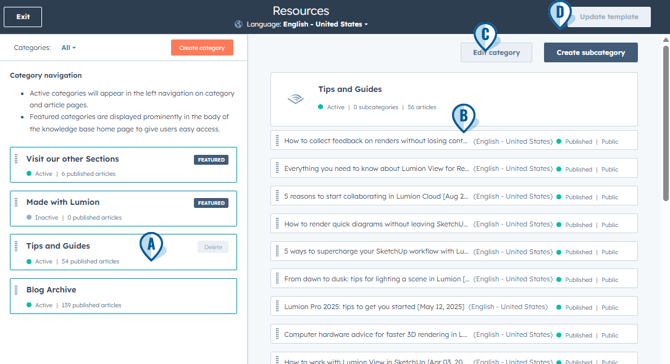
17: Update the KB Categories:

A: Select Tips and Guides
B: Drag and drop to change order that will be shown in EKB Articles listings - all articles-More:
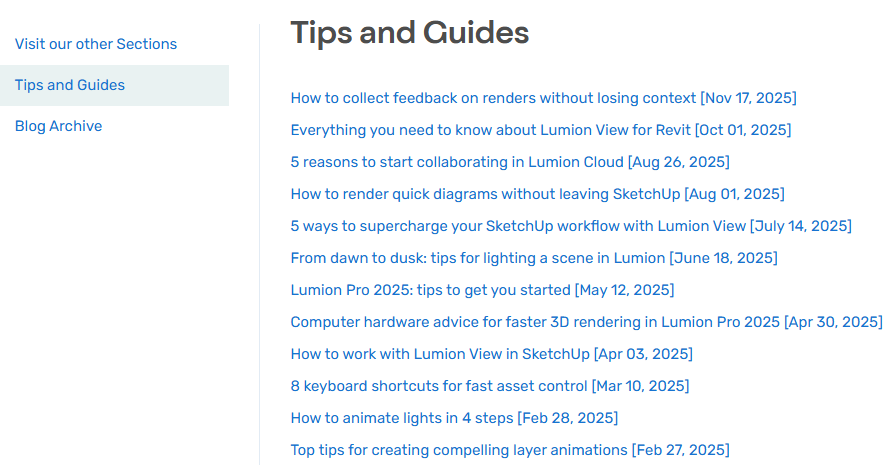
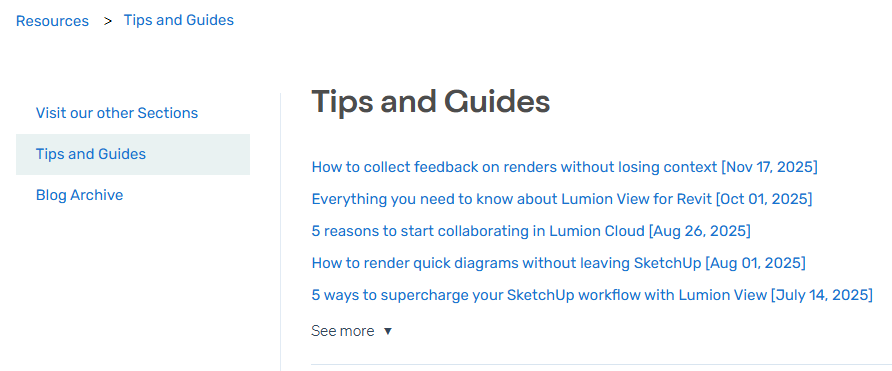
C: Edit Category for Top 5
These selected and the order become the list shown for the 'first 5'
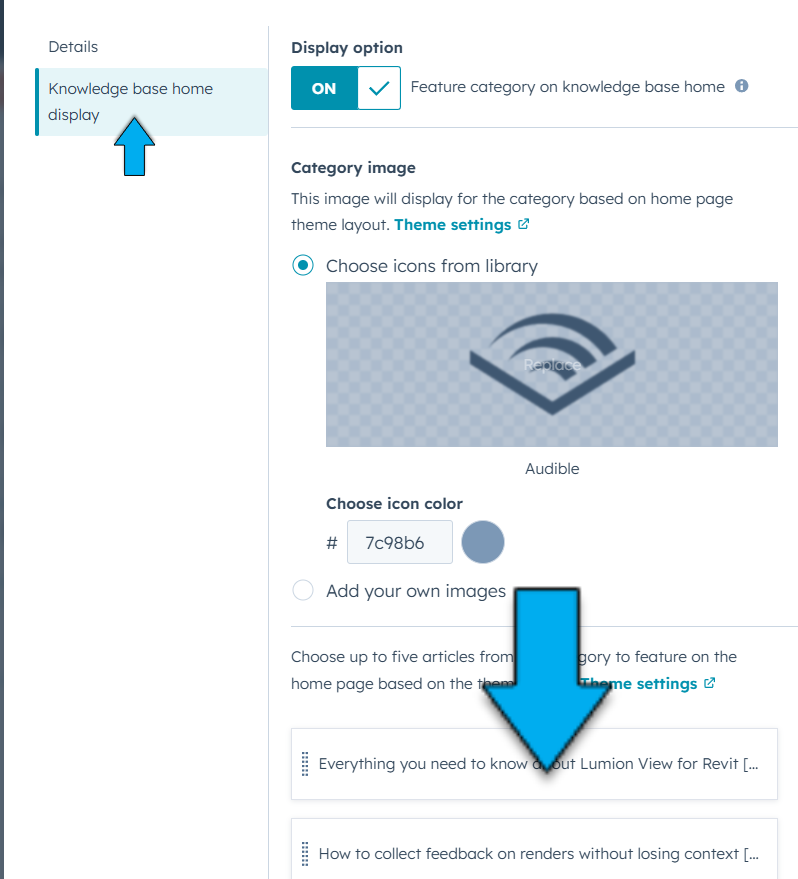
in
D: Make sure to Update Template for any changes
18. Once published:
Check both forum and article links are working correctly to the right Blog post.
That's all folks.