

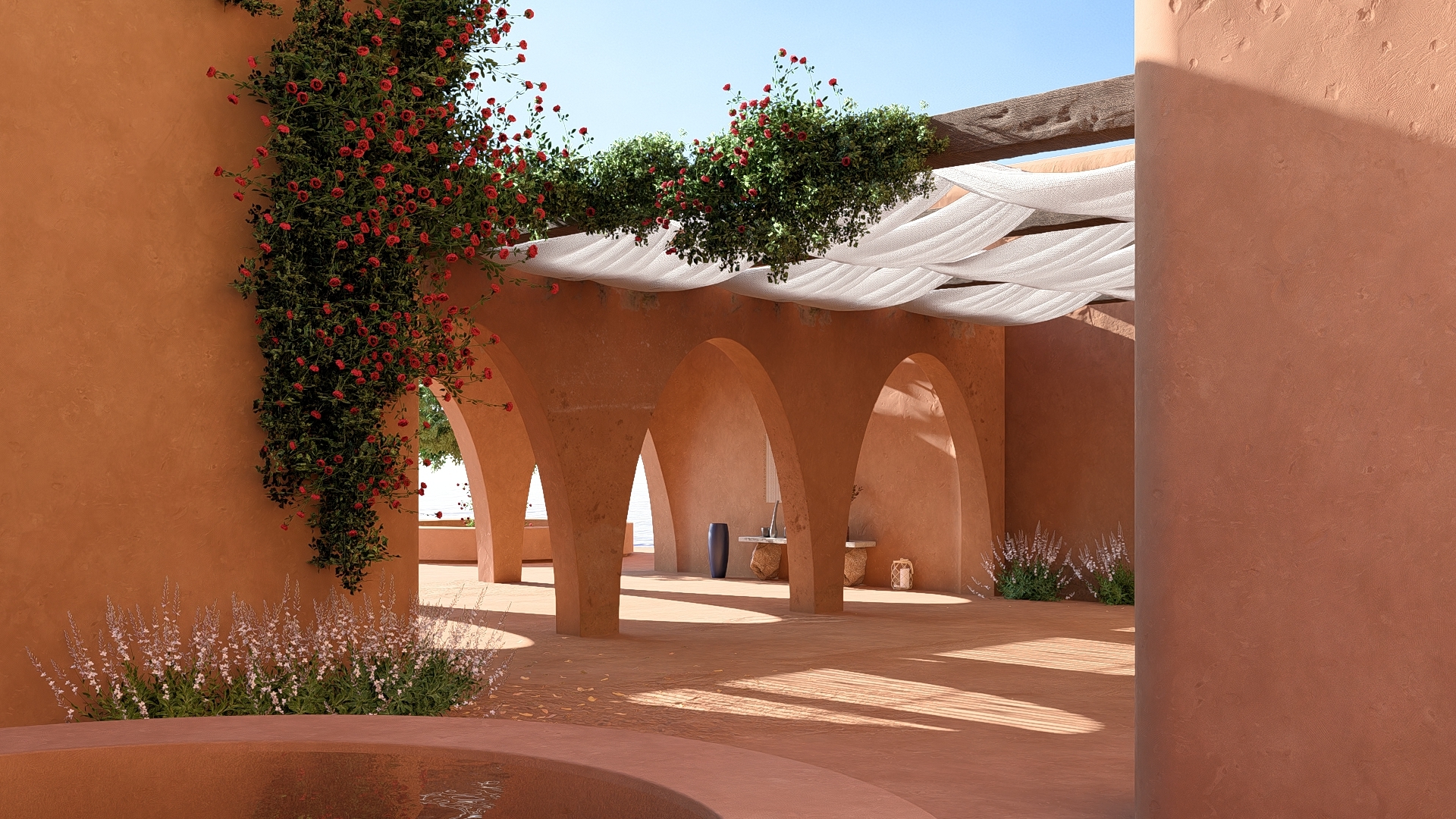
This article follows on from:
- Knowledge Base: Introduction to Ray Trace rendering in Lumion
And see Part 2: Using Lumion for Ray Trace Rendering (in following on from this article):
This article discusses some fundamentals about the Ray Tracing technology.
Looking to jump right in, want to do some Ray Trace rendering within a few minutes?
In Lumion you use a single, simple Effect, the Ray Tracing Effect, to enable Ray Tracing.
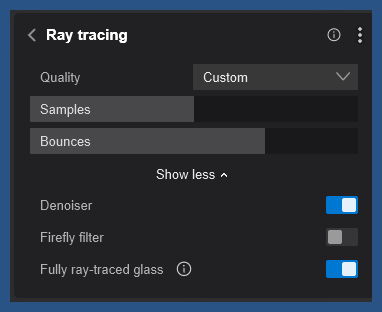
Set a few properties for the Effect, and render your Photos and Movie animations with full Ray Trace (Path Tracing) capability.
Located under the Lighting category in the Library of Effects, the Ray Tracing Effect enables the system that accurately emulates light behavior and delivers a significant lift in rendering quality at the push of a button.
- Knowledge Base: How do you use the Ray Tracing Effect?
- Lumion Tutorial: Lumion 2023: The Raytracing Effect
Menu:
1. Summary:
Rendering Technologies:
Rasterization is equivalent to casting one set of rays from a single point that stops at the first thing they hit.
Ray Tracing takes this further, casting rays from many points in any direction. Emulates real world light interactions for lit surfaces, reflections, refraction, global illumination (light bounce)..
Path Tracing simulates the true physics of light, which uses ray tracing as one component of a larger light simulation system.
2. Ray Tracing In Lumion - An introduction:
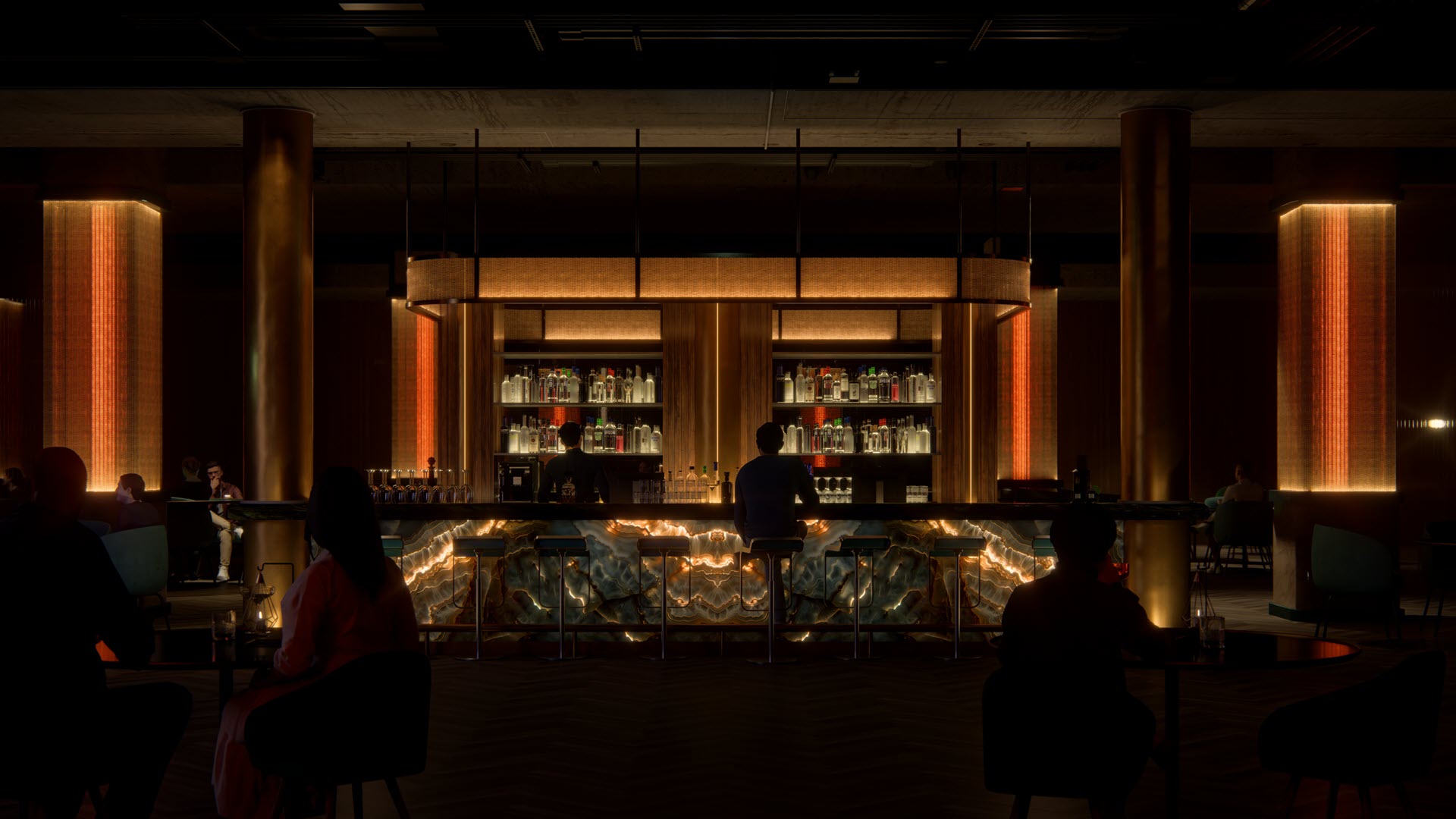
Lumion 2023 (6 March 2023) was introduced as a first-of-kind-new-release technology to render your projects Scenes using Ray Tracing.
This was a significant change and new branch for 3D rendering from the well regarded Rasterization rendering pipeline Lumion had been using. For the most part Lumion used the high performance Rasterization rendering method, but certain rendering operations were already using ray casting .
Lumion 2024 saw further major advances in key areas for performance and quality for Ray Tracing, especially for Movie animation rendering.
Hardware has been progressing to the point that it now (2026) well supports real-time rendering of Ray Traced content. This is usually done on the graphics card (GPU), initially for 3D games, and popularized by NVidia and now also supported by AMD and Intel.
Lumion continues to provide an enhanced Rasterization (hybrid) rendering pipeline as a fully fledged option.
With Ray Tracing you have a simulation of real-world accurate lighting and interaction with physically accurate materials. The result is the rendering as a simulation of light that is considered accurate and provides for the highest quality rendering.
Ray Tracing has the capability to render fully photo-realistic renders. It can help to simply solve certain limitations that were in the Rasterization rendering pipeline.
3. What is Ray Tracing:
3.1: What is Ray Tracing - the technology
Ray tracing is a rendering technique to simulate the way light interacts with objects and surfaces in a scene.
It can generate highly realistic images by tracing the path of light rays from the 2D viewing plane of the camera through into the 3D world scene, and then to the light sources.
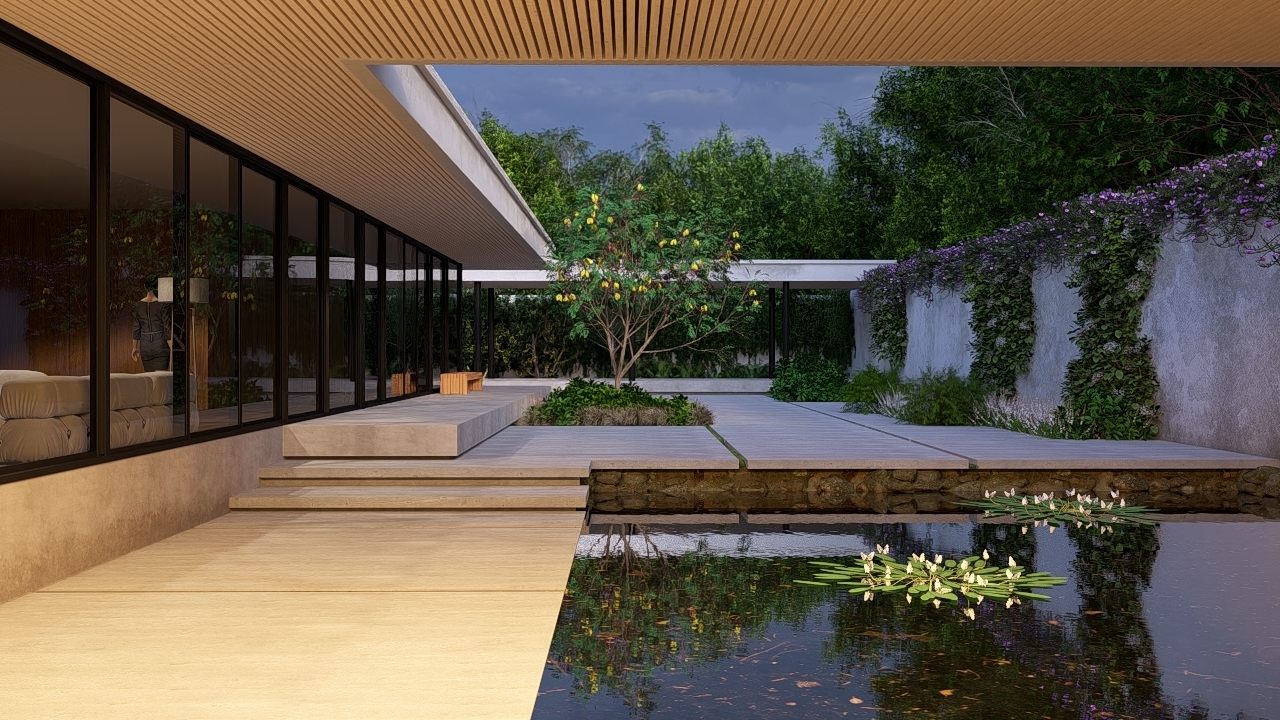
3.2: Key features of Ray Tracing
- Realistic Lighting:
- Ray tracing can simulate reflections, refractions, shadows, and indirect lighting, resulting in highly realistic images.
- Path Tracing:
- This is a more advanced and optimized form of ray tracing that traces hundreds or thousands of rays from the view of the camera (each pixel of a frame), following the rays through numerous bounces off or through objects before reaching the light source (1).
- Applications:
- Ray tracing is used in both non-real-time applications (like film and television) and real-time applications (like video games). It’s also used in architecture (visualization such as Lumion), engineering, and lighting design (2).
- Accessibility:
- Ray tracing has become more accessible with advancements in hardware acceleration, making it a standard feature in modern graphics cards and enabling its use in real-time applications such as Lumion. The change is recent, see a little history later on.
3.3: Benefits of Ray Tracing
See Section 2. What Ray Tracing Improves Most:
- Knowledge Base: Introduction to Ray Trace rendering in Lumion
3.4: Ray Tracing requires at least the following integral technology
- The Ray Tracing methodology - algorithms to draw pixels defining an object for a (camera) view that react to light.
- The Path Tracing methodology - algorithms that can optimize the extreme computational cost of Ray Tracing and make it practical for use and still retain quality.
Rather than trace potentially all light beams from the source of light (sun and/or artificial lights) this method traces a path form the camera to the light source, making it much faster when implemented. - Hardware dedicated to supporting Ray Tracing and Path Tracing. For example NVIDIA RTX and AMD Radeon graphics cards.
- Optional: advanced modern algorithms to help further improve the speed of calculation.
- A Software Platform: allows the software to use and communicate with the rest of the operating system and graphics sub-system. For example Microsoft DirectX (DX12/DXR used by Lumion) and Lumion.
Return to top of article
4. Path Tracing:
4.1: About Path Tracing
Path Tracing (that Lumion uses) is a more advanced form of Ray Tracing. In Lumion it is still referred to as Ray Tracing and the main Effect that enables Ray Tracing and is called the Ray Tracing Effect.
-
Path Tracing traces the most likely path for light, as compared to Ray tracing where many rays are traced.
-
Each pixel that makes up the frame of the camera view is the original point of casting and then following the path of that ray.
-
Many rays might be cast from that point, known as the number of Samples.
-
The system only traces the most likely path for the light.
-
The ray is checked to see if it intersects with the surface of some geometry.
-
The material of the surface will define how the light interacts. It might bounce/reflect off in another direction, to different amounts depending on the nature of the material. Or it might enter the object because the material is translucent or transparent, to varying degrees.
-
This creates new rays needing to be traced for their paths. Those might bounce around to intersect with some other objects surface.
-
When the rays path interacts with a surface there are also calculations done to determine what object, its location and the color of that point on the surface, in association with information about the light source. That calculated data is then used to determine the color of the pixel in the frame.
-
Those paths are traced until the path hits the light source.
-
There might be one or many thousands of paths from that one ray cast out into the Scene.
-
As the results of each path are finalized and the final pixel color determined the system can then build a picture based on the objects that interact with the path and the lighting.
-
Further work is done to clean up the image, reduce a by product of ray/path tracing known as noise and eventually finalized.
-
This process is extremely computationally intensive. It requires modern graphics cards with dedicated hardware components to do the computations.
-
The process starts with just one ray per screen pixel, so at a resolution of just 800 x 600 pixels, that requires 480,000 primary rays. Add to that, that each one generates multiple secondary rays. And for scenes with lots of reflective and refractive surfaces in order to get a suitable level of quality then even more ray /samples may be needed. This is seriously hard work for even today's desktop PCs.
-
Even so, compared to the other method of Rasterization the process is extremely slow.
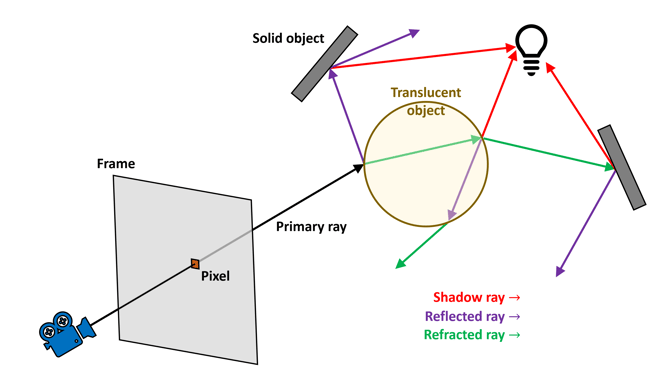
Credit: https://www.techspot.com/article/2485-path-tracing-vs-ray-tracing/
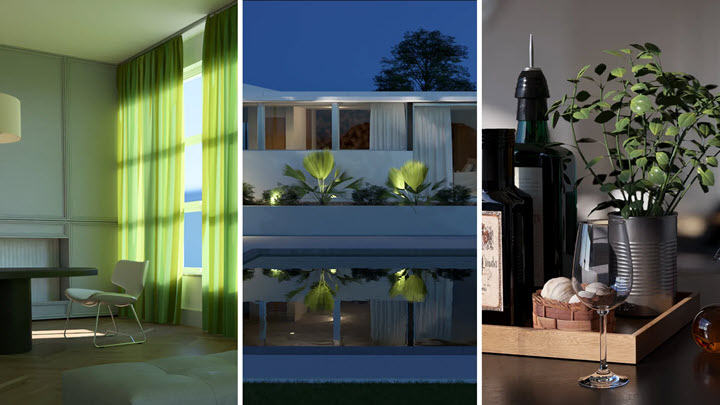
4.2: The Path Tracing Magic
-
Statistical analysis of the scene helps to optimize the direction of rays.
-
Traditional ray tracing calculates the path of each ray that is reflected or refracted. The (many) paths are traced all the way back to the light source - or many light sources.
-
In Path Tracing many rays are created for each pixel. But are sent of in statistically random directions. The path is repeated until a light source is reached or a limit of the number of times a path is bounced from one surface to another is reached.
-
Statistical sampling is used to determine which rays to finally use and create the final pixel color.
-
The sampling results in an almost ideal path. The final accuracy of the image is then determined by the number of samples for each pixel. Changing the Sample value (in Lumion) increases or decreases the number of those final paths/rays.
-
Even though this process requires an extensive amount of maths and programming it is possible to use fewer rays despite Path Tracing firing off many rays per pixel.
-
There is still a big performance hit though from tracking the rays and the surface interaction calculations.
-
A big advantage is that a large percentage of the pixels color is determined by the initial/primary rays. However, surfaces that do refract or reflect do still require use of the additional paths/rays. For example glass and water which are commonly often large areas with an architectural visualization. As such the final level of quality is very much affected by the demands of those other types of surfaces.
One of the side effects of this process or casting a limited number of rays and also from sampling is that an image inherently has noise:
- pixels that are not 100% accurate with the rest of the nearby pixels. See section What's all the Noise for? on Noise (later).
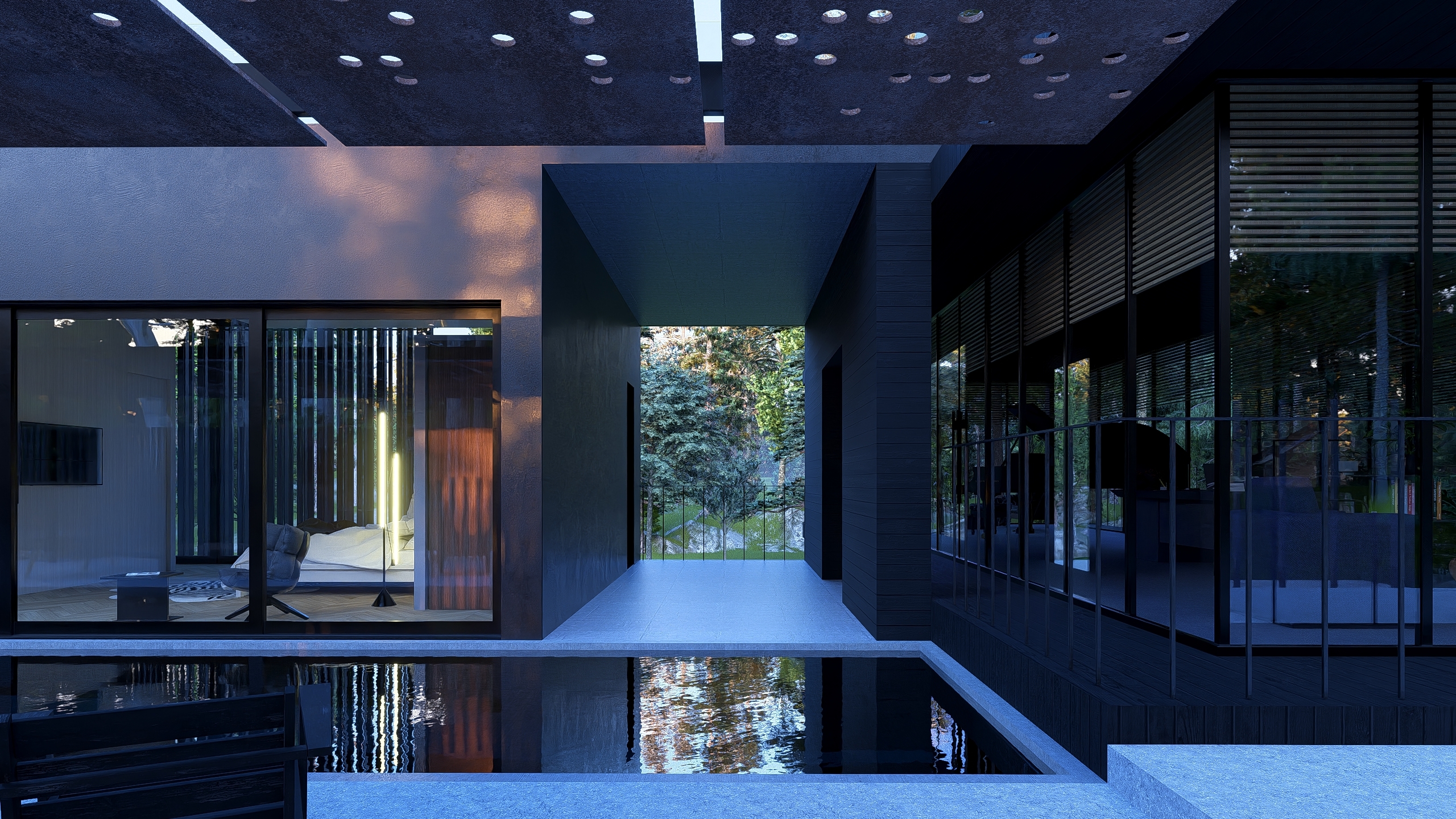
4.3: Example Project at different Samples and Bounces
Example Project: House of Time, Ray Trace render, Samples 1, Bounces 1:
(click on the images for a full resolution 1440p image (new tab))
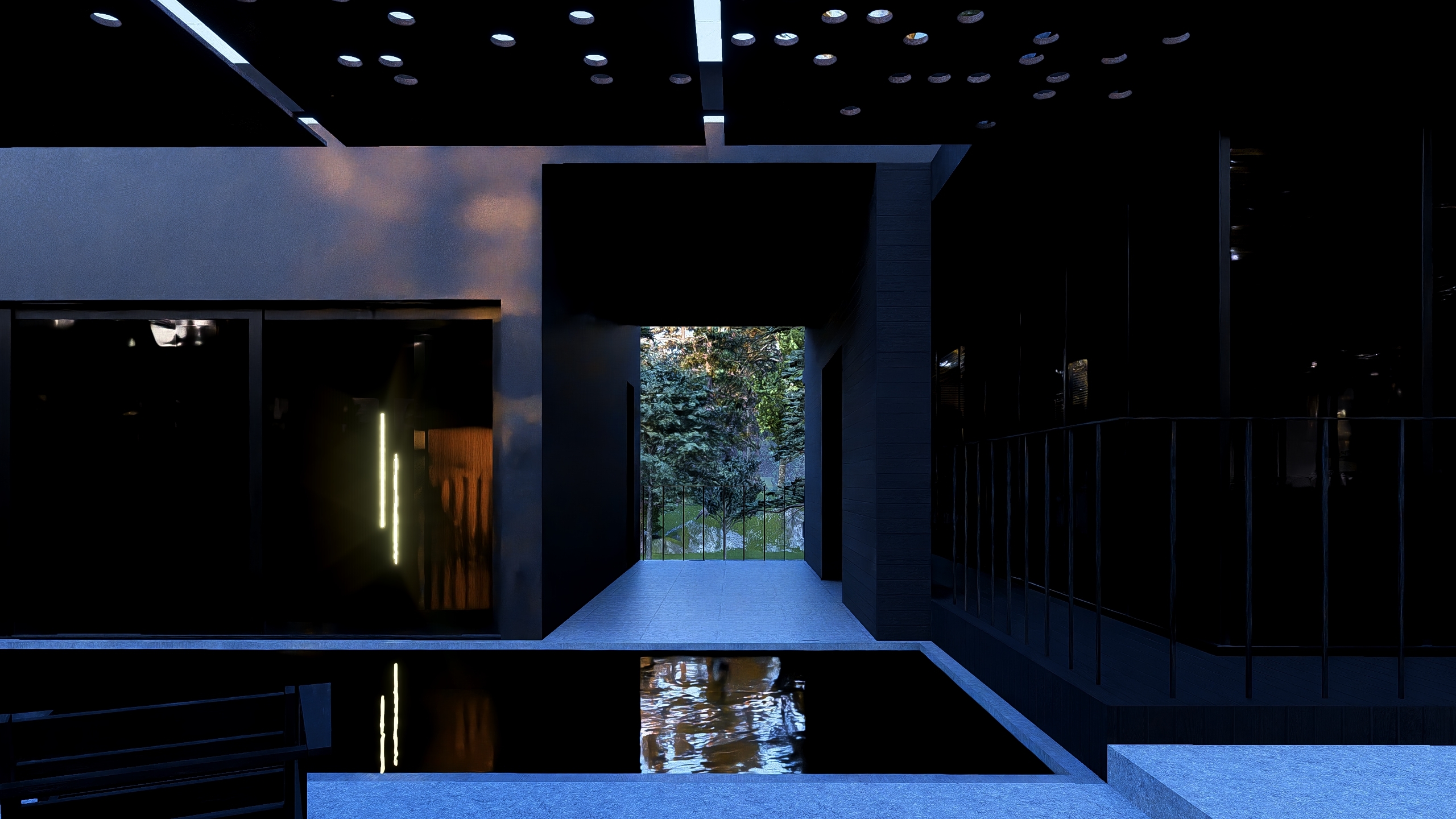
Example Project: House of Time, Ray Trace render, Samples 8, Bounces 2:
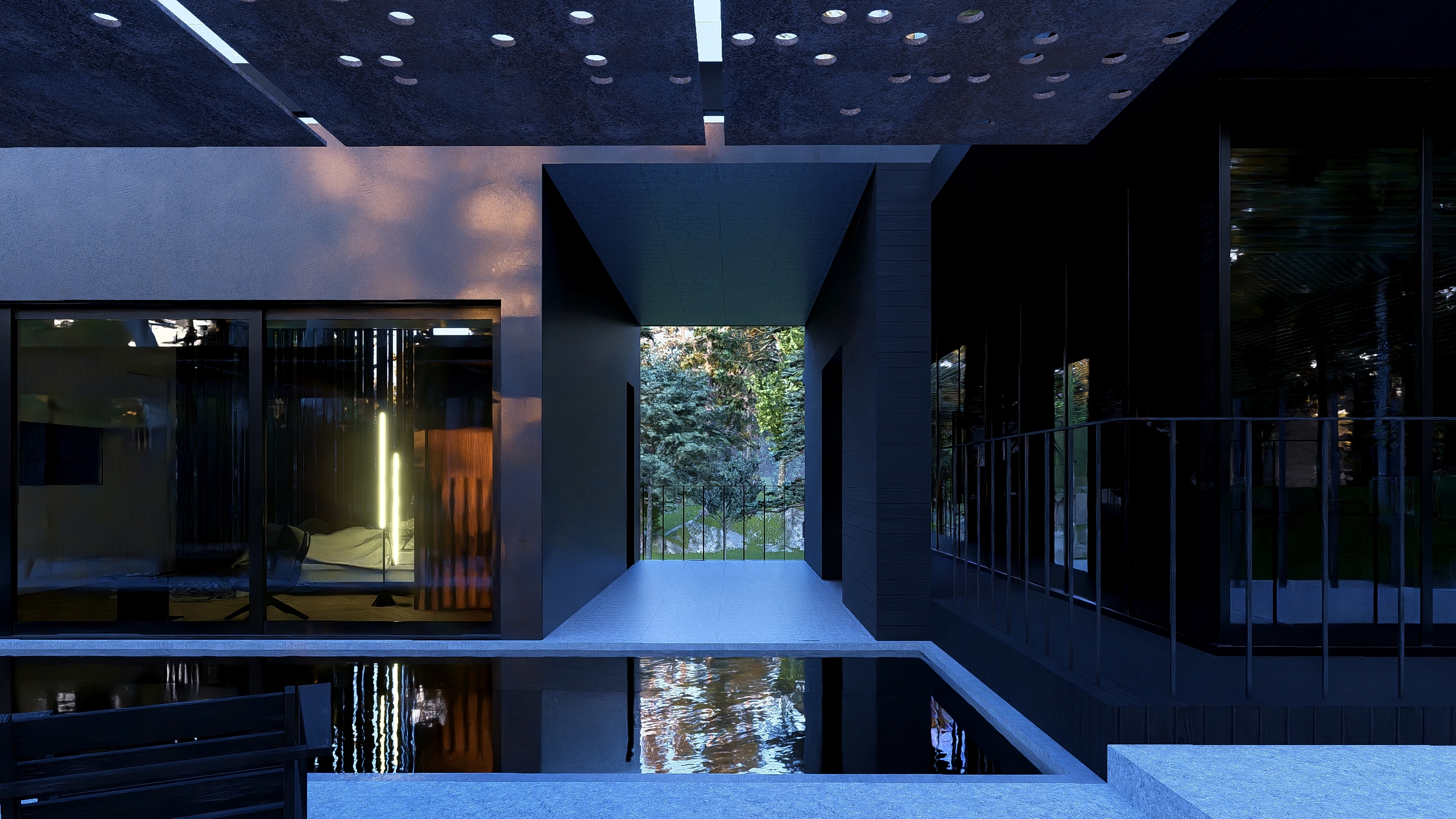
Example Project: House of Time, Ray Trace render, Samples 128, Bounces 5:
4.2: What Does Lumion Use?
Return to top of article5. What is ray trace rendering in architectural visualization?
- Realistic Lighting: (as above)
- Enhanced Detail:
Software implementations enhance the renders such as creating subtle softness of shadows from large light sources. For example Lumion now supports the softening of direct sun light (24.2.0). - Accessibility and Real-Time Rendering: (as above)
- Improved Workflow:
Tools like Lumion integrate ray tracing into the architectural visualization workflow, enabling designers and artists to explore scenes interactively and make adjustments on the fly. See also Lumion and LiveSync. - Applications: Ray tracing is used to create photorealistic visualizations of architectural designs, helping clients and stakeholders better understand the final look and feel of a project.
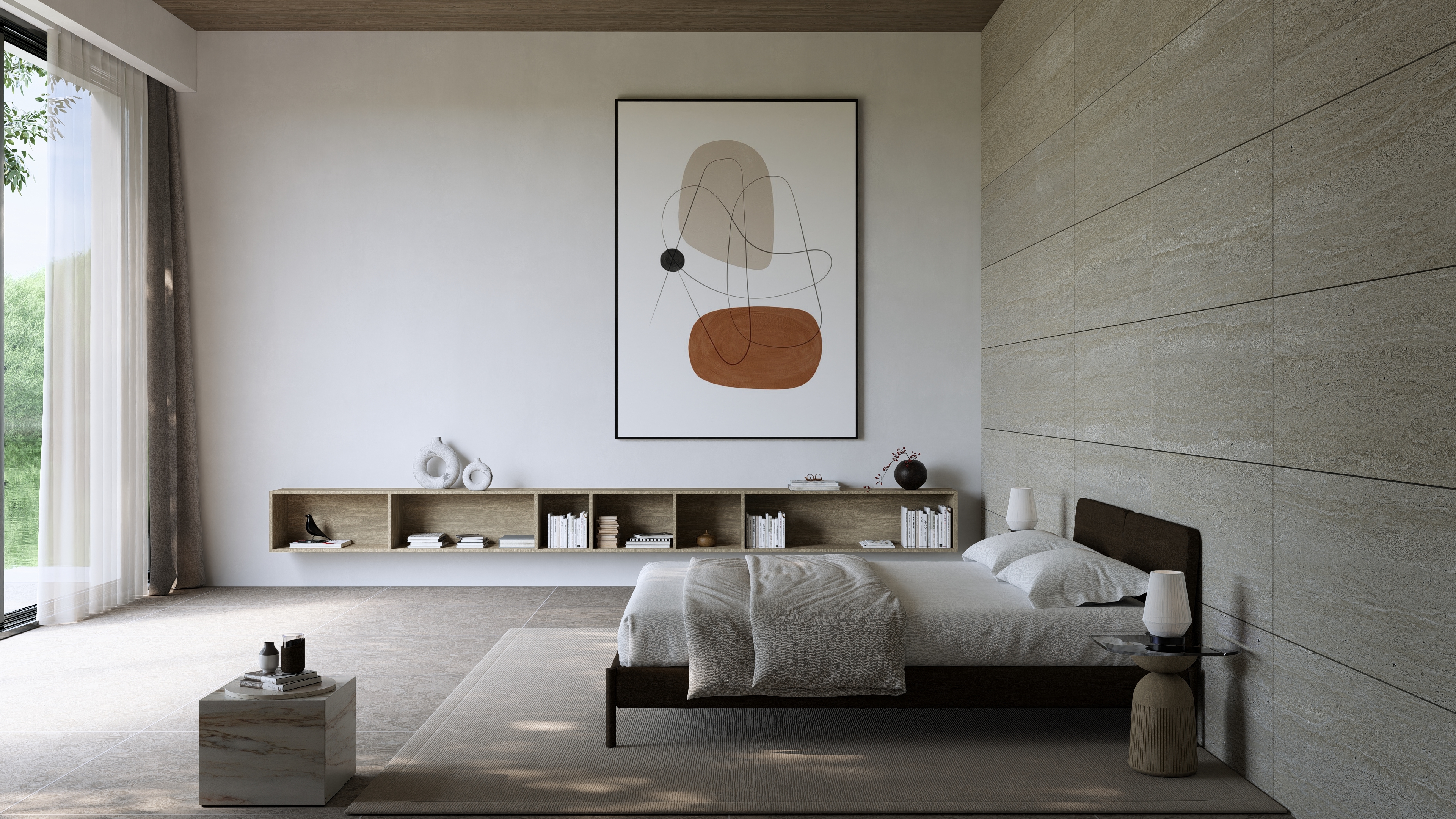
By using ray trace rendering, architects and designers can achieve a new level of precision and realism in their visualizations, making it easier to communicate their ideas and bring their projects to life.
Realism becomes another option in the architects and designers tool set to communicating the design with their clients.
6. What are some of the Limitations of Ray Trace Rendering?
Ray trace rendering is a simulation of the real world. The algorithms have limitations.
-
Speed of render.
-
Speed of render compared to Rasterization.
-
Speed of Render when utilizing Path Tracing.
-
Noise. Ray trace rendering creates noise that needs to be reduced through additional processes.
- The recursive part of the process is that secondary rays can be generated every time a newly cast ray intersects with a surface. This could easily get out of control, so the number of secondary rays generated needs to be limited which in turn may impact on quality of render.
The hardware has only been available since the late 2010s. The hardware is only now (2022+) becoming more practical (available in everyday common PC platforms), underlying system technology supports (DirectX, CUDA, OpenGL, Vulkan, Metal) and cost accessible. However (as of 2026) this technology has now wide acceptance and use in architectural offices and other industries.
7. PC system Requirements:
7.1: The Hardware and Programming Needed
Ray Tracing was and still can be done on the CPU.
The development of PC based graphics cards (GPU's) now provides for realtime rendering:
- Dedicated hardware: RT Cores, that is specifically designed to accelerate these particular math operations.
- Ability to have a massive number of such computational units connected to the rest of the system.
- Dedicated hardware: DLSS processors in NVIDIA and AMD FSR for taking smaller rendered frames and scaling them up so that the number of Rays cast/path does not need to be incrementally high, especially as users want screen and frames rendered resolution increases.
- Improved algorithms for determining the path of rays and statistical evaluation, organizing the model data in such a way that the geometry can be searched more quickly.
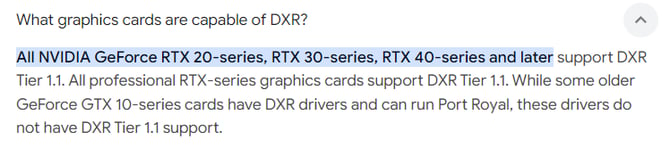
7.2: Hardware requirements for Lumion are provided in these articles
- Knowledge Base: What kind of computer does Lumion 2026 need?
- Knowledge Base: Which graphics card do you need for Lumion 2024 and newer?
8. How does Ray Tracing affect rendering time?
You know Lumion to be highly effective for rendering times. That includes Projects of significant size or complexity. To date and also in Lumion 2023 that is done using the Rasterization rendering pipeline. It is, by its nature, significantly faster than Ray Tracing. However it does not have the possible quality that Ray Tracing can achieve, that is, without other significant technology that has been developed for Lumion to emulate other parts of the rendered outcome.
For example, Planar Reflections in the Reflection Effect for glass/windows, mirrored surfaces or highly polished surfaces require the whole Scene to be rendered one extra time. This requires more rendering time. Other examples are HyperLight, Sky Light, and, Global Illumination, and to a lesser extent the Shadows Effects.
Ray Tracing offsets some of those highly computational Rasterization render costs. Intrinsically Ray Tracing in combination with Path Tracing solves reflections, shadows, refractions, and global illumination.
However, Ray Tracing (+Path tracing) requires a massive number of calculations per pixel. Clearly the larger the output, the higher the rendering cost is involved. It also requires dedicated high performance hardware designed to calculate for ray tracing.
in Lumion 2023 this impact is noticeable when compared to Rasterization. Even when using Ray Trace graphics hardware. However, by 2025 the hardware performance is now providing practical computational solutions.
See further in our Part 2 article:
9. What's all the Noise for (in Ray Trace rendering)?
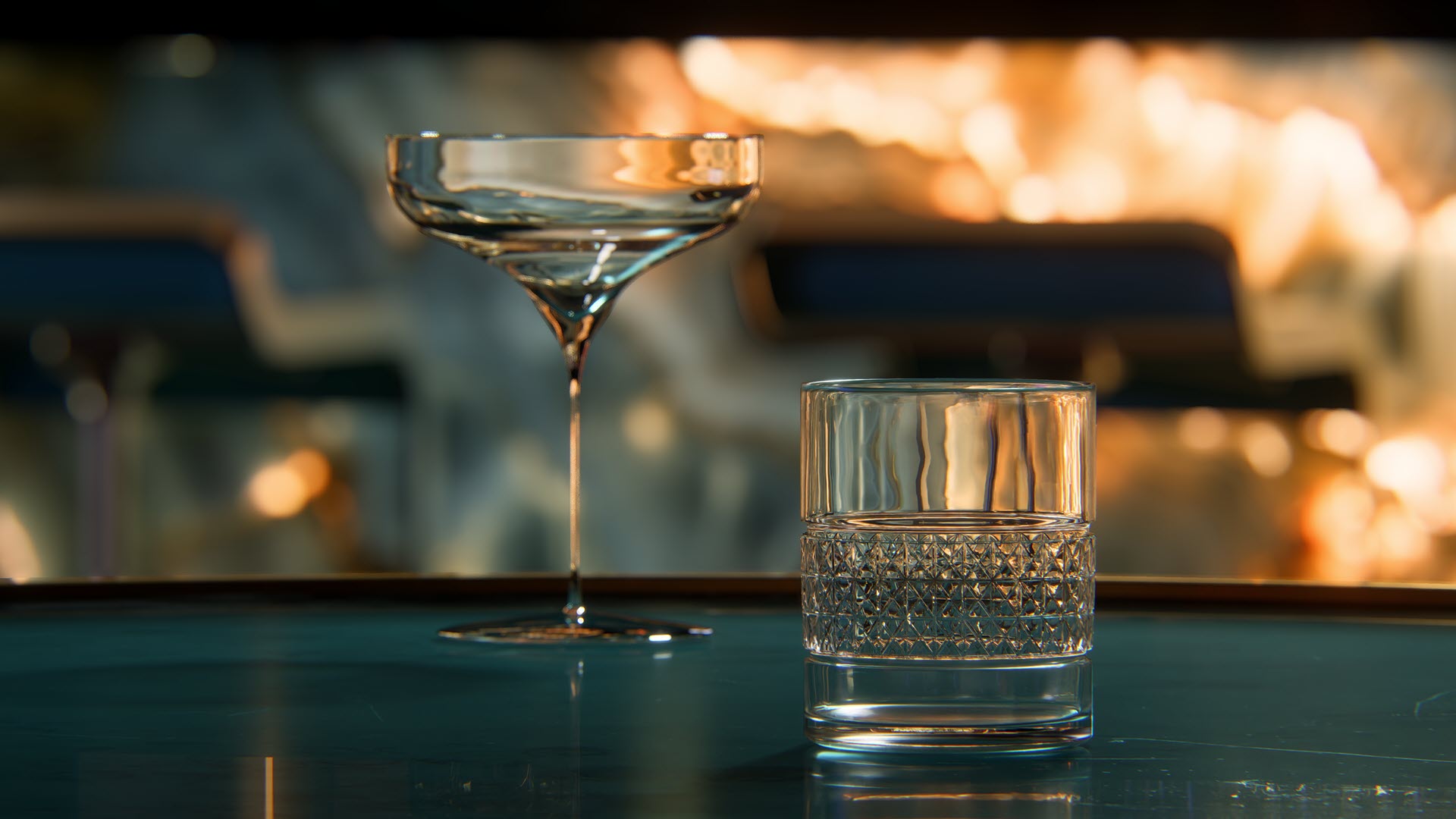
It's not noise from a stereo, it's not audial. Noise is the grainy or speckled artifacts that can appear in the final image without a Denoiser.
Noise is different from other potential rendering artifacts such as patchy or blurred areas.
The noise occurs due to the way ray tracing simulates light. It is inherent in the process and further ways of reducing it are needed. That adds further time to the rendering process. However, the technologies and methods are now very fast.
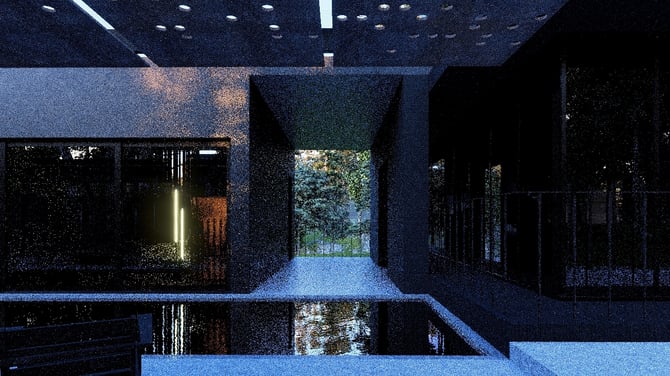
9.1: Causes of Noise
-
Sampling: insufficient sampling or a low sample count than is required for the Scene.
-
Complex Lighting: Scenes with complex lighting, such as multiple light sources.
-
And complex surface/material interactions with the lighting such as reflective surfaces - windows, mirrors, water.
9.2: Overcoming the noise
Although noise might not be there or be very insignificant, it is most likely you will always see it in renders until certain steps are taken:
- Increase the Samples: Tracing a larger number of rays can reduce noise but at the cost of increased rendering time.
- Denoising Techniques: Post-processing techniques can help smooth out the noise. In Lumion you use a setting to turn the Denoise on or off. More in:
- Knowledge Base: Ray Tracing in Lumion 2023 and newer - Part 2: Using Lumion for Ray Trace Rendering
- Knowledge Base: How do you use the new Ray Tracing Effect?
- Lumion Community: Lumion - R&D Preview: NRD for Ray Tracing
10. What is Rasterization - the technology and differences to Ray Tracing?
10.1: What is Rasterization?
Lumion already did photo realistic-like renders for exteriors and for interiors. Except, as with all technology, there are some limitations such as adding Planar Reflections to a Scene can significantly increases the rendering time.Rasterization also renders 3D objects in a 2D space - the computer screen. There is a very fast method of projecting the 3D surface of an object into 2D. Then coloring of the pixels occurs. The coloring will be enhanced by other information about the object such lighting, textures, and other factors.
The results can be very good, even if it’s still not always as good as what ray tracing can do.
CPUs, and now mostly dedicated graphics processing cards or onboard graphics chips have used it as a core technology for many years.
Modern GPUs can do that work in parallel and can generate over 100 billion rasterized pixels per second. That’s made rasterization ideal for real-time graphics. It is an efficient way to break down a complex scene into simpler shapes (triangles).
10.2: How Rasterization Works
- Model Representation: 3D objects are represented using a mesh of triangles or polygons.
- Vertex Processing: Each vertex of the triangles contains information such as position, color, and texture.
- Projection: The 3D vertices are projected onto a 2D plane (the screen).
- Rasterization: The triangles are converted into pixels on the screen.
- Shading: Each pixel’s color is determined based on lighting, textures, and other factors.
10.3: Comparing the Two: Ray Tracing v. Rasterization
Rasterization and ray tracing are two different techniques used in rendering 3D graphics.
Ray Tracing provides more accurate and realistic lighting and interactions with surfaces (when the materials are correctly set) with less manual intervention, making it ideal for high-quality renders and complex scenes.
Rasterization offers faster and more efficient processes but does require more manual adjustments (for Lumion, inclusion of further Effects and sometimes adding other lighting options) to achieve realistic results.
Lumion already did photo realistic-like renders for exteriors and for interiors.
It supports a hybrid rendering system when using Rasterization. Mainly rasterization but with options to render enhance reflections using for example HyperLight ( a screen space ray trace rendering method).
Exteriors can often be more easily rendered using Rasterization with suitable to very high levels of quality.
Interiors when combining a set of Effects (HyperLight, Sky Light, Reflection, Shadows) could and still can provide fast high quality renders. However, more often the higher level is done by those with higher levels of expertise to get the best by combining the right lighting with the range of Effects at hand in Lumion.
You might find that the requirements for the Scene, for Photos and animations are different and chose to use Ray Tracing for Photos and Rasterization for animations. Although since 2025, use of NRD technology for temporal Denoising provides a way to do fast low Sample renders comparable and in some cases faster than Rasterization.
11. Using Ray Tracing in Lumion for great renders:
See our Part 2 of this series:
- Knowledge Base: Ray Tracing in Lumion - Part 2: Using Lumion for Ray Trace Rendering
- Knowledge Base: Introduction to Ray Trace rendering in Lumion
12. See Also:
- Knowledge Base: How do you use the new Ray Tracing Effect?
- Video Tutorial: Lumion 2023: The Raytracing Effect
- Knowledge Base: How do you Determine the 'Complexity' of your Projects
References:
- External Link: Ray tracing (graphics) [Wikipedia]
- External Link: Path tracing [Wikipedia]
- External Link: RTX Technology: NVIDIA RTX Architecture [NVIDIA]
- External Link: RTX Technology
- External Link: Ray Tracing vs Rasterized Rendering – Explained
- External Link: (1), (2): Wikipedia: Ray tracing (graphics)